SECTION 2 - CONTROLS, INSTRUMENTS AND OPERATION
2ï58
Monitor preferences
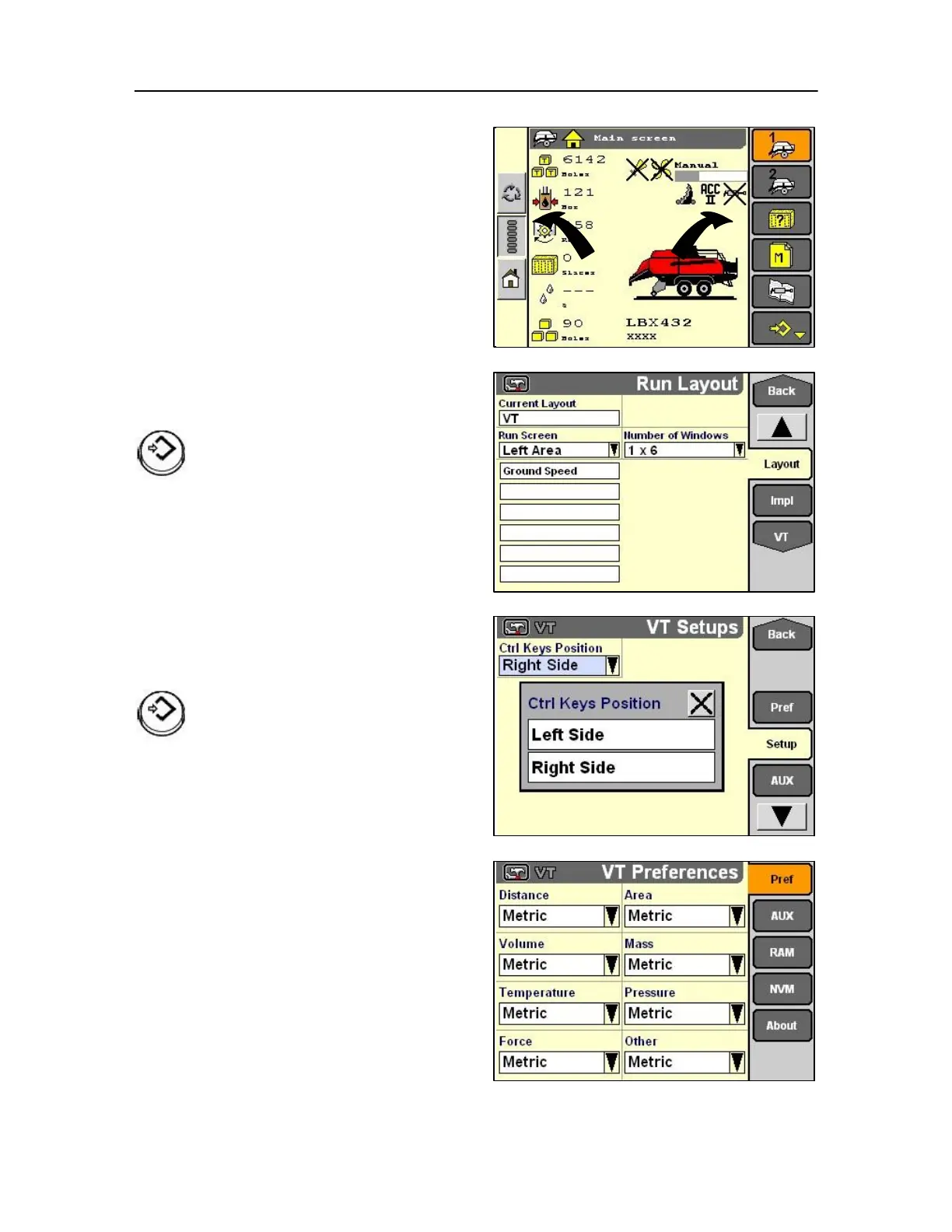
The tool bar as shown opposite on the left (Colour
monitor only) can be positioned either side of the
display at the discretion of the operator.
From the layout screen select the set up screen.
Highlight the desired module.
Press Select or touch to confirm the
selection.
In the VT set up screen select controls key position
and select left side or right side as required.
Highlight the desired module.
Press Select or touch to confirm the selection.
Use the monitor Preferences screen to select units of
measurement for all monitor clients for example,
Autosteer system software and ISO implements.



 To Next Page