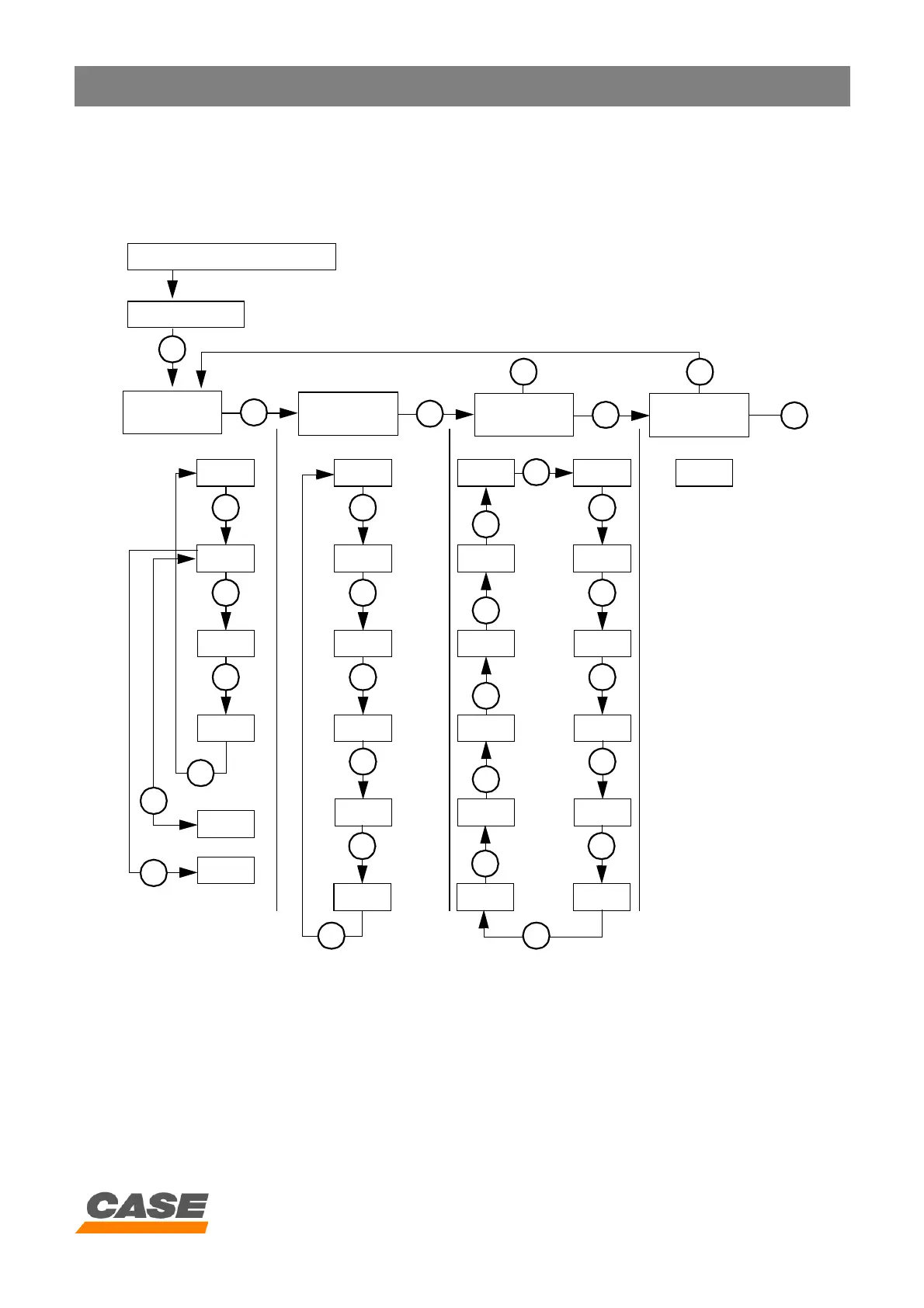
DIAGNOSTIC - SELECTION
4 - 1
CASE TRAINING CENTER
AUGUST 2000
ACCESS AND CONTENTS OF CONTROL SCREENS
(
Diagnostic mode)
Access to control screens
A. Press the travel mode and work mode switches simultaneously for a minimum of 3 seconds
B. Press the automatic mode switch
C. Press the audible warning device stop switch
D. To erase the data, press the work mode switch for a minimum of 10 seconds and the audible warning device sounds
E. To re-initialise the system, press the audible warning device stop switch
To programme the system, press the travel speed switch
To erase the data, press the work mode switch for 10 seconds and the audible warning device sounds
F. To detect overloads on the electrical circuit, press the travel speed switch
G. To detect short-circuits, operate the return to idle switch and the starter motor switch simultaneously, but do not start
the engine
Starter motor switch "ON"
Normal display
(Water temperature, hydraulic oil temperature, fuel level, travel mode, work
mode, idle mode)
Machine
condition
A
B
Diagnostic
code
B
Machine
history
B
Re-
initialisation
E
CD
CHK1
C
CHK2
C
CHK3
C
CHK4
C
CHK5
F
CHK6
G
DIAG1
C
DIAG2
C
DIAG3
C
DIAG4
C
DIAG5
C
DIAG6
C
HR12
C
HR11
C
HR10
C
HR9
C
HR8
C
HR7
HR1
C
HR2
C
HR3
C
HR4
C
HR5
C
HR6
C
C
RST1



 To Next Page