page 1-48 Part 1. Operation Manual Rev. 03-2004
Bill Acceptor FL Series Service Manual
Download procedure for the multi-download Smart Stick:
SOFTWARE
UPDATES
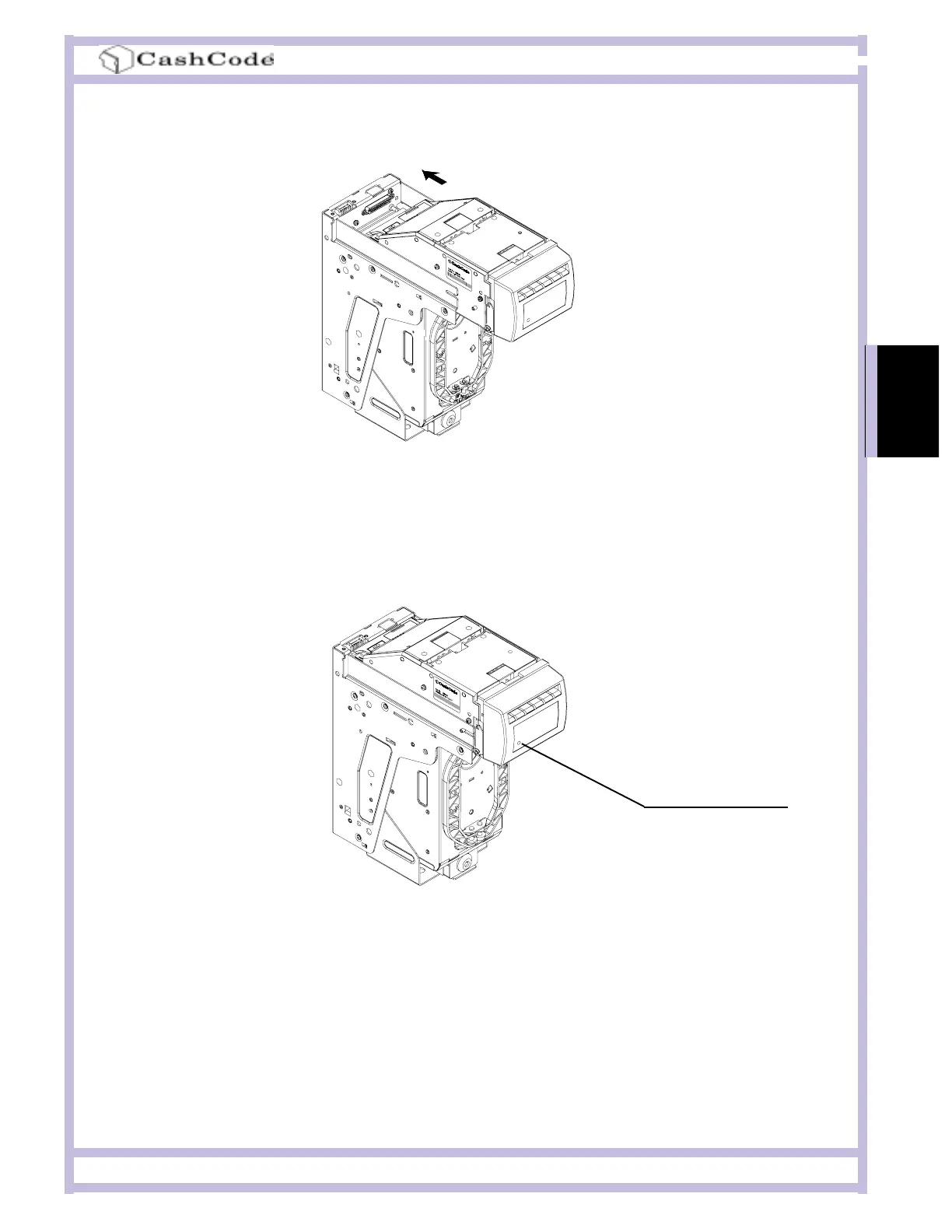
Step 6. Turn Power ON and wait until the download process is completed. During the download, a
red-green status light will blink. Once the download is completed, the diagnostic light will turn green.
Should the light stay red, this means there is no communication between the FrontLoad Bill Validator
and the host controller.
Step 5. Insert the Validating Head into the Housing.
A single-download Memory Card must be present in the Bill Validator at all times.
Please refer to the instructions concerning the single-download Memory Card. Follow steps 1, 2, 4,
5 and 6. After the successful completion of step 6, follow steps 1, 2, 3 and 5.
The Memory Card can be used to update more units, until the number of licenses is reached.
STATUS LIGHT


 To Next Page