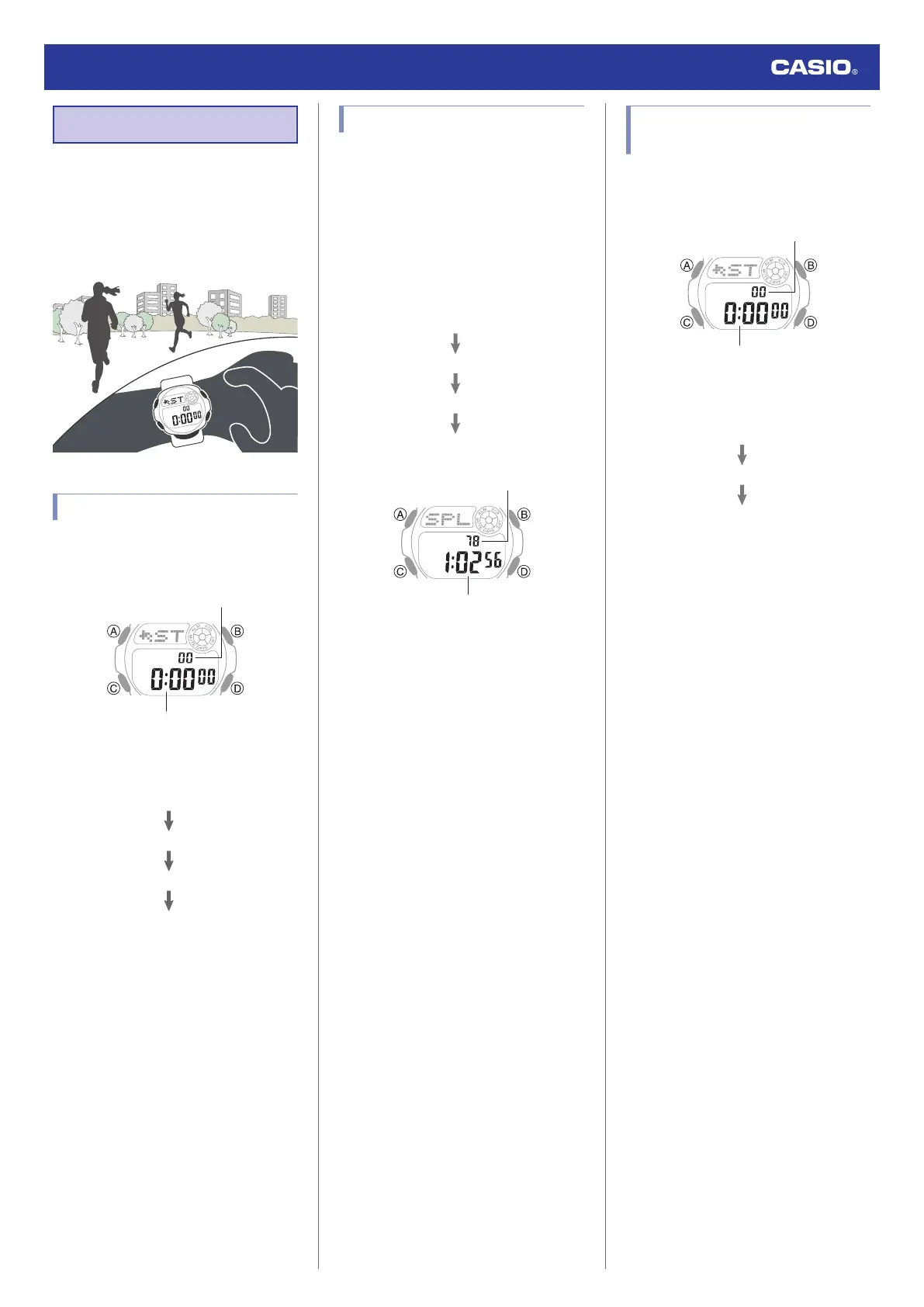
Stopwatch
The stopwatch measures elapsed time in units
of 1/100 second up to 23 hours, 59 minutes,
59.99 seconds (24 hours).
When this maximum limit is exceeded,
elapsed time measurement returns to 0 and
timing continues from there.
Measuring Elapsed Time
1. Enter the Stopwatch Mode.
l
Navigating Between Modes
Hour, minute, second
1/100 seconds
2. Use the operations below to measure
elapsed time.
3. Press (B) to reset the measurement time
to all zeros.
Measuring a Split Time
1. Enter the Stopwatch Mode.
l
Navigating Between Modes
2. Use the operations below to measure
elapsed time.
●
Pressing (B) displays the elapsed time
from the start of a race up to the point
when you pressed the button (split
time).
D
B
B
D
Stop
Split release
Split
Start
Hour, minute, second
1/100 seconds
3. Press (B) to reset the measurement time
to all zeros.
Timing the First and Second
Place Finishers
1. Enter the Stopwatch Mode.
l
Navigating Between Modes
Hour, minute, second
1/100 seconds
2. Use the operations below to measure
elapsed time.
D
B
D
2nd Finisher*
1st Finisher*
Start
* This displays the time of the first
finisher.
3. Press (B) to display the time of the second
place finisher.
4. Press (B) to reset the measurement time
to all zeros.
Watch Operation Guide 3531
10



 To Next Page