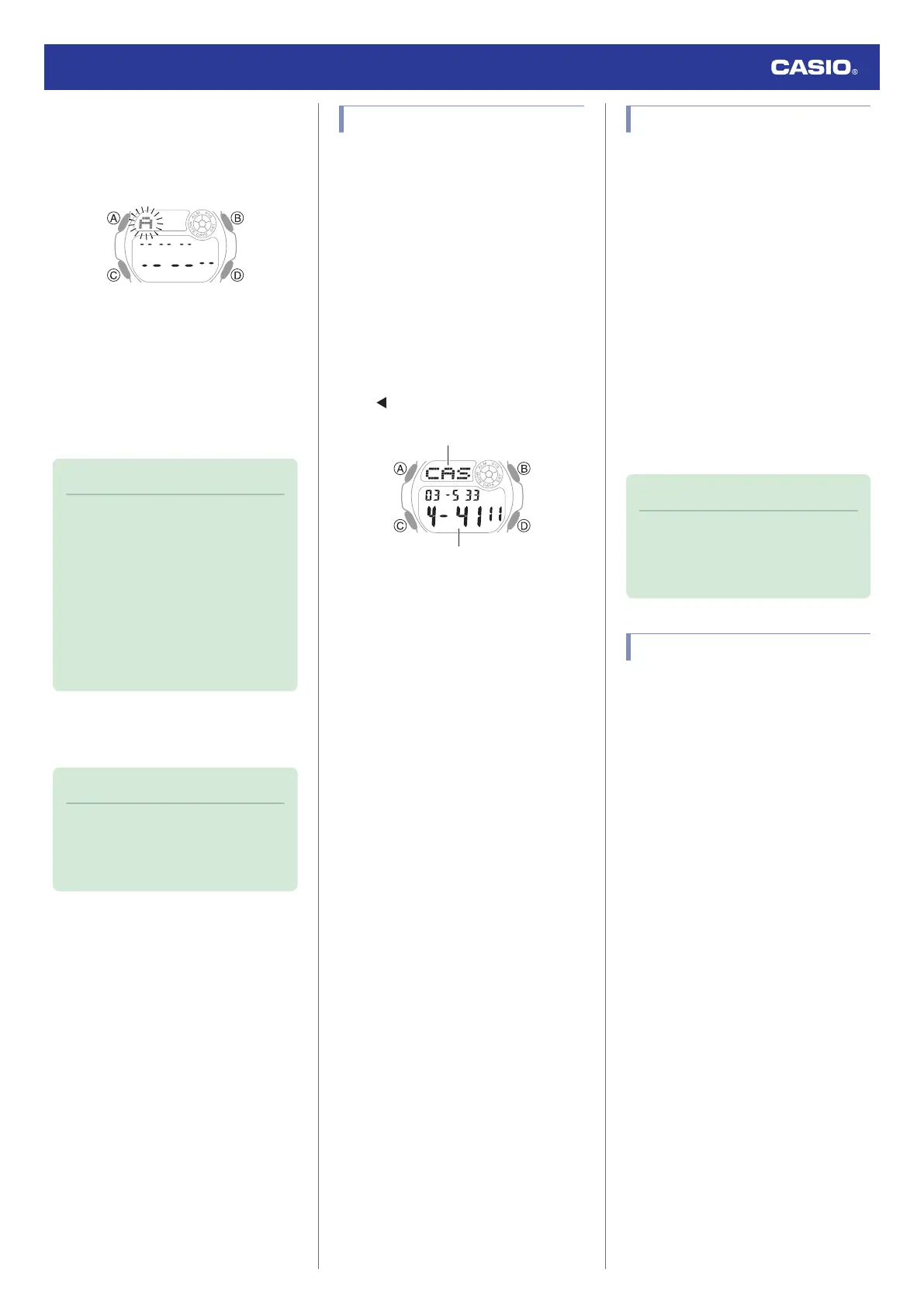
4. Use (B) and (D) to display the character
you want to input.
●
Holding down (B) or (D) scrolls through
settings at high speed.
5. Press (C).
●
This causes the flashing to move to the
right.
●
From the 8th character of the name, the
flashing moves to the first digit of the
phone number.
6. Repeat steps 4 and 5 to input data.
Note
●
You can enter up to eight characters for
the name. Allowable input characters
for the name are: spaces, alpha
characters (A to Z), symbols (., -), and
numbers (0 to 9).
●
You can enter up to 12 digits for the
phone number. Allowable input
characters for the phone number are:
spaces, numbers (0 to 9), and symbol
(-).
7. Press (A) to complete the setting
operation.
Note
●
While the setting is being configured,
the watch will exit the setting operation
automatically after about two or three
minutes of non-operation.
Viewing Data
Records are automatically sorted
alphabetically on the names.
1. Enter the Data Bank Mode.
l
Navigating Between Modes
2. Press (B) or (D).
●
Each press of (D) scrolls through
records in alphabetical order on the
name. (B) scrolls in reverse order.
●
Holding down (B) or (D) scrolls through
settings at high speed.
●
If a name has more than three
characters, it scrolls from right to left.
indicates the end of a name.
Correcting Data
1. Enter the Data Bank Mode.
l
Navigating Between Modes
2. Use (B) and (D) to display the data you
want to correct.
3. Hold down (A) for at least one second.
This causes the first character of the name
to flash.
4. Use (C) to select the character you want
to change.
5. Use (B) and (D) to change the flashing
character.
6. Repeat steps 4 and 5 to correct the data.
7. Press (A) to complete the setting
operation.
Note
●
While the setting is being configured,
the watch will exit the setting operation
automatically after about two or three
minutes of non-operation.
Deleting Data
1. Enter the Data Bank Mode.
l
Navigating Between Modes
2. Use (B) and (D) to display the data you
want to delete.
3. Hold down (A) for at least one second.
This causes the first character of the name
to flash.
4. Press (B) and (D) at the same time.
[CLR] appears on the display, indicating
that one record was deleted.
●
After deleting data, you can input new
data.
5. Press (A) to complete the delete
operation.
Watch Operation Guide 3531
12



 To Next Page