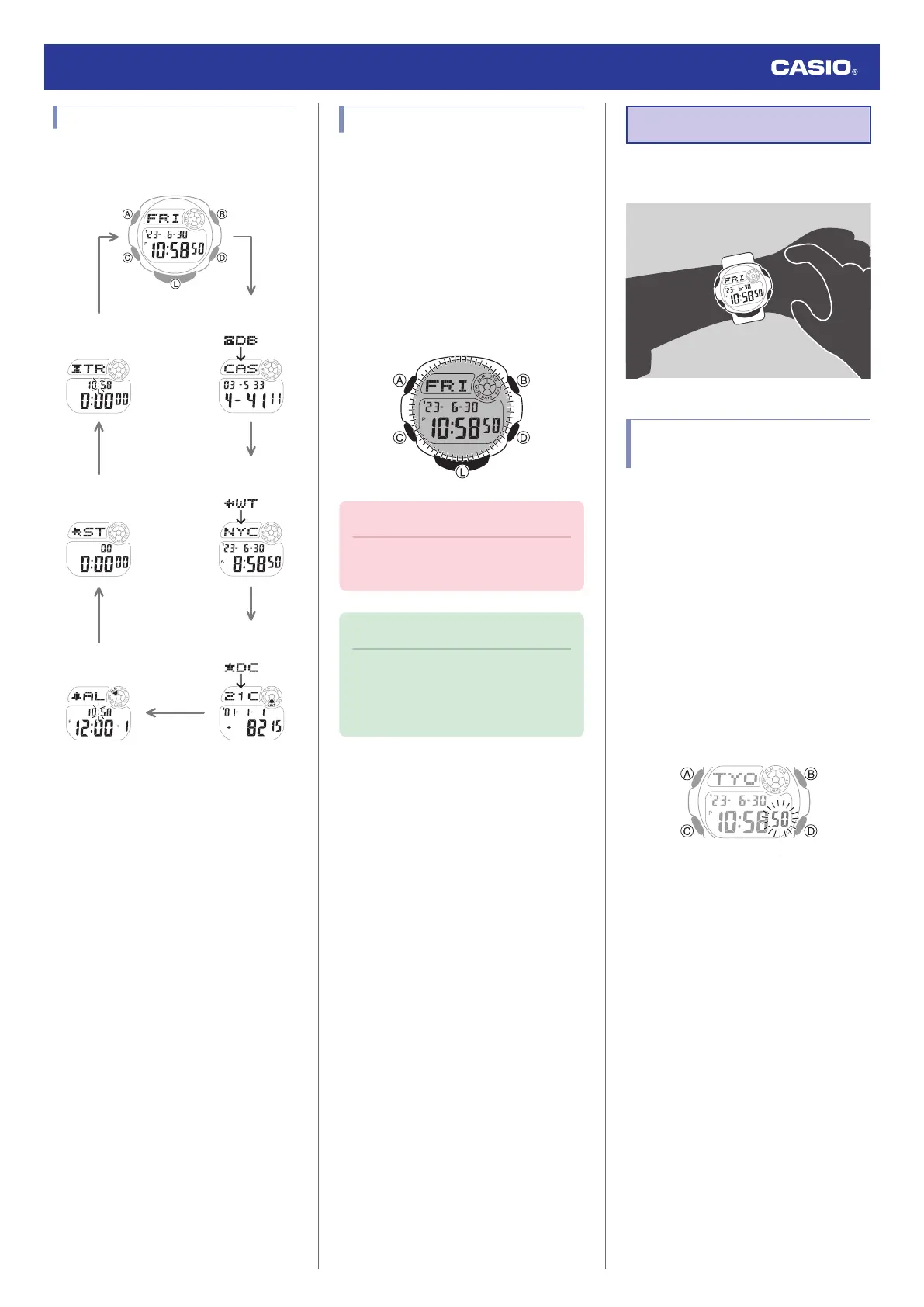
Navigating Between Modes
Press (C) to cycle between modes.
C
C
C
C
C
C
C
Day Counter Mode
World Time Mode
Timekeeping Mode
Stopwatch Mode
Data Bank Mode
Timer Mode
Alarm Mode
Viewing the Face in the Dark
The watch has a light that illuminates the face
for viewing in the dark.
●
Turning On Display Illumination
Press (L) to turn on illumination.
●
Illumination will turn off automatically if an
alarm starts to sound.
●
In the Timekeeping Mode, turning on
display illumination will display one of four
animations. Animations do not appear while
a setting screen is displayed.
Important!
●
Frequent use of illumination will run
down the battery.
Note
●
Display illumination is disabled when
any one of the conditions below exists.
ー
Alarm, timer alert, or other beeper
sounding
Time Adjustment
Use the procedures in this section to adjust the
date and time settings.
Adjusting the Current Time
Setting
Use the procedures below to adjust the
current date and time settings, and to select a
Home City.
●
Setting a Home City
Use the procedure in this section to select a
city to use as your Home City. If you are in an
area that observes summer time, you can also
configure a summer time setting.
1. Enter the Timekeeping Mode.
l
Navigating Between Modes
2. Hold down (A) for at least one second.
Release the button when the seconds
start to flash.
3. Press (C).
Watch Operation Guide 3531
6



 To Next Page