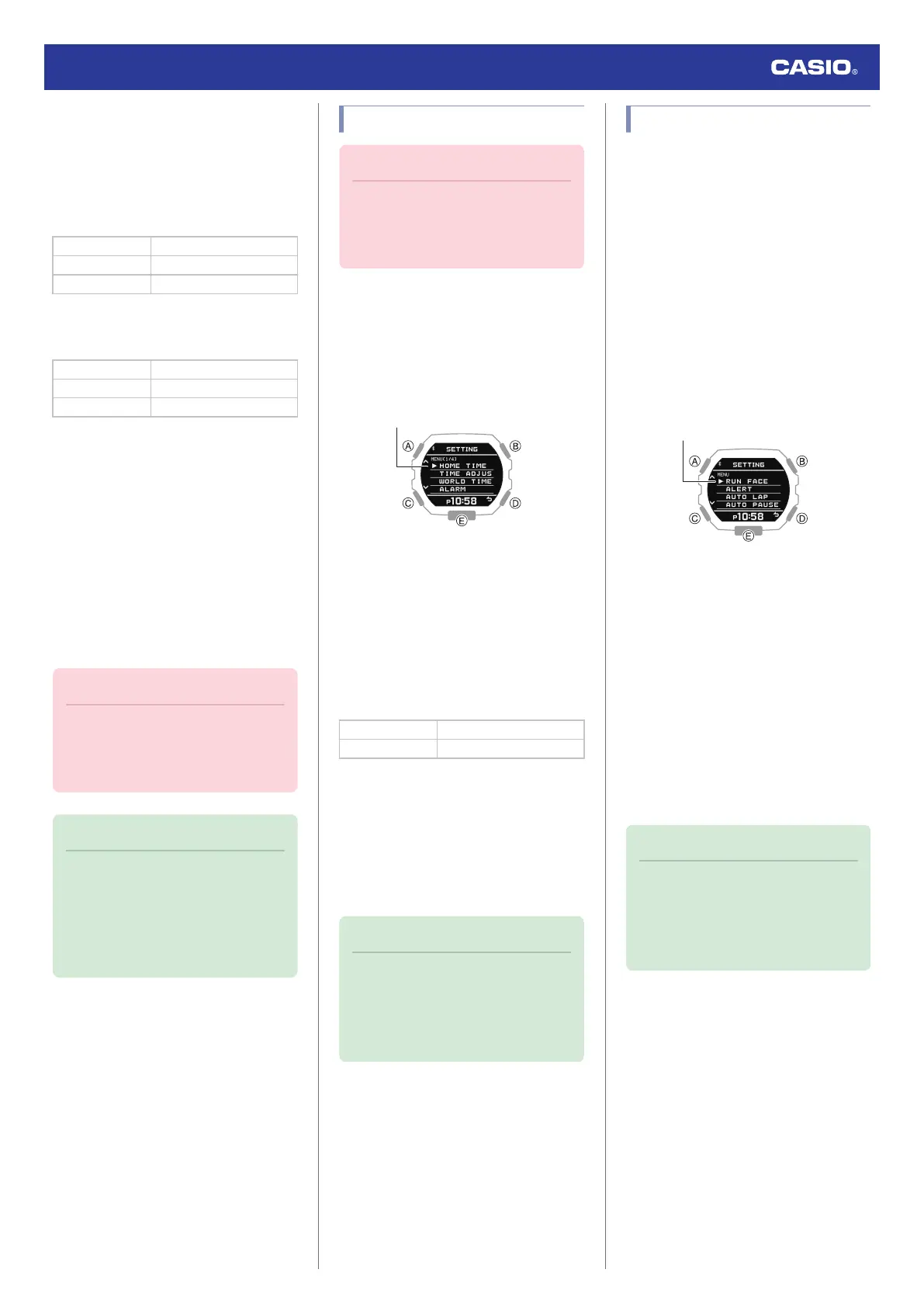
4. Use (A) and (C) to move the pointer to
[ALERT].
5. Press (B).
6. Use (A) and (C) to select the item whose
setting you want to change.
[CALORIES] Calories burned
[TIME 1] Time 1
[TIME 2] Time 2
7. Press (B).
8. Use (A) and (C) to select an alert setting.
[OFF] Disabled
[ON (REPEAT)] Enabled (repeat)
[ON (1 TIME)] Enabled (one time)
●
While [ON (REPEAT)] is selected, an
alert operation is performed whenever
an alert interval value is reached.
9. Press (B) to complete the setting
operation.
After the setting operation is complete,
[SETTING COMPLETED] will appear for
a few seconds, and then the alert setting
screen will re-appear.
●
If you want to configure settings for
another item, repeat steps 6 through 9.
10. Press (D) twice to exit the setting screen.
Important!
●
To specify the alert interval for each
item, use G-SHOCK MOVE. Note that
you cannot configure settings using
watch operations.
Note
●
The watch exits the setting operation
automatically after about two or three
minutes of non-operation.
●
You can also use the G-SHOCK
MOVE phone app to enable or disable
alerts.
Specifying the Distance Unit
Important!
●
When Tokyo (TOKYO) is the Home
City, the distance unit is fixed as
kilometers (km) and cannot be
changed.
1. Enter the Timekeeping Mode.
l
Navigating Between Modes
2. Hold down (A) for at least two seconds.
This displays the Timekeeping Mode
setting screen.
3. Use (A) and (C) to move the pointer to
[UNIT].
4. Press (B).
5. Use (A) and (C) to move the pointer to
[DISTANCE].
6. Press (B).
7. Use (A) and (C) to select a distance unit.
[KILOMETER] Kilometers
[MILE] Miles
8. Press (B) to complete the setting
operation.
After the setting operation is complete,
[SETTING COMPLETED] will appear for
a few seconds, and then the unit setting
screen will re-appear.
9. Press (D) twice to exit the setting screen.
Note
●
The watch exits the setting operation
automatically after about two or three
minutes of non-operation.
●
You can also use G-SHOCK MOVE to
change the distance unit.
Enabling Auto Lap Timing
While Auto Lap Timing is enabled, each time
you run the distance you specified with G-
SHOCK MOVE the lap time will be recorded
automatically.
l
Specifying the Distance for Auto Lap
Timing
1. Enter the Timekeeping Mode.
l
Navigating Between Modes
2. Press (B).
This displays the Training Mode screen.
3. Hold down (A) for at least two seconds.
This displays the Training Mode setting
screen.
4. Use (A) and (C) to move the pointer to
[AUTO LAP].
5. Press (B).
6. Use (A) and (C) to move the pointer to
[ON] (enabled) or [OFF] (disabled).
7. Press (B) to complete the setting
operation.
After the setting operation is complete,
[SETTING COMPLETED] will appear for
a few seconds, and then the Training
Mode setting screen will re-appear.
8. Press (D) to exit the setting screen.
Note
●
The watch exits the setting operation
automatically after about two or three
minutes of non-operation.
●
You can also use G-SHOCK MOVE to
enable or disable Auto Lap Timing.
Watch Operation Guide 3568
27



 To Next Page