Settings Configured with the
Application
Some Training Function settings can be
configured using either watch operations or G-
SHOCK MOVE, while some settings must be
configured using G-SHOCK MOVE.
Settings that can be configured on the
watch or using G-SHOCK MOVE
●
Customization of screens displayed during
run timing
●
Alert enable/disable
●
Distance unit
●
Auto Lap Timing enable/disable
●
Auto Pause enable/disable
Settings that can be configured using G-
SHOCK MOVE only
●
Auto Lap screen display item: [SPLIT
TIME] or [DISTANCE]
●
Alert calories burned interval
●
Alert time interval
●
Auto Lap Timing distance
Viewing Training Log
Records
Your watch stores data (log records) acquired
during run timing. There is enough memory to
store up to 100 log records.
You can tell how much storage space is
available by checking the indicator.
●
During run timing
Indicator: Meaning:
Displayed
Storage space
available
Flashing Storage space low
Flashing Storage memory full
●
Not during run timing
Indicator: Meaning:
None
Storage space
available
Displayed Storage space low
Displayed Storage memory full
Training Log Data Accuracy
●
Your watch calculates step counts, calories
burned, and other information based on
data picked up by its built-in sensors. No
guarantees are made concerning the
statistics and values calculated by this
watch, so they should be used as general
reference information only.
Viewable Training Log Items
The items below are shown on the Training
Log screen.
[DISTANCE] Running distance
[TIME] Travel time
[PACE] Pace
[CALORIES] Calories burned
[CADENCE] Cadence
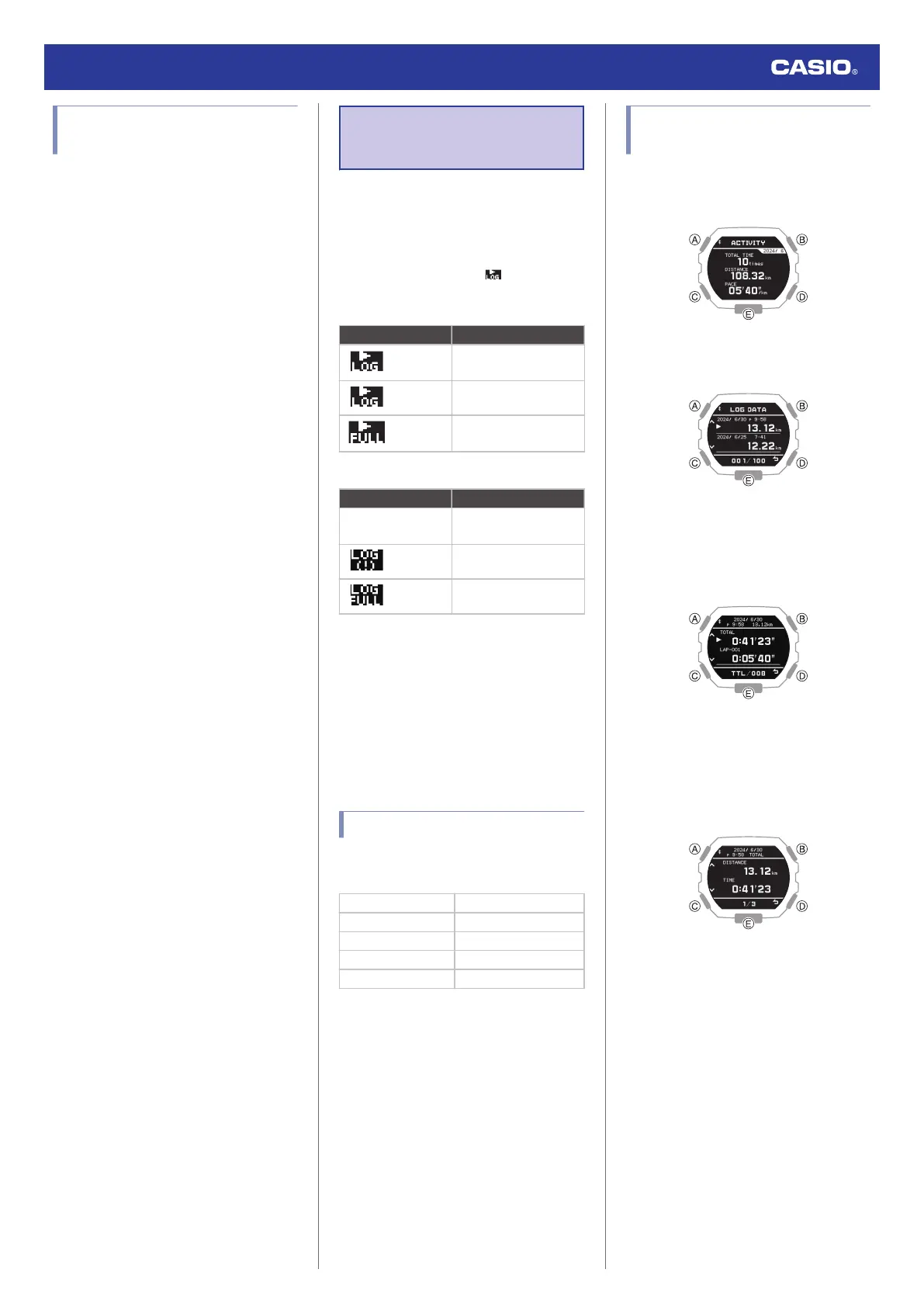
Viewing Recorded Log Data
Records
1. Enter the Training Log Mode.
l
Navigating Between Modes
2. Press (B).
This displays the training log list.
3. Use (A) and (C) to move the pointer to the
log data record you want to view.
4. Press (B).
This displays the selected log data items.
5. Use (A) and (C) to move the pointer to the
item whose details you want to view.
6. Press (B).
This displays details about the selected
item.
●
You can use (A) and (C) to scroll screen
contents.
Watch Operation Guide 3568
29



 To Next Page