Configuring Notification
Sound Settings
You can use the procedure below to enable or
disable the notification sound.
1. Enter the Timekeeping Mode.
l
Navigating Between Modes
2. Hold down (A) for at least two seconds.
This displays the Timekeeping Mode
setting screen.
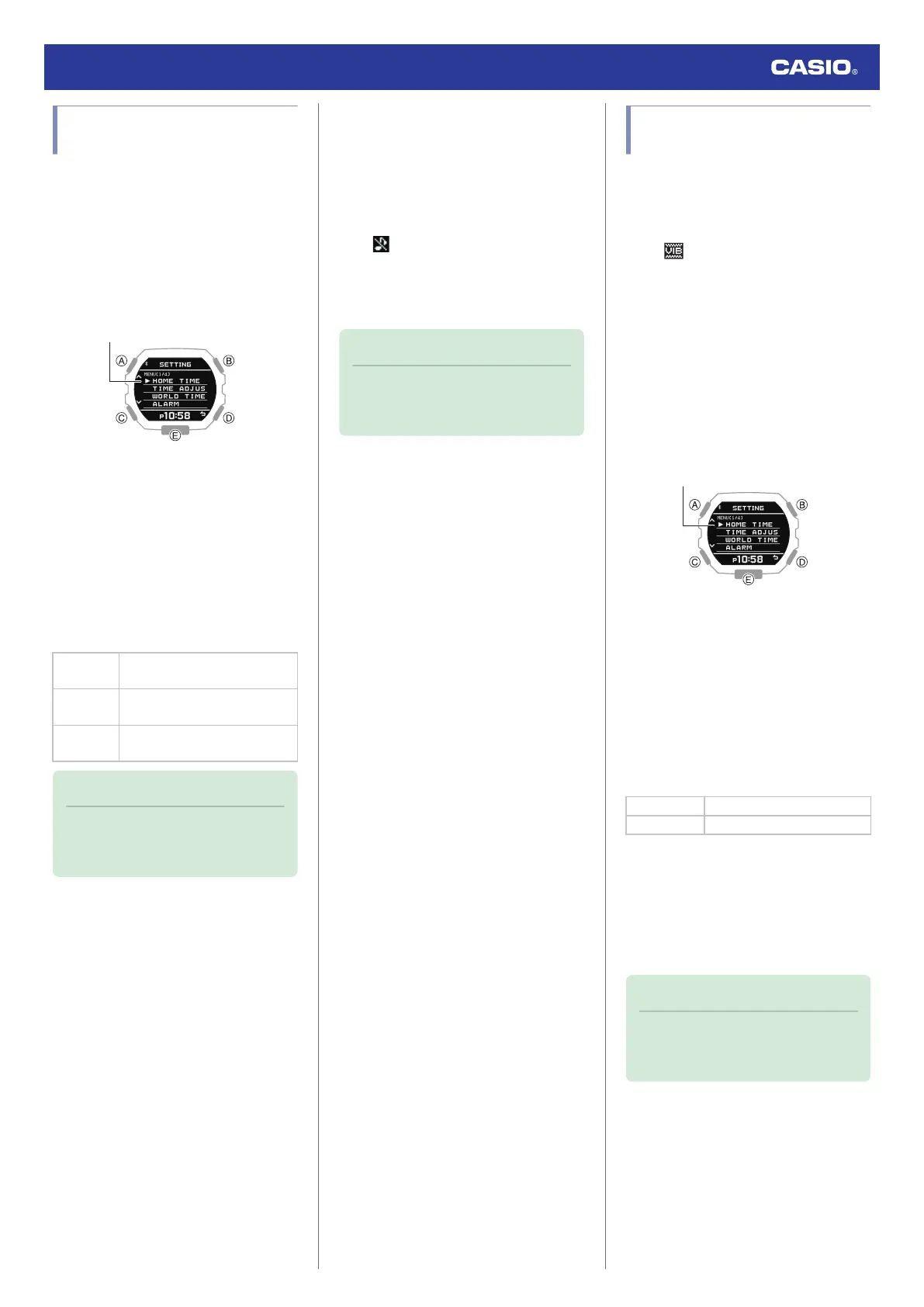
3. Use (A) and (C) to move the pointer to
[BEEP].
4. Press (B).
5. Use (A) and (C) to move the pointer to
[NOTIFICATION].
6. Press (B).
7. Use (A) and (C) to select a notification
sound ON/OFF setting.
[ALL ON]
Enables sound for all
notifications.
[USER]
Enables sound only for items
specified by you.
[ALL OFF]
Disables sound for all
notifications.
Note
●
The configuration of [USER]
notifications can be changed using G-
SHOCK MOVE.
8. Press (B) to complete the setting
operation.
After the setting operation is complete,
[SETTING COMPLETED] will appear for
a few seconds, and then the BEEP
(sound) setting screen will re-appear.
●
is displayed in the Timekeeping
Mode while the notification tone is
disabled.
9. Press (D) twice to exit the setting screen.
Note
●
The watch exits the setting operation
automatically after about two or three
minutes of non-operation.
Configuring Vibration
Settings
In addition to operation sounds and
notification sounds, your watch also uses
vibration for alerts. You can use the procedure
below to enable or disable vibration.
●
The icon is shown on the Timekeeping
Mode display while operation vibration or
notification vibration is enabled.
●
Configuring Operation Vibration
Settings
1. Enter the Timekeeping Mode.
l
Navigating Between Modes
2. Hold down (A) for at least two seconds.
This displays the Timekeeping Mode
setting screen.
3. Use (A) and (C) to move the pointer to
[VIBRATION].
4. Press (B).
5. Use (A) and (C) to move the pointer to
[OPERATION].
6. Press (B).
7. Use (A) and (C) to enable or disable
operation vibration.
[ON] Enables operation vibration.
[OFF] Disables operation vibration.
8. Press (B).
After the setting operation is complete,
[SETTING COMPLETED] will appear for
a few seconds, and then the vibration
setting selection screen will re-appear.
9. Press (D) twice to exit the setting screen.
Note
●
The watch exits the setting operation
automatically after about two or three
minutes of non-operation.
Watch Operation Guide 3568
35



 To Next Page