●
Configuring Notification Vibration
Settings
1. Enter the Timekeeping Mode.
l
Navigating Between Modes
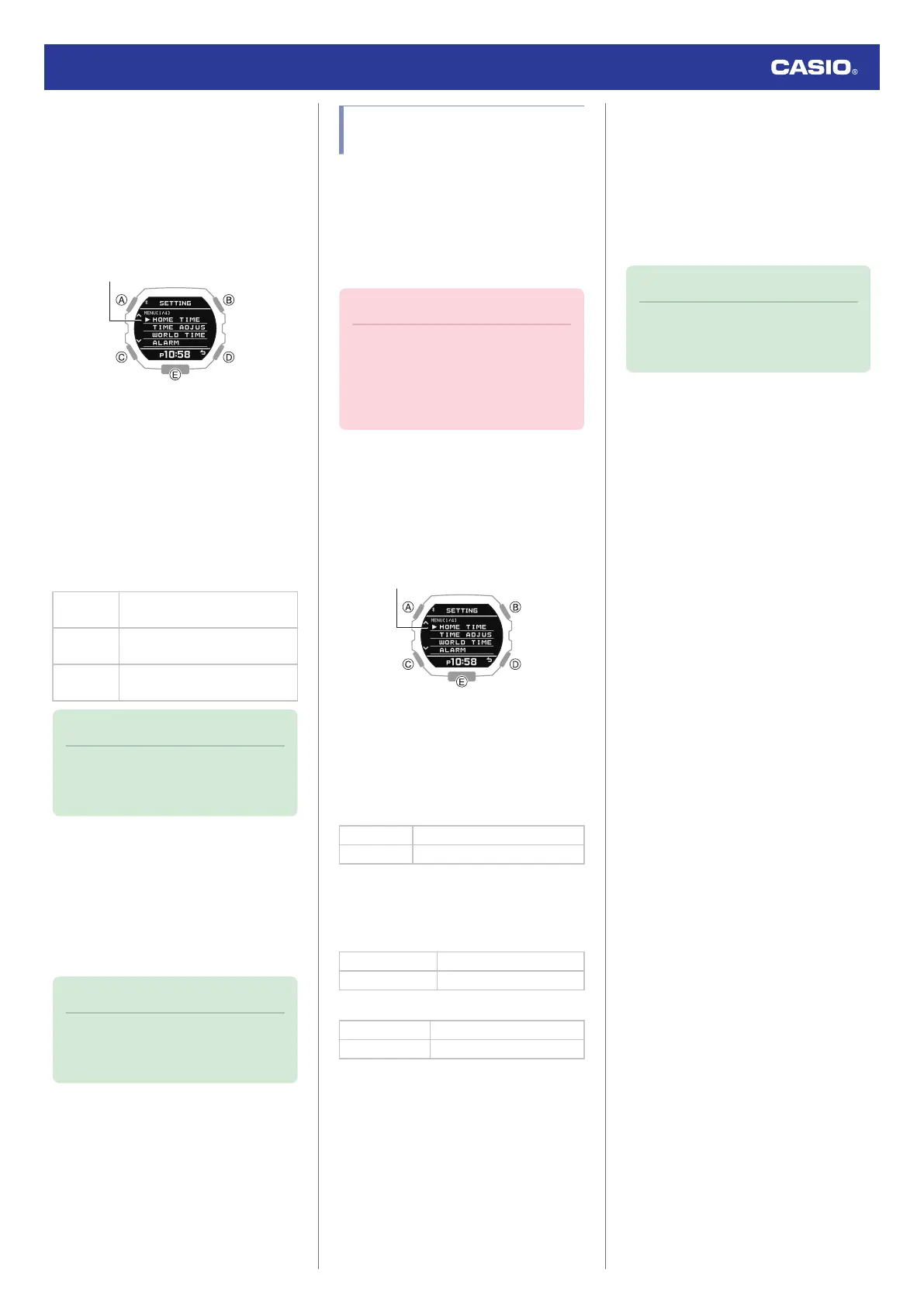
2. Hold down (A) for at least two seconds.
This displays the Timekeeping Mode
setting screen.
3. Use (A) and (C) to move the pointer to
[VIBRATION].
4. Press (B).
5. Use (A) and (C) to move the pointer to
[NOTIFICATION].
6. Press (B).
7. Use (A) and (C) to select a notification
vibration ON/OFF setting.
[ALL ON]
Enables vibration for all
notifications.
[USER]
Enables vibration only for items
specified by you.
[ALL OFF]
Disables vibration for all
notifications.
Note
●
The configuration of [USER]
notifications can be changed using G-
SHOCK MOVE.
8. Press (B).
After the setting operation is complete,
[SETTING COMPLETED] will appear for
a few seconds, and then the vibration
setting selection screen will re-appear.
9. Press (D) twice to exit the setting screen.
Note
●
The watch exits the setting operation
automatically after about two or three
minutes of non-operation.
Specifying the Height and
Weight Units
You can specify the units of measurement
used for height and weight.
●
You can select either centimeters (cm) or
feet (ft) as the height unit.
●
You can select either kilograms (kg) or
pounds (lb) as the weight unit.
Important!
●
When Tokyo (TOKYO) is the Home
City, the height unit is fixed as
centimeters (cm) and the weight unit is
fixed as kilograms (kg), and these
settings cannot be changed.
1. Enter the Timekeeping Mode.
l
Navigating Between Modes
2. Hold down (A) for at least two seconds.
This displays the Timekeeping Mode
setting screen.
3. Use (A) and (C) to move the pointer to
[UNIT].
4. Press (B).
5. Use (A) and (C) to select the unit setting
item.
[HEIGHT] Height unit
[WEIGHT] Weight unit
6. Press (B).
7. Use (A) and (C) to select the unit you want.
●
Height
[CENTIMETER] Centimeters
[FEET] Feet
●
Weight
[KILOGRAM] Kilograms
[POUND] Pounds
8. Press (B) to complete the setting
operation.
After the setting operation is complete,
[SETTING COMPLETED] will appear for
a few seconds, and then the unit setting
screen will re-appear.
9. Press (D) twice to exit the setting screen.
Note
●
The watch exits the setting operation
automatically after about two or three
minutes of non-operation.
Watch Operation Guide 3568
36



 To Next Page