EasyManua.ls Logo

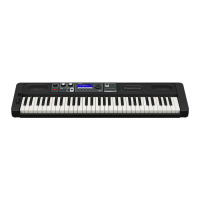
Casio Casiotone CT-S500 - User Manual

Casio Casiotone CT-S500
313 pages
Print Icon
To Next Page IconTo Next Page
Loading...
EN
CTS500-E-2B
USER’S GUIDE
CT
-
S500
Getting Ready to Play Preparing a Power
Supply
Connecting
Headphones (Option)
Connecting a Pedal
(Option)
Selecting a Musical
Instrument Tone
Changing the Pitch in
Semitone Units
(Transpose)
Fine Tuning (Tuning) Sustaining Notes After
Keyboard Keys Are
Released
Applying the Effect
You Want to a Tone
(Active DSP)
Saving and Recalling a
Setup (MY SETUP)
Playing a Song Linking with a Smart
Device (APP Function)
Configuring Settings Troubleshooting
Cove
r

Table of Contents

Questions and Answers

  • J
    James AguirreAug 18, 2025
    What to do if nothing happens when I press a key on my Casio Casiotone CT-S500 Synthesizer?
    • R
      Robert MartinezAug 18, 2025
      If nothing happens when you press a key on your Casio Synthesizer, try these steps: * Adjust the volume level. * Review the volume level settings related to the balance function. * Ensure nothing is plugged into the PHONES jack. * Check that the "Speaker" setting is not turned off. * Turn the Synthesizer off and then back on to initialize settings (note: settings are not initialized if MY SETUP power on recall is enabled).
  • M
    Mrs. Sierra JacksonAug 21, 2025
    Why my Casio Synthesizer power does not turn on?
    • K
      Kimberly BrownAug 21, 2025
      If your Casio Synthesizer isn't turning on, here's what to check: * Verify the AC adapter is properly connected, or ensure batteries are correctly installed. * Try replacing the batteries with a fresh set, or use the AC adapter.
  • E
    Eddie HickmanAug 22, 2025
    What to do if auto accompaniment is not working on Casio Synthesizer?
    • E
      Eric ReyesAug 23, 2025
      If nothing happens when you start an Auto Accompaniment on your Casio Synthesizer: * For rhythms 234 to 243, you need to play a chord on the keyboard. * Check and adjust the rhythm volume level. * If using rhythm numbers 244 to 293, ensure you have saved user rhythms to those numbers. * Turn the Synthesizer off and then back on to initialize settings (note: settings are not initialized if MY SETUP power on recall is enabled).
  • T
    Tina MitchellAug 25, 2025
    What to do if accompaniment keyboard is not working on Casio Synthesizer?
    • K
      Katie ThomasAug 26, 2025
      If nothing happens or notes don't play normally on the accompaniment keyboard of your Casio Synthesizer, press ACCMP to disable chord play with the accompaniment keyboard.
  • K
    Kevin JordanAug 27, 2025
    Why do notes keep sounding without stopping on my Casio Casiotone CT-S500 Synthesizer?
    • B
      brandon02Aug 28, 2025
      If notes keep sounding without stopping on your Casio Synthesizer, try the following: * Turn the Synthesizer off and then back on to initialize settings (note: settings are not initialized if MY SETUP power on recall is enabled). * Replace the batteries with new ones or use an AC adapter.
  • S
    Stephen LoweAug 29, 2025
    Why is the display flickering on my Casio Casiotone CT-S500 Synthesizer?
    • J
      Jonathan WalkerAug 29, 2025
      If the display on your Casio Synthesizer keeps going dark or flickering, try replacing the batteries with new ones or use an AC adapter.
  • H
    Hannah KaiserSep 1, 2025
    What to do if my Casio Synthesizer turns off after a loud sound?
    • D
      David DeckerSep 1, 2025
      If your Casio Synthesizer suddenly turns off after a loud sound, try these solutions: * Replace the batteries with new ones or use an AC adapter. * Lower the volume of the external device.
  • S
    Shawn WardSep 3, 2025
    Why does the pitch sound strange on my Casio Synthesizer?
    • P
      pbrooksSep 3, 2025
      If the pitch of notes doesn't match other instruments or sounds strange on your Casio Synthesizer, check and adjust the transpose and tuning settings. You can also try turning the keyboard off and on again to initialize settings (unless MY SETUP power on recall is enabled).
  • A
    Alyssa MitchellSep 6, 2025
    Why does the reverb change suddenly on my Casio Casiotone CT-S500 Synthesizer?
    • M
      Michael ChenSep 6, 2025
      If the reverb of notes seems to change suddenly on your Casio Synthesizer, check and adjust the reverb setting. Alternatively, turn the Synthesizer off and then back on to initialize settings (unless MY SETUP power on recall is enabled).
  • J
    Jocelyn LopezSep 8, 2025
    Why is auto accompaniment not working when playing a song on my Casio Casiotone CT-S500?
    • S
      Steven CastanedaSep 8, 2025
      If nothing happens when starting a song's Auto Accompaniment on your Casio Synthesizer: * Allow a little time for the song to start after pressing the button. * Check and adjust the song volume level. * Ensure the song data is saved. * Turn the Synthesizer off and then back on to initialize settings (note: settings are not initialized if MY SETUP power on recall is enabled).

Summary

Getting Ready to Play

Preparing a Power Supply

Guides on using AC adapter or batteries for powering the digital keyboard.

Connecting Headphones (Option)

Instructions for plugging in headphones for private practice and sound output.

Operations Common to All Modes

Home Screen

Describes the main screen used for tone selection and general settings.

Playing on the Keyboard

Turning Power On or Off

Step-by-step guide on how to power the digital keyboard on and off correctly.

Adjusting the Volume Level

Instructions on how to control the overall sound volume using the dedicated knob.

Controlling the Sound of a Performance

Selecting a Musical Instrument Tone

Guide to choosing from the wide variety of instrument sounds available on the keyboard.

Playing with Touch Response

Explains how keyboard pressure affects volume for expressive playing.

Applying the Effect You Want to a Tone (Active DSP)

Active DSP

Introduces the Digital Signal Processor for applying and customizing sound effects.

Saving and Recalling a Setup (MY SETUP)

Saving to MY SETUP

Instructions on how to save current keyboard settings (tones, rhythms, etc.) to memory.

Playing with a Rhythm Backing

Using the Rhythms

How to select and play the built-in rhythm patterns for accompaniment.

Playing a Song

Selecting a Song on a USB Flash Drive

Process to load and play MIDI songs from a USB flash drive for listening or practice.

Recording Your Keyboard Play

Easy Recording

Simple method for recording keyboard performances as Tone or Rhythm recordings.

Recording and Playing the Sounds You Want (Sampling)

Capturing Sounds as Tones

How to record external sounds and use them as keyboard tones or drum sounds.

Configuring Settings

Setting Item List

Comprehensive list of all configurable settings and their options for the keyboard.

Using the MIDI Controller

MIDI Controllers

Explains how to use the keyboard as a MIDI controller for computers and other devices.

Using a USB Flash Drive

USB Flash Drive Operations

Overview of managing data like setups, songs, and rhythms on a USB flash drive.

Connecting with External Devices

Linking with a Smart Device (APP Function)

How to connect the keyboard to smartphones or tablets using Bluetooth or USB for app functionality.

Reference

Troubleshooting

Common issues and their solutions, covering power, display, sound, and operation problems.

Product Specifications

Technical details and features of the CT-S500 digital keyboard.

Tone List

A comprehensive catalog of all available instrument tones with their program and bank numbers.

Casio Casiotone CT-S500 Specifications

General IconGeneral
Battery typeAA
DC input voltage12 V
Power source typeAC
Number of batteries supported6
USB ports quantity1
Bit rate16 bit
Product typeDigital synthesizer
Sample rates44.1 - 44.1 kHz
Product colorBlack
Sound effectsChorus, Delay, Flanger/Digital Signal Processing (DSP), Reverberation
RMS rated power5 W
Number of speakers2
Chorus effects quantity12
Keyboard number of keys61
Maximum polyphony (notes)64
Reverberation effects quantity24
Weight and Dimensions IconWeight and Dimensions
Depth258 mm
Width930 mm
Height91 mm
Weight4700 g

Related product manuals