Advaned R€g/lst/"/tlon
Functlons
Procedure
2
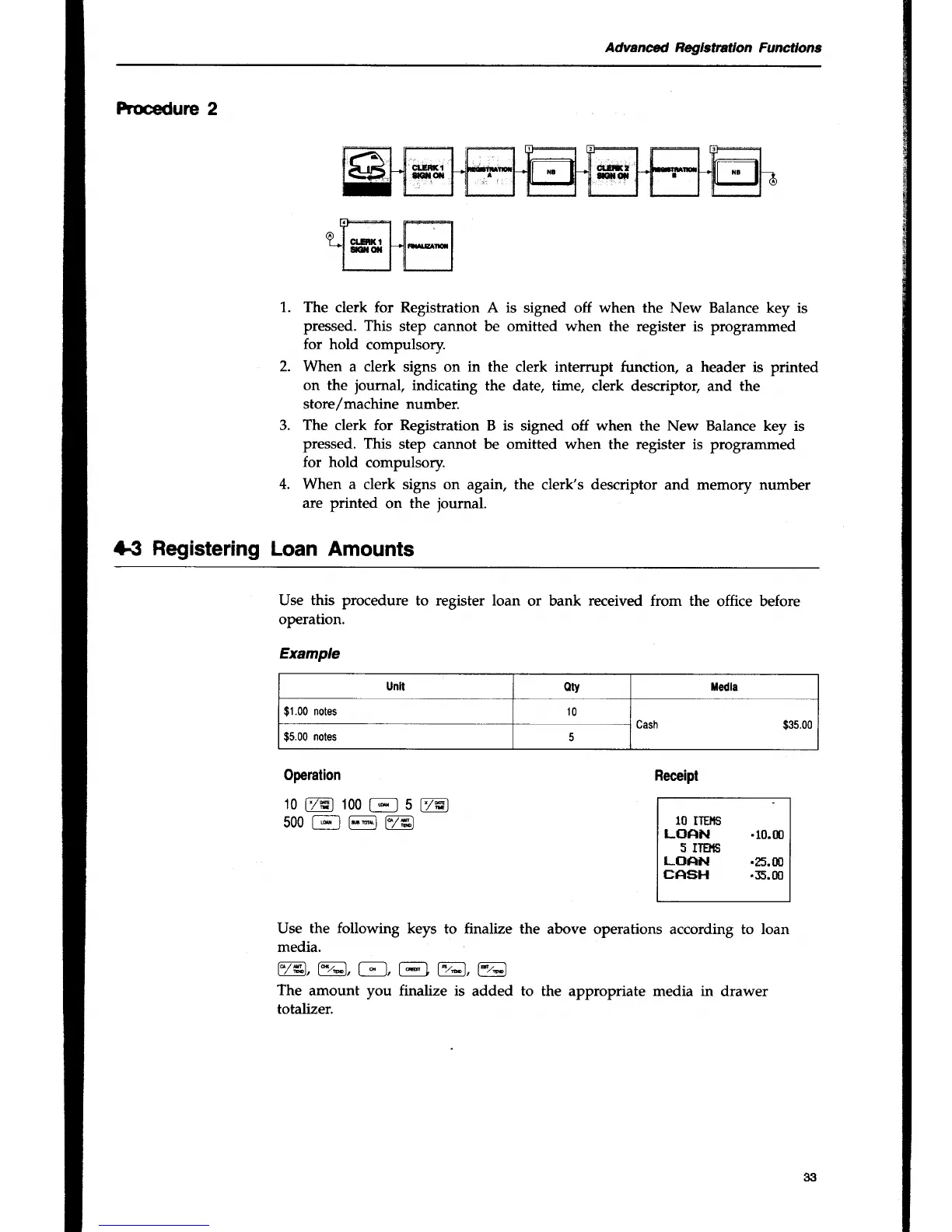
1.
3.
The
clerk for Registration A is
signed off
when
the New Balance key
is
pressed. This
step cannot
be
omitted when the
register is programmed
for hold
compulsory.
When
a clerk
signs on
in
the clerk intemrpt
function, a header is
printed
on the
journal,
indicating the date,
time, clerk descriptor,
and
the
store/machine number.
The
clerk for
Registration B is signed off when
the New Balance key is
pressed. This
step cannot be
omitted
when
the register is programmed
for
hold
compulsory.
When
a clerk signs on
again,
the
clerk's descriptor and memory number
are printed
on the
journal.
*3 Registering
Loan Amounts
Use
this procedure
to register loan
or bank
received
from the
office before
operation.
Example
Operation
10
t7s-l
100
f;_l
5
t7rcl
500t-;]
@@
Receipt
10
llElts
LoAN
.10.m
5 IlEr{S
LCIAN
.Es.OO
EA*}H
.35.m
Use the
following
keys
to finalize the
above operations according to loan
media.
v4,ve, F_l,
@
l
,ge
The
amount you finalize is
added to the appropriate media in
drawer
totalizer.
Unit
oty f,edla
$1.00
notes
10
Cash
$3s.00
$5.00
notes
33


 To Next Page