EasyManua.ls Logo

Casio Celviano AP-270 BK - User Manual

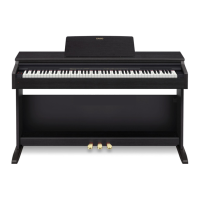
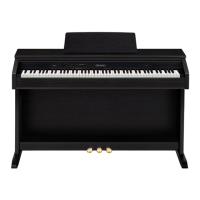
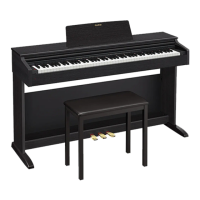
Casio Celviano AP-270 BK
43 pages
Print Icon
To Next Page IconTo Next Page
Loading...
AP270-E-3C
EN
USER’S GUIDE (Full)
Before using this Digital Piano for the first time,
be sure to read the separate USER’S GUIDE to
familiarize yourself with basic operations.
AP
-
270

Table of Contents

Questions and Answers

  • B
    Brady StewartJul 28, 2025
    How to fix no sound on Casio Celviano AP-270 BK Musical Instrument?
    • D
      Douglas CookJul 28, 2025
      If no sound comes out when you press a key on your Casio Musical Instrument, first, try rotating the VOLUME controller towards “MAX”. Then, disconnect anything plugged into the PHONES/OUTPUT jacks. Finally, ensure that the Local control setting is turned on.
  • D
    dsanchezAug 3, 2025
    Why is the pitch off on my Casio Musical Instrument?
    • H
      hillericAug 3, 2025
      If the pitch of your Casio Musical Instrument is off, try the following: * Change the transpose setting to “0”. Or turn power off and then back on. * Change the tuning setting to 440.0 Hz. Or turn power off and then back on. * Change the octave shift setting to 0. * Change the temperament setting to “0: Equal”, which is the standard modern tuning.
  • A
    andersonsandraAug 8, 2025
    What to do if tones sound strange on Casio Musical Instrument?
    • A
      Anthony GillAug 8, 2025
      If the tones and/or effects on your Casio Musical Instrument sound strange, even after restarting, try turning off the Auto Resume feature. Then, turn the power off and back on again.
  • L
    lopezkellyAug 12, 2025
    What to do if I cannot transfer data on Casio Musical Instrument?
    • J
      James CopelandAug 12, 2025
      If you're unable to transfer data after connecting your Casio Musical Instrument to a computer, verify that the USB cable is properly connected to both the instrument and the computer. Also, ensure that the correct device is selected in your computer’s music software. If the issue persists, turn off the Digital Piano, exit the music software, turn the Digital Piano back on, and then restart the music software.
  • C
    Connie MatthewsAug 18, 2025
    What to do if pedals don't work on Casio Celviano AP-270 BK?
    • J
      Jeremy ReillyAug 18, 2025
      If nothing happens when you press a pedal on your Casio Musical Instrument, check the orientation of the pedal unit plug and make sure it is fully inserted.
  • B
    Brian PerkinsAug 22, 2025
    Why does my Casio Celviano AP-270 BK Musical Instrument take so long to turn on?
    • C
      Cody ReidAug 22, 2025
      If your Casio Musical Instrument takes a long time to start, it may be performing a memory format operation, which takes about 20 seconds. Wait until this operation is complete. Avoid turning off the instrument while a data transfer is in progress.

Summary

General Guide and Basic Setup

Essential Controls and Functions

Explains the FUNCTION button, Auto Resume, Operation Lock, and music score data.

Power Operations and Defaults

Details powering the unit on/off, auto power-off, and factory reset procedures.

Tones, Effects, and Performance Modes

Tone Selection and Layering

Covers choosing tones, bass tones, layering, and adjusting volume balance between tones.

Pedal Functions and Sound Effects

Describes pedal usage (damper, sostenuto, soft) and applying Reverb/Chorus effects.

Built-in Songs and Practice Modes

Covers demo play, Concert Play modes (LISTEN, LESSON, PLAY), Music Library, and practicing songs.

Recording, Configuration, and Computer Connectivity

MIDI Recording and Playback

Explains the MIDI recorder, recording tracks, playback, and data deletion processes.

Keyboard Setting Configuration

Details how to adjust settings using keyboard keys, including operation types and key mapping references.

Computer Connectivity and Data Transfer

Covers system requirements, connection steps, MIDI usage, and transferring song data.

Initial Setup and Reference Information

Getting Started Procedures

Guides on assembling the stand, connecting cables, installing the music stand, and using headphones.

Troubleshooting and Product Specifications

Offers solutions for common problems and lists the product's technical specifications.

Casio Celviano AP-270 BK Specifications

General IconGeneral
Touch Response3 sensitivity levels, Off
Sound SourceMulti-dimensional Morphing AiR Sound Source
Polyphony128 notes
Tones22 built-in tones
Speakers12 cm x 2
Amplifiers8W + 8W
Music Library60 songs
Key TransposeYes
Tuning ControlA4 = 415.5 Hz ~ 440.0 Hz ~ 465.9 Hz
MIDIYes
Power RequirementsAC Adaptor: AD-A12150LW
Keyboard88-key Tri-sensor Scaled Hammer Action Keyboard II
Digital EffectsReverb (4 types), Chorus (4 types), Brilliance, DSP
Pedals3 pedals (damper, soft, sostenuto)
Other FunctionsMetronome, Transpose, Tuning
Input/Output TerminalsUSB to Host
Included AccessoriesAC Adaptor
Lesson FunctionPart ON/OFF (Lesson part: Right hand, Left hand)
Demo Songs10

Related product manuals