EasyManua.ls Logo

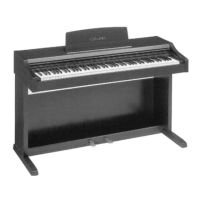
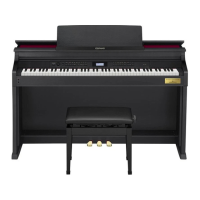
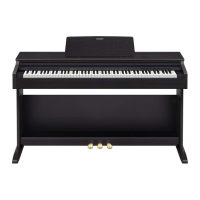
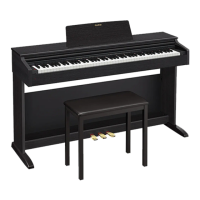
Casio Celviano AP-500 - User Manual

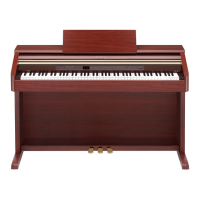
Casio Celviano AP-500
57 pages
Print Icon
To Next Page IconTo Next Page
Loading...
AP500ES1B
ES
USER’S GUIDE
GUÍA DEL USUARIO
Please keep all information for future reference.
Guarde toda información para tener como referencia futura.
Safety Precautions
Before trying to use the piano, be sure to read
the separate “Safety Precautions”.
Precauciones de seguridad
Antes de intentar usar el piano, asegúrese de
leer las “Precauciones de seguridad” separadas.

Table of Contents

Other manuals for Casio Celviano AP-500

Questions and Answers

  • D
    Dominique RileyAug 15, 2025
    How to fix no sound when pressing keys on my Casio Musical Instrument?
    • C
      Charlotte MooreAug 16, 2025
      If no sound comes out when you press a key on your Casio Musical Instrument, here’s what to check: * Make sure the VOLUME controller isn't set to “MIN”. Turn it towards “MAX”. * Unplug any headphones that are connected. * Ensure MIDI Local Control is turned on. * Verify the accompaniment mode is set to NORMAL.
  • D
    Dale OlsenAug 18, 2025
    What to do if there is no sound when playing songs on Casio Celviano AP-500 Musical Instrument?
    • D
      Destiny AndersonAug 18, 2025
      If you're not hearing any sound when playing a built-in or recorded song on your Casio Musical Instrument: * Check that the VOLUME controller isn't set to “MIN”. Rotate it towards “MAX”. * Make sure headphones are unplugged from the digital piano.
  • J
    Jesse FernandezAug 22, 2025
    Why can't I save to SD card on my Casio Celviano AP-500 Musical Instrument?
    • P
      Pedro HernandezAug 22, 2025
      If you are having trouble saving data to an SD card with your Casio Musical Instrument, consider the following: 1. Ensure the SD card is not write-protected by checking the write-protect switch. 2. Make sure the card is fully and correctly inserted into the slot. 3. Try using a different SD card in case the current one is full or damaged. 4. Verify that the SD card's capacity is supported by the instrument.
  • E
    Elijah MorganAug 25, 2025
    Why is the pitch off on my Casio Celviano AP-500 Musical Instrument?
    • J
      Jennifer JacksonAug 25, 2025
      If the pitch of your Casio Musical Instrument sounds off, here are a couple of things to try: * Check if the key setting is set to something other than “0”. If it is, change it to “0”, or turn the power off and on again. * The tuning of the instrument might be incorrect. Adjust the tuning, or try turning the power off and on again.
  • K
    Katie LeeAug 27, 2025
    Why external MIDI sound source doesn't sound on Casio Celviano AP-500 Musical Instrument?
    • M
      Michael HarrisAug 28, 2025
      If your external MIDI sound source isn't producing sound when you play your Casio Musical Instrument: * Check that the digital piano’s send channel matches the send channel of the external MIDI sound source. If they are different, change them so they are the same. * Make sure the volume or expression setting of the external sound source isn't set to “0”. Adjust these settings as needed.
  • H
    Howard BergAug 31, 2025
    Why does my Casio Celviano AP-500 sound unnatural over USB?
    • M
      Michael ChoiAug 31, 2025
      If you're getting unnatural sounds when playing your Casio Musical Instrument connected to a computer via USB, it might be because the computer’s MIDI THRU function is turned on. Try turning off MIDI THRU on the computer, or disable Local Control on the instrument.
  • D
    Diane HawkinsSep 3, 2025
    How to fix no rhythm on Casio Celviano AP-500 Musical Instrument?
    • K
      Karen WilsonSep 3, 2025
      If you're not hearing any rhythm on your Casio Musical Instrument, the accompaniment volume might be set to 0. Use the TEMPO/SETTING button and SONG/ACCOMP VOLUME button to increase the volume.
  • J
    James RobbinsSep 5, 2025
    What to check if no sound when playing MIDI data on Casio Musical Instrument?
    • A
      Austin EllisSep 5, 2025
      If you're not getting any sound when playing MIDI data from a computer through your Casio Musical Instrument, double-check that the USB cable is correctly connected.
  • C
    coopernicoleSep 8, 2025
    What to do if playback stops transferring song data to Casio Celviano AP-500 Musical Instrument?
    • J
      Jordan HowellSep 9, 2025
      If song playback stops during data transfer from your computer to your Casio Musical Instrument, it could be due to digital noise interrupting the communication. Try these steps: 1. Stop song playback and disconnect the USB cable, then reconnect it and try playing the song again. 2. If the problem persists, close the MIDI software, disconnect and reconnect the USB cable, then restart the software and try again.
  • M
    Michelle WalkerSep 12, 2025
    Why can't I record chord data from my Casio Celviano AP-500?
    • B
      brianyoungSep 12, 2025
      If you're unable to record chord accompaniment data on your computer from your Casio Musical Instrument, it might be because Accomp MIDI out is turned off. Try turning on Accomp MIDI out.

Summary

Important Safety Instructions

General Guide

Power Supply

Connections

Connecting Headphones

Instructions for connecting headphones to the piano.

Selecting and Playing a Tone

Selecting Tones

Step-by-step guide to choosing and playing different types of piano tones.

Playing a Rhythm

Recording and Play Back

Recording Your Performance

Comprehensive guide on recording keyboard performances, managing tracks, and storage.

Other Settings

Using an SD Memory Card

SD Memory Card Management

Guidelines for using SD memory cards, including insertion, removal, and precautions.

Data Transfer and Errors

How to play, transfer, save, format, and troubleshoot SD memory card data.

Assembling the Stand

Stand Setup and Cable Connection

Complete instructions for assembling the piano stand and connecting necessary cables.

Reference

Troubleshooting Common Issues

Solutions for common problems encountered while using the digital piano.

Casio Celviano AP-500 Specifications

General IconGeneral
TypeDigital Piano
Keyboard88 keys
Keyboard ActionScaled Hammer Action
Polyphony (Maximum)128 notes
Amplifier Output20W + 20W
Touch Sensitivity3 sensitivity levels
EffectsReverb, Chorus, Brilliance
Headphone Jacks2
Included AccessoriesAC Adaptor, Music Stand
Speakers12cm x 2, 5cm x 2

Related product manuals