EN-44
USB Flash Drive
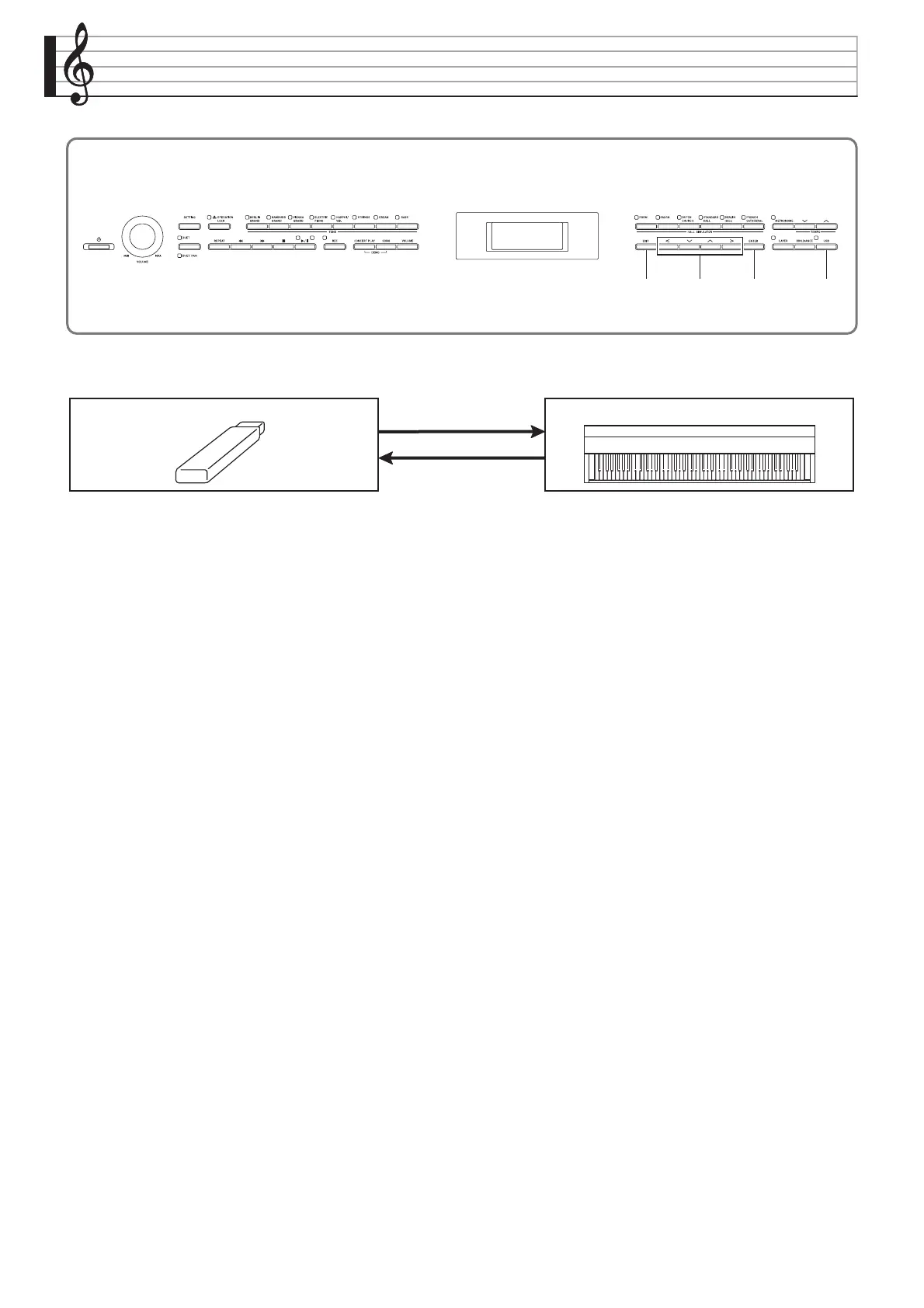
Your Digital Piano supports the following USB flash drive operations.
(1) USB Flash Drive on the Digital Piano (2) Saving Digital Piano Data to a USB Flash Drive
1-1. Playing back audio data
• Audio Recorder songs
Playing Back Song Data Stored on a USB
Flash Drive (page EN-27)
• General audio data
Saving Standard Song Data to a USB Flash
Drive (page EN-48)
• Concert Play songs obtained with a computer,
etc.
Concert Play Songs Obtained with a
Computer, etc. (page EN-25)
• Audio Recorder songs*
Audio Recorder (Recording to a USB Flash
Drive) (page EN-35).
* During recording of an Audio Recorder
song, the data is stored directly to the
USB flash drive, so a save operation is
not required.
• MIDI Recorder songs
Saving Digital Piano Data to a USB Flash
Drive (page EN-49)
1-2. Loading data into Digital Piano Memory
• MIDI Recorder songs
Loading USB Flash Drive Data into Digital
Piano Memory (page EN-50)
1-3. Deleting Data
Deleting USB Flash Drive File (page EN-51)
USB Flash Drive Digital Piano
(2)
(1)




 To Next Page