EasyManua.ls Logo

Casio Celviano GP-500 - User Manual

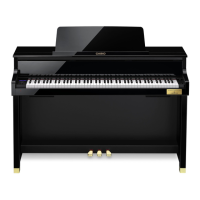
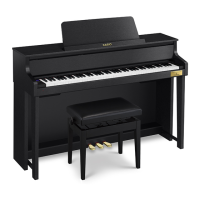
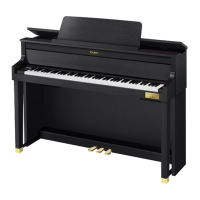
Casio Celviano GP-500
83 pages
Print Icon
To Next Page IconTo Next Page
Loading...
GP500-ES-1C
EN/ES
USER’S GUIDE
GUÍA DEL USUARIO
Please keep all information for future reference.
Guarde toda información para tener como referencia futura.
Safety Precautions
Before trying to use the piano, be sure to read
the separate “Safety Precautions”.
Precauciones de seguridad
Antes de intentar usar el piano, asegúrese de
leer las “Precauciones de seguridad” separadas.
EnglishEspañol
GP-500
GP-400
This recycle mark indicates that the packaging conforms to
the environmental protection legislation in Germany.
Esta marca de reciclaje indica que el empaquetado se
ajusta a la legislación de protección ambiental en Alemania.
MA1511-C Printed in China
C
GP500-ES-1C.indd 1 2015/10/28 14:20:33
C

Table of Contents

Questions and Answers

  • S
    scottmirandaAug 8, 2025
    What to do if I cannot transfer data after connecting my Casio Musical Instrument to a computer?
    • J
      john91Aug 8, 2025
      First, ensure the USB cable is properly connected to both the Digital Piano and your computer, and that you've selected the correct device in your music software. If the issue persists, turn off the Digital Piano, then close and restart the music software. Finally, turn the Digital Piano back on.
  • R
    Robert Wade PhDAug 14, 2025
    Why does it take so long to use my Casio Celviano GP-500 after I turn it on?
    • Z
      Zachary PerezAug 14, 2025
      If your Digital Piano takes a long time to start, it's likely because the memory data was corrupted during a previous data transfer operation with a computer. The device will perform a memory format operation, which takes about 20 seconds. Ensure you avoid turning off the Digital Piano while a data transfer is in progress to prevent this.
  • C
    chelsea96Aug 19, 2025
    Why does the tone quality and volume sound different depending on where it is played on the Casio Celviano GP-500 Musical Instrument keyboard?
    • A
      ashley98Aug 19, 2025
      Slight variations in tone quality and volume across the keyboard are an unavoidable consequence of the digital sampling process. This does not indicate a malfunction.
  • A
    Anne StaffordAug 27, 2025
    Why does my Casio Musical Instrument take so long to turn on?
    • K
      Kimberly AndersonAug 27, 2025
      If your Casio Digital Piano takes about 20 seconds to turn on, it's likely because the memory data was corrupted during a data transfer with a computer when the Digital Piano was previously turned off. The device is performing a memory format operation. Please wait until this operation is complete, and avoid turning off the Digital Piano during data transfers in the future.
  • J
    Janice BlairSep 1, 2025
    Why does the tone quality change on different parts of the Casio Musical Instrument keyboard?
    • J
      joneserinSep 1, 2025
      The slight variation in tone quality and volume across the keyboard of your Casio Musical Instrument is an unavoidable consequence of the digital sampling process.

Summary

Initial Setup and Safety

Safety Precautions

Important guidelines to follow before using the piano.

Important Safety Instructions

Lists 14 essential safety precautions for operating the apparatus.

Assembling the Piano Stand

Detailed instructions and precautions for assembling the digital piano stand.

Connecting Power and Cables

How to connect the AC adaptor, power cord, and pedal cables.

Playing Tones, Effects, and Modes

Acoustic Piano Sound Characteristics

Details on Hammer Response, Lid Simulator, Damper Resonance, and Damper Noise.

Layering Two Tones

Instructions on how to combine two different tones to play simultaneously.

Songs, Scenes, and Recording

Creating and Saving User Scenes

Steps to configure custom settings and save them as user scenes for quick recall.

Concert Play Mode

Playing along with orchestral accompaniments in Listen or Play modes.

MIDI Recorder Overview

Recording keyboard performance as MIDI data to internal memory.

USB Flash Drive and Computer Connectivity

USB Flash Drive Operations

Overview of playing back audio data and loading/deleting data from USB.

Troubleshooting and Reference

Troubleshooting Common Issues

Solutions for issues like no sound, incorrect pitch, or strange tone effects.

Casio Celviano GP-500 Specifications

General IconGeneral
TypeDigital Piano
Touch Response3 sensitivity levels, off
Sound SourceAiR Grand Sound Source
Polyphony256 notes
BrillianceAdjustable
USB Flash DriveYes
Line OutYes (L / MONO, R)
BluetoothNo
Headphone ModeYes (Headphone mode)
USBUSB to Host
MIDIYes (In/Out)
Headphone Jacks2
ColorBlack
EffectsHall Simulator
ConnectivityUSB, MIDI
Keyboard88-key, weighted, hammer action
Tones35 built-in tones

Related product manuals