Need help?
Do you have a question about the Casio CTK-481 and is the answer not in the manual?
Explains warning symbols like DANGER, WARNING, and CAUTION, and their meanings.
Details the specific risks associated with DANGER, WARNING, and CAUTION indicators.
Precautions for handling leaking alkaline batteries to prevent eye damage.
Guidelines to prevent fire and electric shock from AC adaptor misuse.
Rules for safe battery use, including avoiding recharging, short-circuiting, and mixing types.
Warnings against incineration and procedures for water/foreign matter ingress.
Prohibits disassembly and warns about risks from dropping or impact.
Precautions regarding plastic bags, product stability, and location choice.
Cautions for AC adaptor use and cleaning procedures.
Further battery precautions and connector safety.
Advises against high humidity, dust, and extreme temperatures for product placement.
Instructions for safe use and handling of the LCD display screen.
Warnings about listening volume and placing heavy objects on the product.
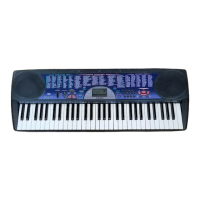
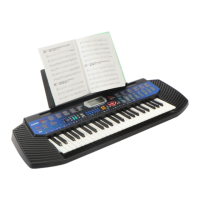
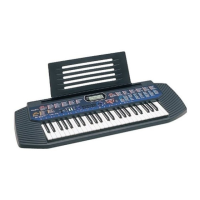
Highlights key features like 100 tones, rhythms, auto-accompaniment, and MIDI.
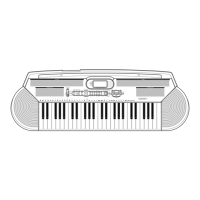
Details the functions of [+]/[-], Number, and Song Bank controller buttons.
Describes MIDI OUT/IN, Sustain, Phones/Output, and MIC IN terminals.
Lists and explains various buttons like Power, Volume, Tone, Rhythm, and Song Bank.
Explains indicators, tone/rhythm/song numbers, musical staff, and graphic keyboard.
Step-by-step guide to selecting and playing a Song Bank tune.
Instructions for inserting and replacing AA batteries.
Detailed warnings and precautions for using the AC adaptor.
Explains the automatic power-off function and how to disable it.
How to connect phones, audio equipment, and amplifiers.
Connecting a sustain pedal and using specified accessories.
How to power on, set volume, and start playing.
Guide to choosing from the 100 built-in tones using tone numbers.
Explains polyphony limits and digital sampling technique.
How to connect and use a microphone with the CTK-491 model.
Steps to select and start/stop rhythms for accompaniment.
How to change the tempo using TEMPO buttons.
Explains the graphic metronome and how to use Auto Accompaniment with chords.
Details major, minor, seventh, and minor seventh chords in CASIO CHORD.
Table showing left-hand fingerings for various chords.
Explains the layout of accompaniment and melody keyboards for Fingered mode.
How to use fill-in patterns to add variation to rhythms.
Setting up synchro start and adjusting accompaniment volume.
How to pause, fast reverse, and fast forward Song Bank tunes.
Changing the tempo of a Song Bank tune.
How to select a different tone for the melody part of a Song Bank tune.
Turning off melody or accompaniment parts to play along.
Turning off applause sound and playing all Song Bank tunes consecutively.
Step-by-step guide to finding chords and their fingerings.
Shows modifier keys for chord types and their fingerings.
How to adjust the keyboard's key in semitone units.
Adjusting the keyboard's tuning to match other instruments.
Explains MIDI, connections, channels, and general MIDI concepts.
How to adjust TONE MAP and KEYBOARD CHANNEL settings.
Details the display and function of KEYBOARD CHANNEL and TONE MAP.
Lists model, polyphony, rhythms, MIDI, and terminal specifications.
Details power supply, speaker output, consumption, dimensions, and weight.
Guidelines for avoiding heat, humidity, sunlight, and proper cleaning methods.
Lists available synth sounds and layer tones with their numbers.
Table correlating tone numbers, polyphony, range type, and General MIDI numbers.
Visual guide to left-hand fingerings for various chords.
Lists percussion sounds and their assignment to keyboard keys.
Details MIDI messages sent and recognized by the keyboard.
 General
| Brand | Casio |
|---|---|
| Model | CTK-481 |
| Category | Electronic Keyboard |
| Language | English |


 To Next Page