36
Switch no. 9 10
No protocol OFF OFF
XON/XOFF ON OFF
RS/CS OFF ON
Flow control
Host P/C connection ON ON
DIP switch setting (default at factory)
No. 1 ON No. 6 OFF
No. 2 OFF No. 7 ON
No. 3 OFF No. 8 OFF
No. 4 OFF No. 9 OFF
DIP
switch
No. 5 ON No. 10 OFF
Set nos. 1,
5, and 7 to
ON
Power switch Seesaw switch
Switch
Terminal detection switch Push switch
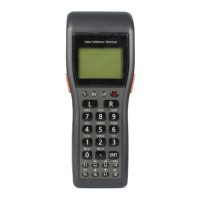
DT-930 is being mounted. Red READY/POW
ER
DT-930 is not being mounted. Green
2-color LED
Power LED
While charging Red
Charging is complete. Green
CHG1
Charging ends abnormally. OFF
2-color LED
(green is used)
CHG1 LED
While charging Red
Wait to charge Red
Charging is complete. Green
CHG2
Charging ends abnormally. OFF
2-color LED
Turns off after charging
operation has been attempted
(On if red). CHG2 LED
OK OFF Communication braked
NG Red
OK Green
flashing
DATA
While communicating
NG Red
2-color LED
DATA LED
Not used/Negotiation OFF
Indicatio
n
LINE
During use Red
LINE LED
Input voltage DC12V±5%
Power consumption 600 mA (max.) (120 mA if not
charging)
While charging DT-930
Applicable plug EIAJ RC5320 type 4 Center pin : positive
Applicable AC adaptor AD-S42120AE AC input; 100VAC to 230VAC
Specifications BC-9801C
Input voltage 6.5 to 15V
Power consumption 5 VA or less
DT-923LIB
Nominal voltage DC3.6 V
Objective battery
Nominal capacity 540 mAh
Charging
specification
Output voltage 4.1V±50 mV
During charging 300±30 mA
3.0V <Battery voltage≦4.1V
During charging 30±12 mA
2.6V <Battery voltage≦3.0V
Output current
In the check mode 300±30 mA
Current to check if
charging is
complete
30±12 mA
Power
supply
Charging
module
Voltage to check if
recharging is
complete
3.9±0.1 V
Continue.
ON
ALPS
Default setting
1 2 3 4 5 6 7 8 9 10


 To Next Page
