40
7.10. Chain Connection
7.10.1. Configurations and Operating Conditions
Satellite Cradle and Host P/C (with external device connected)
HOST PC
MODEM
Serial
Printer
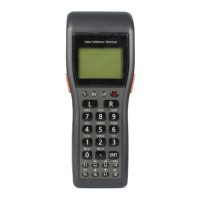
DT-930
Satellite Cradle
RS-232C
Active operation
IR Comm.
115.2 Kbps (max)
115.2 Kbps (max)
Fig. 7.2
DIP Switch Setting
Table 7.8
No. Use of Switch Destination Switch Setting Remark
1 Baud rate
switching 0
DT-930 and
Cradle
To GA/to CPU PB6 IRSPEED0 ON
2 Baud rate
switching 1
DT-930 and
Cradle
To GA/to CPU PB7 IRSPEED1 OFF
115.2Kbps
Note 1
3 Mode
switching 0
To GA/to CPU PA13 MODE0 OFF
4 Mode
switching 1
To GA/to CPU PA14 MODE1 OFF
Active
operation
5 Termination
switching
To GA/to CPU PA15 ENDSW ON
6 Baud rate
switching 0
Cradle and P/C To CPU PB0 PCSPEED0
7 Baud rate
switching 1
Cradle and P/C To CPU PB1 PCSPEED1
8 Baud rate
switching 2
Cradle and P/C To CPU PB2 PCSPEED2
9 Flow control 0 To CPU PB3 FLOWSEL0
10 Flow control 1 To CPU PB5 FLOWSEL1
Note 2
Notes:
1. This baud rate must be reduced if the line quality is poor.
2. Make the appropriate DIP switch settings for the connected PC.


 To Next Page
