EasyManua.ls Logo

Casio fx-6200G - Page 18

Casio fx-6200G
60 pages
Print Icon
To Next Page IconTo Next Page
To Previous Page IconTo Previous Page
Loading...
W
Overflow
and
errors
if
the
calculation
range
of
the
unit
is
exceeded,
or
incorrect
Inputs
are
made,
an
error
message
will
appear
on
the
display
window
and
subsequent
operation
will
be
impossible.
This
is
the
error
check
function.
The
following
operations
will
result
in
errors:
(1)
The
answer,
whether
intermediate
or
final,
or
any
value
In
memory
exceeds
the
value
of
+
9,999999999
x
109°.
*
(2)
An
attempt
is
made
to
perform
functional
calculations
that
exceed
the
input
range.
(See
page
106.)
(3)
lmproper
operation
during
statistical
calculations.
(Ex.
Attempting
to
obtain
¥
or
xon
without
data
Input.)
(4)
The
capacity
of
the
numeric
value
stack
or
the
command
stack
is
exceeded.
(Ex.
Entering
23
successive
({)'s
followed
by
2093£34&3)
(5)
Even
though
memory
has
not
been
expanded,
a
memory
name
such
as
Z
{2}
is
used.
(See
page
37
for
details
on
memory.)
(6)
input
errors
are
made,
(Ex.
5E3E93@9)
(7)
When
improper
arguments
are
used
In
commands
or
functions
that
require
+
arguments,
(i.e.
Input
of
an
argument
outside
of
the
range
of
O~9
for
Sci
or
Fix.)
|
The
following
error
messages
will
be
displayed
for
the
operations
noted
above:
:
(1)~(3)
Ma
ERROR
(Mathematical
error)
(4)
Stk
ERROR
(Stack
error)
(5)
Mem
ERROR
(Memory
error)
(6)
Syn
ERROR
(Syntax
error)
(7)
Arg
ERROR
(Argument
error)
Further
operation
will
become
impossible
when
an
error
message
is
displayed.
Press
03,
(©),
or
&)
to
cancel
the
error.
Pressing
(9
cancels
the
error
and
new
key
input
becomes
possible.
See
the
Error
Message
Table
on
page
105.
mi
Number
of
input
characters
This
unit
features
a
127-step
area
for
calculation
execution.
One
function
comprises
one
step.
Each
press
of
numeric
or
&9,
EJ,
ER
and
@
keys
comprise
one
step.
Though
such
operations
as
(uj)
require
two
key
%
operations,
they
actually
comprise
only
one
function
and,
therefore,
only
one
step.
;
These
steps
can
be
confirmed
using
the
cursor.
With
each
press
of
the
©}
or
&
§
key
the
cursor
is
moved
one
step.
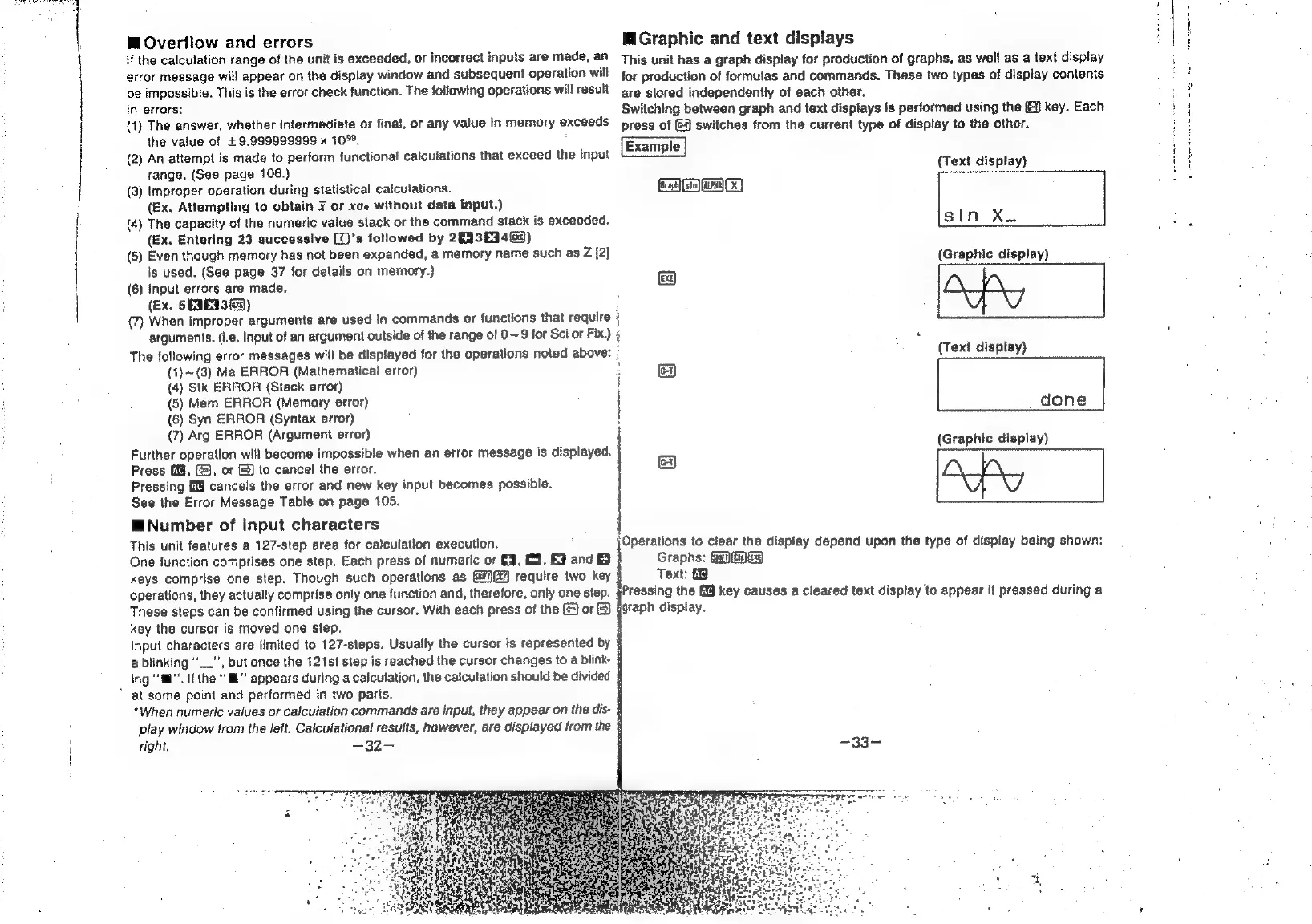
MGraphic
and
text
displays
This
unit
has
a
graph
display
for
production
of
graphs,
as
well
as
a
text
display
for
production
of
formulas
and
commands.
These
two
types
of
display
contents
are
stored
independently
of
each
other.
Switching
between
graph
and
text
displays
is
performed
using
the
J
key.
Each
press
of
(3
switches
from
the
current
type
of
display
to
the
other.
cra)
013)
(Text
display)
sin
XxX.
(Graphic
display)
:
y
{Text
display)
8
done
(Graphic
display)
;
8
Operations
to
clear
the
display
depend
upon
the
type
of
display
being
shown:
Graphs:
Gn)(ty)
G3
Text:
3
Pressing
the
§%3
key
causes
a
cleared
text
display
to
appear
if
pressed
during
a
graph
display.
Input
characters
are
limited
to
127-steps.
Usually
the
cursor
is
represented
by
4
a
blinking
“_.”,
but
once
the
121st
step
is
reached
the
cursor
changes
to
a
blink
ing
‘mi’.
Ifthe
“Ml
appears
during
a
calculation,
the
calculation
should
be
divided
§
*
at
some
point
and
performed
in
two
parts.
*When
numeric
values
or
calculation
commands
are
input,
they
appear
on
the
dis-
4
play
window
from
the
left.
Calculational
results,
however,
are
displayed
from
the
§
tight.
=32-—