EasyManua.ls Logo

Casio fx-6200G - Page 45

Casio fx-6200G
60 pages
Print Icon
To Next Page IconTo Next Page
To Previous Page IconTo Previous Page
Loading...
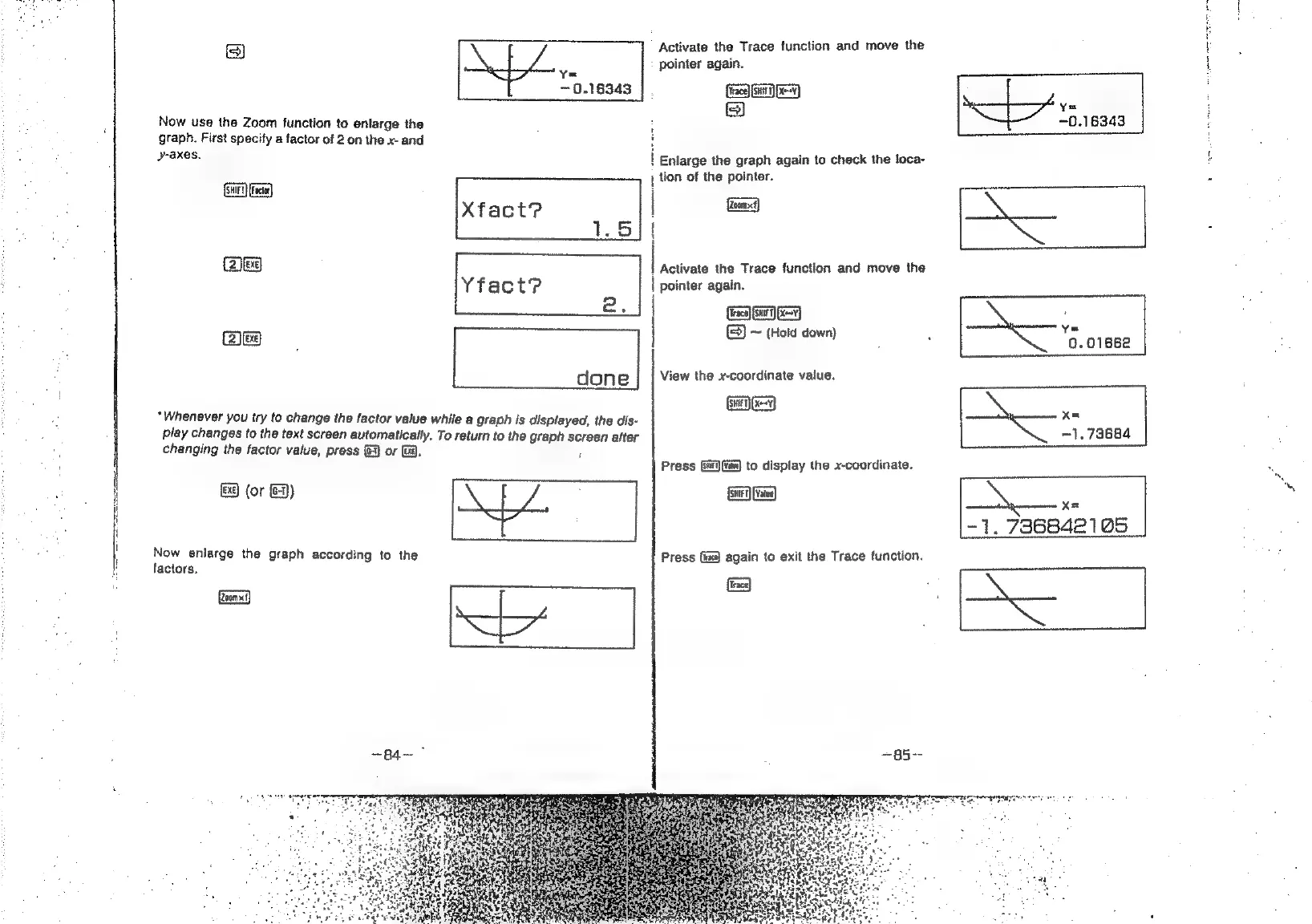
Activate
the
Trace
function
and
move
the
Fe
:
pointer
again.
0.16343
|.
f=}
[cca
.
=
Y=
Now
use
the
Zoom
function
to
enlarge
the
:
~0.16343
graph.
First
specify
a
factor
of
2
on
the
x-
and
:
be
axes.
.
cient
{
Enlarge
the
graph
again
to
check
the
loca-
Gr
Fe)
t
tion
of
the
pointer.
Gen)
Activate
the
Trace
function
and
move
the
pointer
again.
.
ca
——
Yfact?
es
fearon
@e
|
a
:
“g.01662
done
View
the
x-coordinate
value.
|
|
|
|
:
(csi
Ea)
\
Whenever
you
try
to
change
the
factor
value
while
a
graph
is
displayed,
the
dis-
XQ
xe
play
changes
to
the
text
screen
automatically.
To
return
to
the
graph
screen
after
1.73684
changing
the
factor
value,
press
&
or
i).
ft
Press
Gj
{fim)
to
display
the
x-coordinate.
&9
(or
&3)
\
Xa
AY.
[7
1.
736842105
|
oe
the
graph
according
to
the
Press
(i)
again
to
exit
the
Trace
function.
{
F
iz
&
‘Ss
Ea

Related product manuals