Barry Kissane
3
ZERO
Purpose
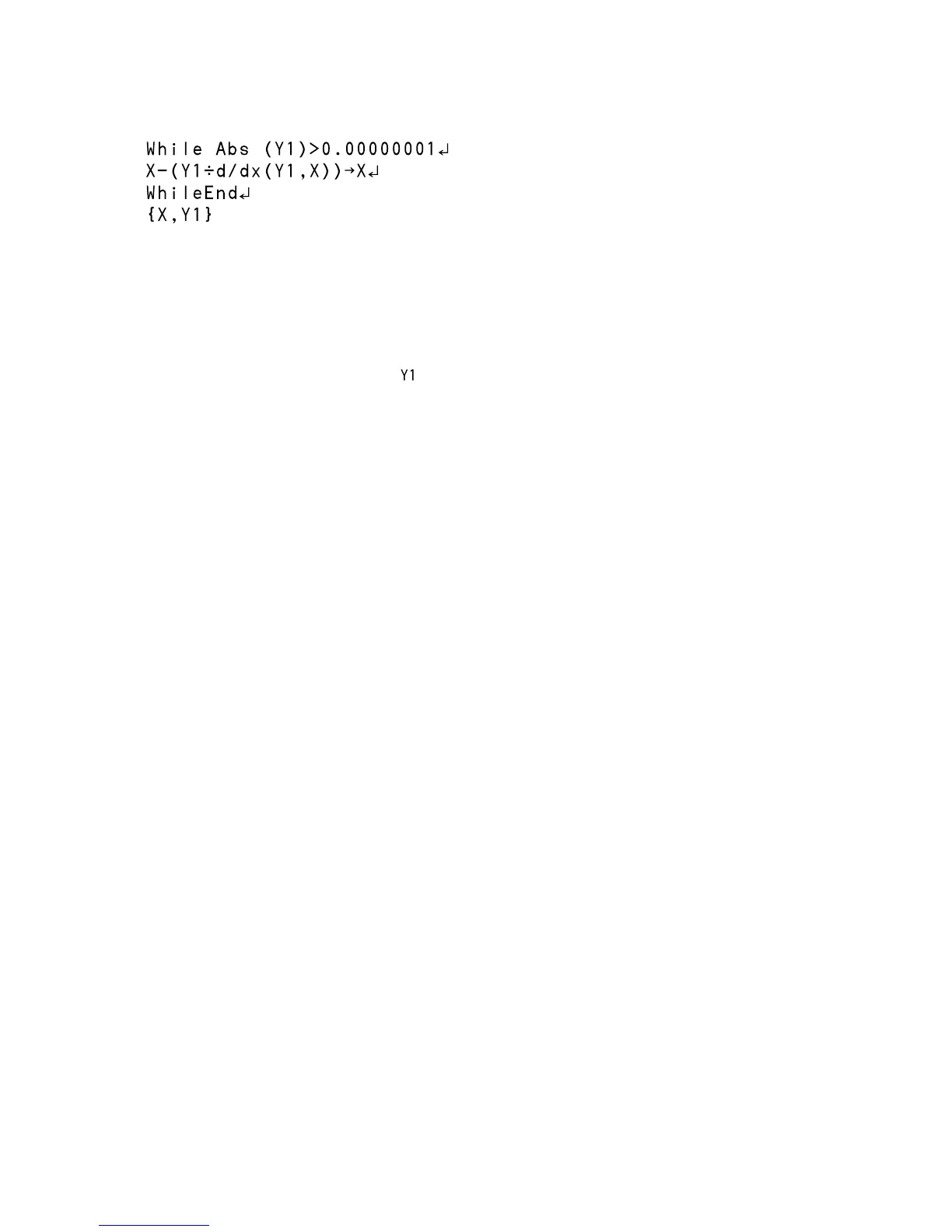
The program finds approximately a zero of a function, i.e. a value of the variable for
which the function has zero value.
Operation
The function must be entered as in the function list and then graphed.
Trace to a point near a zero you want to find and then activate the program. The
coordinates of a point close to the zero are given as a list.
The first element is the zero itself (the x-value).
The second element (the y-value) gives an indication of how close it is to an exact zero.
Test by using the function y = 2 – x
2
and check that there is a zero near x = 1.4142 and
near x = -1.4142. (You will need to use the program twice to get both zeroes.)
In each case, the y-value is about -0.00000000008, so the value given is very close to a
zero.


 To Next Page
 Loading...