EasyManua.ls Logo

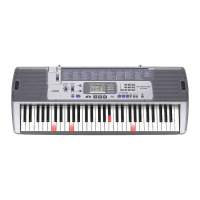
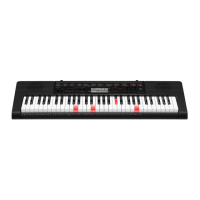
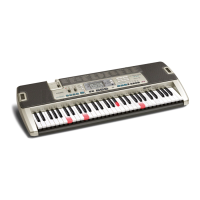
Casio LK-215 - User Manual

Casio LK-215
59 pages
Print Icon
To Next Page IconTo Next Page
Loading...
LK210/215ES1C
ES
USER’S GUIDE
GUÍA DEL USUARIO
This recycle mark indicates that the packaging conforms to
the environmental protection legislation in Germany.
Esta marca de reciclaje indica que el empaquetado se
ajusta a la legislación de protección ambiental en Alemania.
CASIO COMPUTER CO.,LTD.
6-2, Hon-machi 1-chome
Shibuya-ku, Tokyo 151-8543, Japan
MA0903-C Printed in China
LK210/215ES1C
F
LK210_es_Cover1-4.p65 09.2.25, 10:53 AM1

Table of Contents

Questions and Answers

  • R
    Randall CarrollAug 17, 2025
    What to do if song play cuts out during SMF play on Casio Electronic Keyboard?
    • P
      Phillip RichAug 17, 2025
      To resolve the issue of song playback cutting out momentarily during SMF play on your Casio Electronic Keyboard, consider the following: * Perform a 'save as' operation to save the data under a different name without deleting the original (fragmented) data. Then, try performing the operation using the newly saved data. * If you saved the data to the card from another location, format the card (which will delete its contents), and then save the data to the card again. Next, try performing the operation using the newly saved data.
  • C
    Christopher ValdezAug 20, 2025
    How to fix no sound on my Casio LK-215?
    • C
      coffeycameronAug 20, 2025
      If you are not getting any sound from your Casio Electronic Keyboard, here are a few things to check: * Ensure the AC adapter is correctly attached, the batteries are properly installed with the correct polarity (+/–), and the batteries are not depleted. * Verify that the POWER/MODE switch is turned on. * Adjust the MAIN VOLUME slider to increase the volume. * Make sure the POWER/MODE switch is not set to CASIO CHORD or FINGERED, as normal play is not possible in these modes. Set it to NORMAL. * Confirm that LOCAL CONTROL is turned on.
  • S
    Susan CarrAug 22, 2025
    Why is there static noise when using a microphone with my Casio Electronic Keyboard?
    • S
      Stephanie WalterAug 22, 2025
      If you're experiencing static noise when a microphone is connected to your Casio Electronic Keyboard, it might be due to using the microphone near fluorescent lighting. Try moving the microphone away from the source of the static.
  • F
    Frank AlexanderAug 26, 2025
    Why auto accompaniment chords do not sound on Casio Electronic Keyboard?
    • J
      james33Aug 26, 2025
      If the auto accompaniment chords on your Casio Electronic Keyboard do not sound, it might be because the keyboard is in Song Bank mode. Press the RHYTHM button to enter the rhythm mode, which is indicated by the rhythm indicator on the display.
  • S
    Sara WardAug 28, 2025
    Why does auto accompaniment not sound on Casio LK-215 Electronic Keyboard?
    • D
      David WestAug 28, 2025
      If the auto accompaniment doesn't sound on your Casio Electronic Keyboard, it might be because the accompaniment volume is set to 000. Use the FUNCTION (LK-215: TOUCH RESPONSE/FUNCTION) button to increase the volume.
  • A
    Andrea OrtizAug 31, 2025
    What to do if my Casio Electronic Keyboard has dim display and sound issues when using battery power?
    • R
      Ruben MedinaAug 31, 2025
      If you're experiencing issues like a dim power supply indicator, the instrument not turning on, a dim display, low speaker/headphone volume, sound distortion, intermittent sound, sudden power failure, display dimming, continuous sound after releasing a key, incorrect tones, abnormal rhythm, low microphone volume, microphone distortion, or keyboard light dimming when playing from a computer on your Casio Electronic Keyboard, it likely indicates low battery power. Replace the batteries with a new set or use the AC adapter.
  • K
    kurt74Sep 2, 2025
    How to fix no microphone sound on Casio LK-215?
    • K
      Kathryn HarrisSep 2, 2025
      If there is no sound from the microphone connected to your Casio Electronic Keyboard, here are a couple of things to check: * Make sure the microphone volume is not set too low. Increase the microphone volume setting. * Verify that the microphone on/off switch is set to the 'on' position.
  • S
    Shannon HarrisonSep 5, 2025
    Why are keys lit but no sound on Casio LK-215 Electronic Keyboard?
    • S
      Samantha AbbottSep 5, 2025
      If the keys are lit on your Casio Electronic Keyboard but no sound is produced, it means that the power on alert is reminding you that the power was left on without any operation being performed. Press any button or keyboard key to restore power to normal.
  • C
    campbelljacobSep 8, 2025
    Why does key light stay on my Casio LK-215 Electronic Keyboard?
    • T
      Tina PetersSep 8, 2025
      If the key light stays on with your Casio Electronic Keyboard, the keyboard is waiting for you to play the correct note during Step 1 or Step 2 play. * Press the lit key to continue with Step 1 or Step 2 play. * Alternatively, press the PLAY/STOP button to quit Step 1 or Step 2 play.
  • C
    Cory MoranSep 12, 2025
    Why does playback stop after transferring song data to Casio LK-215?
    • C
      csmithSep 12, 2025
      To address the issue of playback stopping part way through after transferring song data from your computer to your Casio Electronic Keyboard, consider the following: * The problem may be digital noise from the USB cable or power cord interrupting data communication. Stop playback, disconnect, and then reconnect the USB cable to the keyboard’s USB port, and then try playing back the tune again. * If the issue persists, exit the MIDI software, disconnect and reconnect the USB cable, restart your MIDI software, and try playback again.

Summary

Safety Precautions

Battery Safety and Handling

Precautions for handling alkaline batteries, including leakage and mixing.

AC Adapter Safety and Precautions

Safety guidelines for using the AC adapter to prevent fire and shock hazards.

AC Adapter Usage Cautions

Precautions for AC adapter placement near heat, cord handling, and insertion.

Hazards from Water and Foreign Matter

Warnings about liquid ingress and foreign materials causing shock or fire.

Disassembly and Modification Risks

Warnings against taking the product apart or modifying it to prevent injury.

Main Features

Tone and Effect Capabilities

Overview of 264 tones, digital effects like reverb and chorus.

Built-in Tunes and Rhythms

Details on 100 built-in tunes and 120 rhythms for practice and listening.

Lesson and Accompaniment Systems

Features like 3-Step Lesson System and Auto Accompaniment.

General Guide

Control Panel Overview

Identification of primary controls like volume, power, tempo, and lesson buttons.

Keyboard Layout and Controller Functions

Overview of function buttons, rhythm controllers, and lesson system controls.

Quick Reference

Basic Keyboard Playback

Step-by-step guide to operating the keyboard and playing tunes.

Power Supply

Battery Installation and Usage

Guide to loading, using, and important information about batteries.

AC Adapter Safety and Usage

Precautions for using the AD-5 adapter and avoiding power cord damage.

Connections

Phones;Output Jack Usage

Connecting headphones, audio equipment, and amplifiers to the output jack.

USB Port and Sustain Pedal Connection

Connecting to a computer via USB and using the sustain/assignable jack.

Microphone Jack and Accessories

Connecting a microphone and using specified accessories for safety.

Basic Operations

Keyboard Playback Fundamentals

Steps for setting power, volume, and playing the keyboard.

Tone Selection Process

How to find and select tones using the TONE button and number buttons.

Microphone Operation and Troubleshooting

Using the Microphone Jack

Connecting and adjusting microphone volume for sing-along features.

Playing a Built-in Tune

Playing Song Bank Tunes

Step-by-step guide to selecting and playing songs from the Song Bank.

Playing Piano Bank Tunes

Procedure for selecting and playing songs from the Piano Bank.

Adjusting Playback Tempo

Guide to setting tempo using TEMPO buttons for various play modes.

PIANO BANK Button Usage

Accessing Piano Tunes

How to use the PIANO BANK button for piano tone and tune selection.

3-Step Lesson System

Lesson Progression and Modes

Overview of the three steps and evaluation for learning tunes.

Evaluation Mode Details

How the keyboard evaluates performance, displays scores, and provides feedback.

Lesson Functions and Practice Steps

Using lesson functions to master timing and notes for specific parts.

Lesson Play Features

Explanation of key lighting, note pitch, and fingering display during lessons.

Metronome Function

Auto Accompaniment

FINGERED Chord Mode

Keyboard Settings

Computer Connection

Memory Card Usage

Troubleshooting

Specifications

Core Keyboard Specifications

Details on models, keys, light system, tones, effects, polyphony, and auto-accompaniment.

Power Supply and Physical Dimensions

Specifications for power, batteries, AC adapter, speaker output, dimensions, and weight.

Terminal and Power Specifications

Details on jacks, ports, memory card support, and power requirements.

Operating Precautions

Appendix

Tone List and Note Table

Comprehensive list of tones with range, polyphony, and program change details.

Tone List Details

Continued listing of tones, including GM tones and drum sets with specifications.

Appendix

MIDI Messages via USB

Casio LK-215 Specifications

General IconGeneral
Number of Keys61
KeyboardLighted Keys
Polyphony48
Built-in Tones400
Built-in Rhythms150
Lesson FunctionYes
DisplayLCD
Sampling FunctionNo
Built-in Songs110
Power SourceAC adapter or batteries
ConnectivityUSB

Related product manuals