EN-32
Music Presets
■ Timing Setting and Chord Progression Playback
This section explains how chord progressions are played in accordance with the “Timing Set” settings in step 2
under “To change how an Auto Accompaniment is played” (page EN-31). Note that this setting affects playback
only. It does not change the chord progression data.
z Normal
Plays chords at the same timing as the recording.
z Half
Plays chords measure-by-measure at a timing that is half that of the recording.
Example:
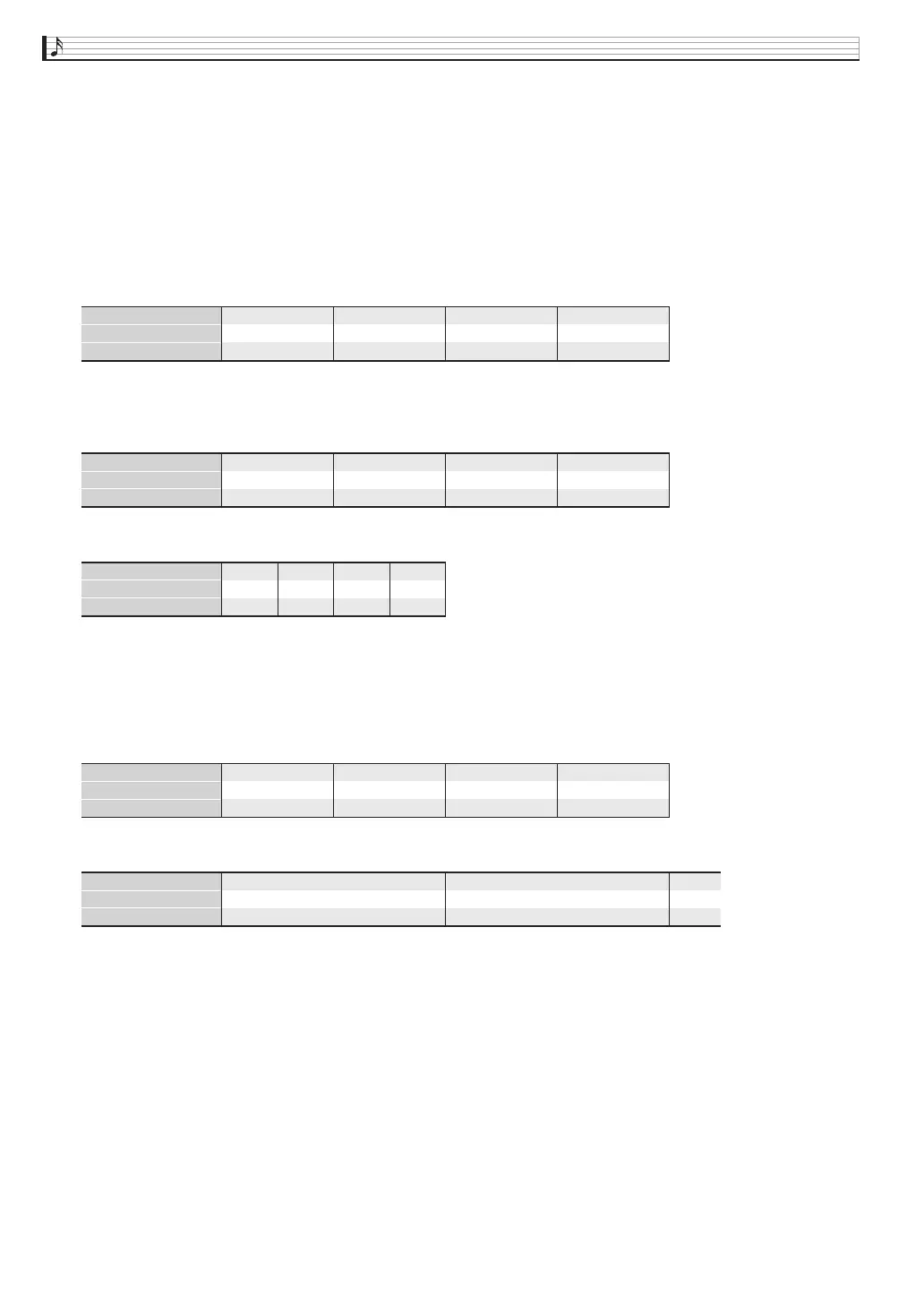
The following shows what happens when the “Half” setting is used to play back a user preset that was created
based on a music preset whose rhythm is a 4/4 time.
Half Playback when a 4/4 time rhythm is assigned to the user preset
Half Playback when a 2/4 time rhythm is assigned to the user preset
z Double
Plays chords measure-by-measure at a timing that is double that of the recording.
Playing back a chord progression like that shown for “Half” above while “Double” is specified results in the
progression shown below.
Double Playback when a 4/4 time rhythm is assigned to the user preset
Double Playback when an 8/4 time rhythm is assigned to the user preset
1 2 3 4
Dm A7
1
1 2 3 4
Dm G7
2
1 2 3 4
C Em
3
1 2 3 4
Am C7
4
Measure
Beat
Chord progression
1 2 3 4
Dm A7
1
1 2 3 4
Dm G7
2
1 2 3 4
C Em
3
1 2 3 4
Am C7
4
Measure
Beat
Chord progression
1 2 1 2
Dm A7
1
1 2 1 2
C EmDm G7 Am C7
324
Measure
Beat
Chord progression
1 2 3 4
Dm
1
1 2 3 4
Dm
2
1 2 3 4
C
3
1 2 3 4
Am
4
Measure
Beat
Chord progression
1 2 3 4
Dm
1
5 6 7 8
A7
1 2 3 4
Dm
2
5 6 7 8
G7
1 2
C
3
Measure
Beat
Chord progression
PX360-ES-1A.indd 34 2015/04/24 12:46:45


 To Next Page
 Loading...