6
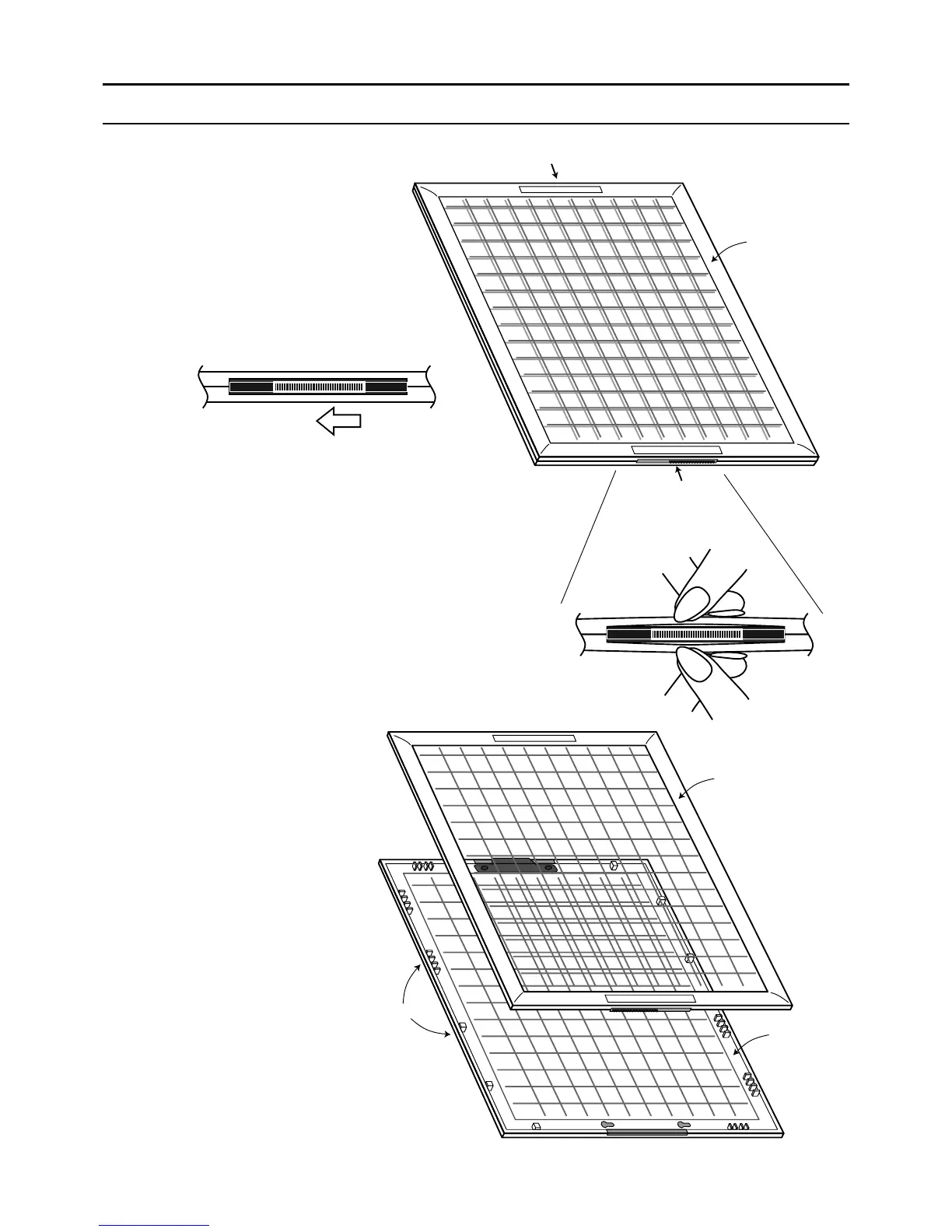
Locking slide
Locking slide
Top piece
LOCK →
← OPEN
Unlock
Small Hooks
Bottom piece
Top piece
4. How to install a menu sheet in the sheet holder
Open the sheet holder
Follow steps 1 ~ 3.
1 Slide both sides locking slide to unlock.
2 Open the sheet holder as shown
in the illustration.
3 The sheet holder (keyboard) can
now be divided into two pieces by
tearing off the top and bottom
pieces.
LOCK →
← OPEN
www.cashregisters.net


 To Next Page
 Loading...