Part-1
11
E
Part-1 QUICK START OPERATION
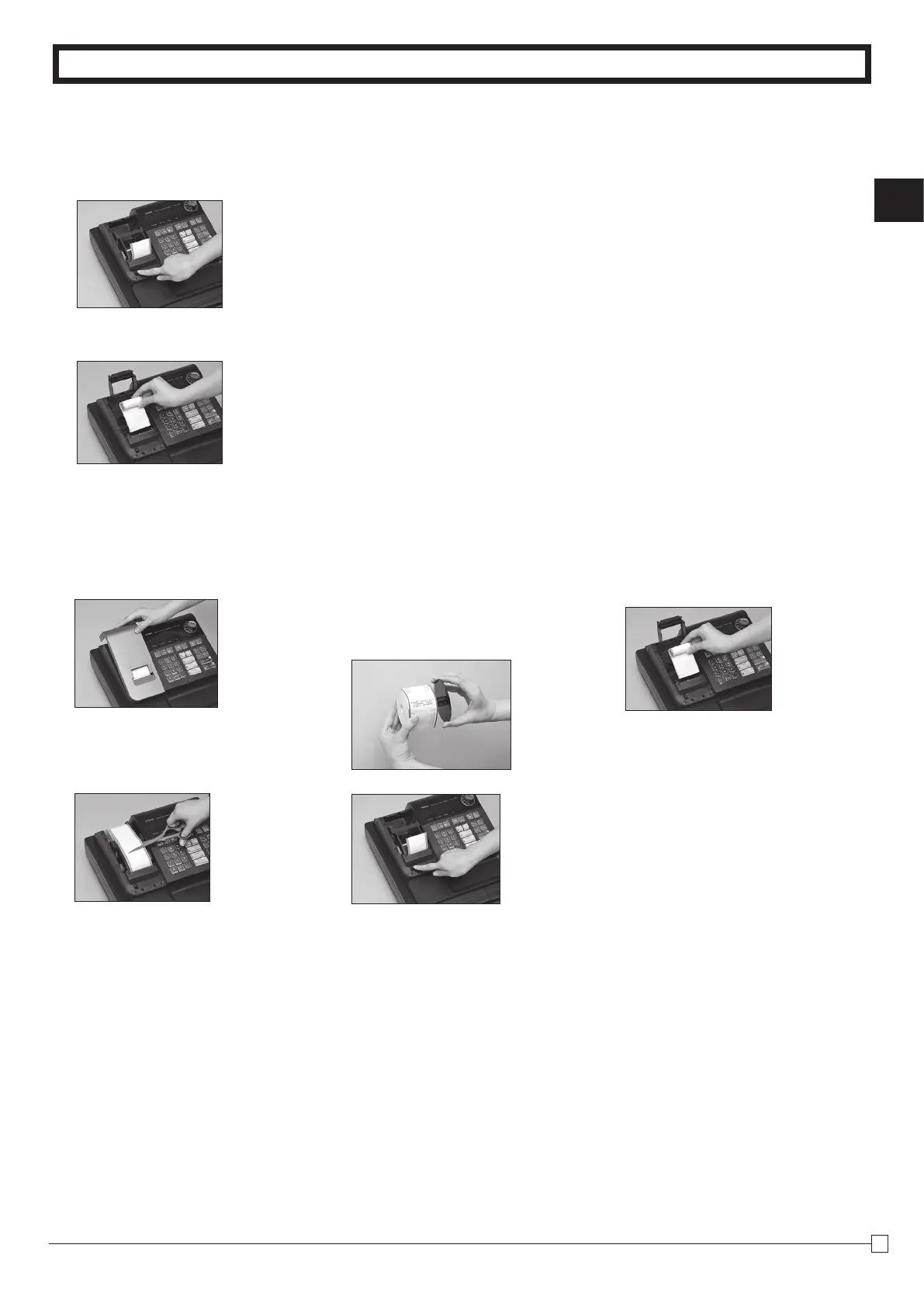
5. To remove receipt paper
!
Open the platen arm.
@
Remove the core of the paper.
6. To remove journal paper
!
Remove the printer cover by
lifting up the back.
@
Press the
l
key until ap-
proximately 20cm of the pa-
per is fed from the printer.
#
Cut off the roll paper.
$
Remove the take-up reel
from the printer and take off
the left plate of the reel.
%
Remove the journal paper
from the take-up reel.
^
Open the platen arm.
&
Remove the core of the pa-
per.
*
Load new paper following the
instructions "1. To load jour-
nal paper".
7. Caution (in handling the thermal printer)
1. Never touch the printer head and platen.
2. Unpack the paper just before you use.
3. Avoid heat/ direct sunlight.
4. Avoid dusty and humid places for strage.
5. Do not scratch the paper.
6. Do not keep the paper under the following circumstances: High humidity and temperature/ direct
sunlight/ contact with glue, thinner or rubber eraser.



 To Next Page