EasyManua.ls Logo

Casio VZ-10M - Page 32

Casio VZ-10M
113 pages
Print Icon
To Next Page IconTo Next Page
To Previous Page IconTo Previous Page
Loading...
fry
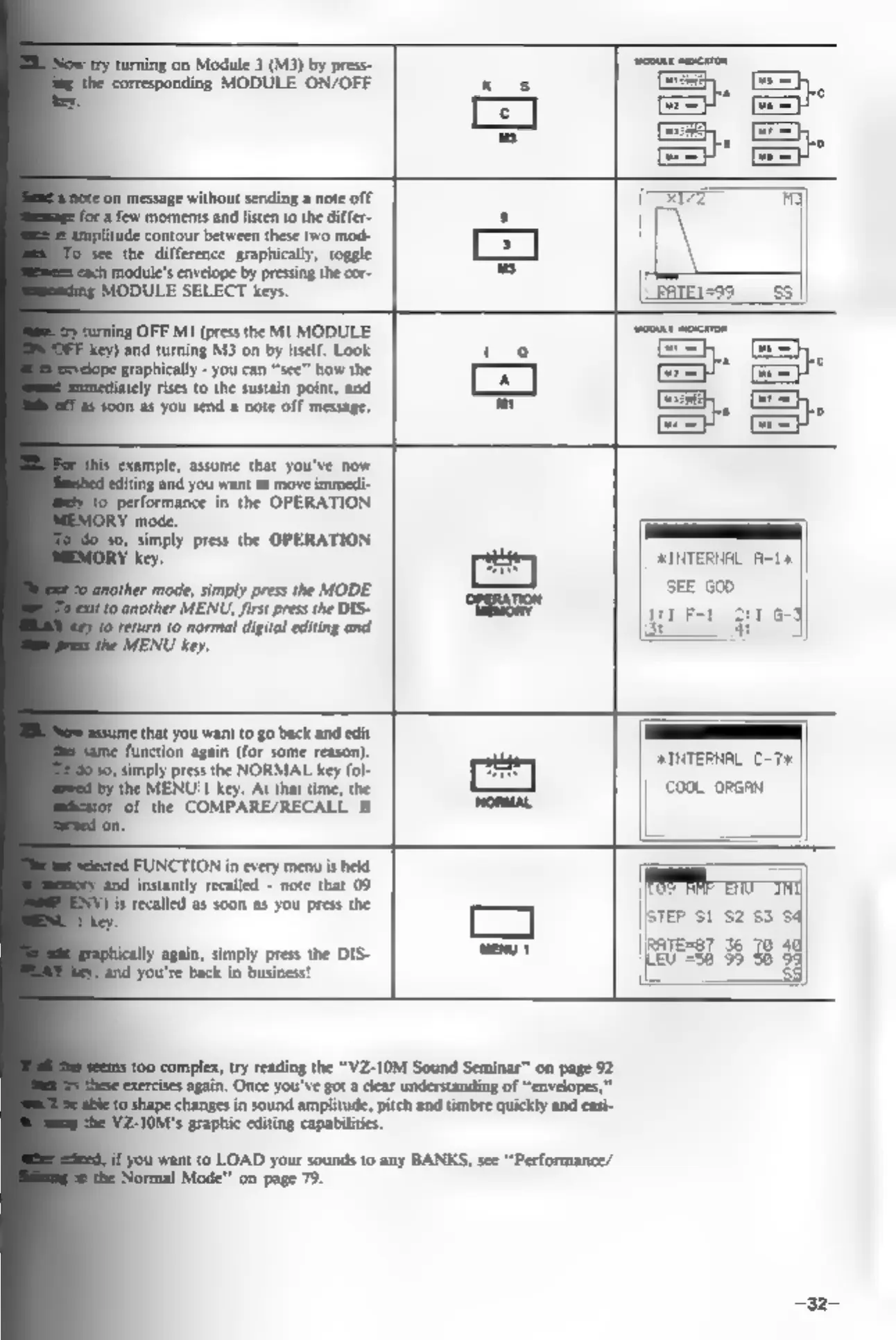
turning
on
Module
3
(M3)
by
press-
‘corresponding
MODULE
ON/OFF
kos
Jon
message
without
sending
a
note
off
-a
few
moments
and
listen
to
the
differ-
s
‘contour
between
these
two
mod-
a
‘see
the
difference
graphically,
toggle
imodule's
envelope
by
pressing
the
cor-
us
MODULE
SELECT
keys.
OFF
M1
(press
the
MI
MODULE
and
turning
M3
on
by
itself.
Look
to
graphically
-
you
can
“see”
how
the
[anal
ely
rises
to
the
sustain
point,
and
soon
as
you
send
a
note
off
message.
co
‘example,
assume
that
you've
now
{editing
and you
want
to
move
immedi-
performance
in
the
OPERATION
RY
mode.
80,
simply
press
the
OPERATION
key,
INTERNAL
A-14:
ees)
SEE G00
‘mode,
simply
press
the
MODE
sy
neon
gr
Ft
0
another
MENU,
first
press
the
DIS-
return
(o
normal
digital
editing
and
(ee
MENU
key.
eee
oo
tack
ad
ome
ction
again
(for
some
reason).
simply
press
the
NORMAL
key
fol
pee
‘the
MENU
|
key.
At
that
time,
the
|
COOL
ORGAN
of
the
COMPARE/RECALL
is
FUNCTION
in
every
menu
is
held
‘and
instantly
recalled
-
note
that
09
is
recalled
as
soon
as
you
press
the
TEP
S1
$2
$3
baress7
36
70
4
Iy
agin,
simply
pres
the
DIS-
fare
Pend
you're
back
in
business!
Ey
383
33
&
F
100
complex,
try
reading
the
“VZ-10M
Sound
Seminar"
on
page
92
exercises
again.
Once
you've
got
a
clear
understanding
of
“envelopes,”
shape
changes
in
sound
amplitude,
pitch
and
timbre
quickly
and
easi-
'YZ-10M's
graphic
editing
capabilities.
‘you
want
to
LOAD
your
sounds
to
any
BANKS,
see
“Performance/
"Normal
Mode"
on
page
79.