EasyManua.ls Logo

Casio VZ-10M - Page 49

Casio VZ-10M
113 pages
Print Icon
To Next Page IconTo Next Page
To Previous Page IconTo Previous Page
Loading...
COMBINATION
|
NORMAL
16
KF
RATE
(DCO/DCA)
Parameters
|
o/s
|
MENU
1
—
VALUE
—
MENU
|
—
VALUE
|
Pages
|
1
|
Graphic
Editing
YES
POINT=P1~P6
Domain
|
GLOBAL
KEY=CO~C9
RATE
=00~99
|
Related
Funetions
(MENU
1-05)
(MENU
1-03)
(MENU
1-11)
(MENU
1-09)
Pa
5S
fee
|
|Rritered
A
VAM
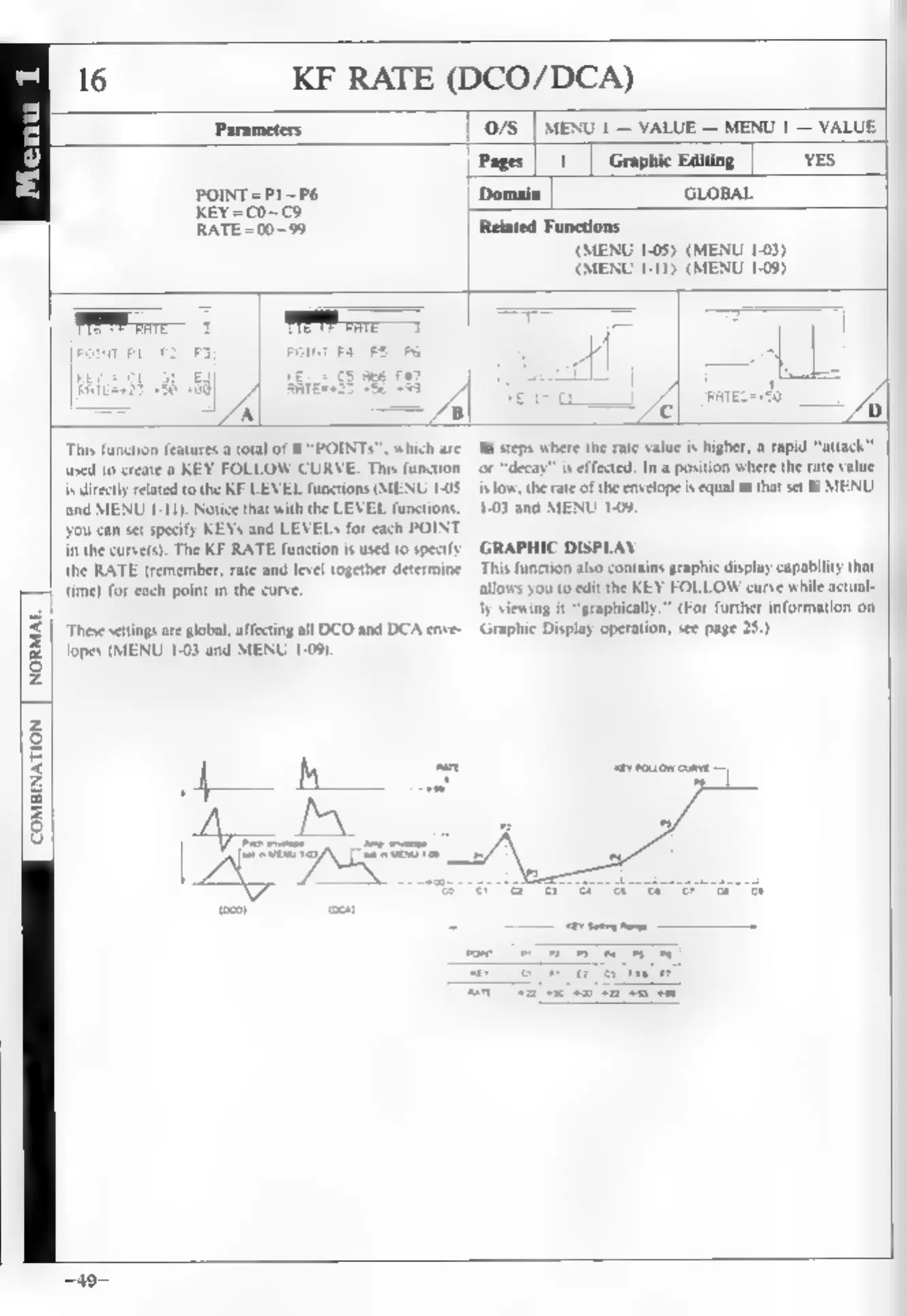
This
function
features
a
total
of
6
“POINTS”.
which
are
used
to
create
a
KEY
FOLLOW
CURVE.
This
function
is
directly
related
to
the
KF
LEVEL
functions
(MENU
10S
and
MENU
1-11),
Notice
that
with
the
LEVEL
functions,
you
can
set
specify
KEYs
and
LEVELs
for
each
POINT
in
the
curve(s).
The
KF
RATE
function
is
used
to
spec
the
RATE
(remember,
rate
and
level
together
determine
[|
time
foreach
point
in
the
curve
‘These
settings
are
global,
affecting
all
DCO
and
DCA
enve-
lopes
(MENU
1-03
and
MENU
1-06).
a
a
Seth
ho
ree
oa
ey
ess
In
steps
where
the
rate
value
is
higher,
a
rapid
“atta
‘or
“decay”
is
effected.
In
a
position
where
the
rate
value
is
ow,
the
rate
of
the
envelope
is
equal
to
that
set
in
MENU.
1-03
and
MENU
1-09,
GRAPHIC
DISPLAY
This
function
also
cont
phic
display
capability
that
allows
you
to
edit
the
KEY
FOLLOW
curve
while
actual-
ly
viewing
it
“graphically.”
(For
further
information
on
Graphic
Display
operation,
see
page
25.)
=