EasyManua.ls Logo

Casio VZ-10M - Page 50

Casio VZ-10M
113 pages
Print Icon
To Next Page IconTo Next Page
To Previous Page IconTo Previous Page
Loading...
17
VELOCITY
RATE
(DCO/DCA)
MENU
I
—
VALUE
—
MENU
1
—
VALUE
Parameters
O/S
|
—
PAGE
—
VALUE
—
PAGE
(SENSITIVITY)
AMP
ENVELOPE)
|
Pages
|
3
Graphic Editing
YES
SENSITIVITY
=00~31
STEP
eas
ENA.
Domain
|
PITCH=GLOBAL/AMP=MODULAR
(EITCH
ENVELOPE)
Related
Functions
(xe
1.03)
Bae!
(MENU
1-09)
PITCH
Ew
seer
Seti
83
D
This
function
features
parameters
which
are
used
to
con-
To
ENABLE
(make
effective)
the
VEL
RATE
for
any
step
|velocity
RATE,
in
correspondence
with
DCO
and
DCA.
in
the
envelope,
simply
move
the
cursor
10
the
desired
step
able,
simply
press
the
NO
key
(“»"
is
displayed).
(If
you
the
velocity
RATE
setting
is
global
(affects
all
8
mod-
set
less
than
8
steps,
steps
following
END
POINT
are
not
#,
you
can
choose
whether
RATE
control
is
enabled
displayed.)
If
the
parameter
is
set
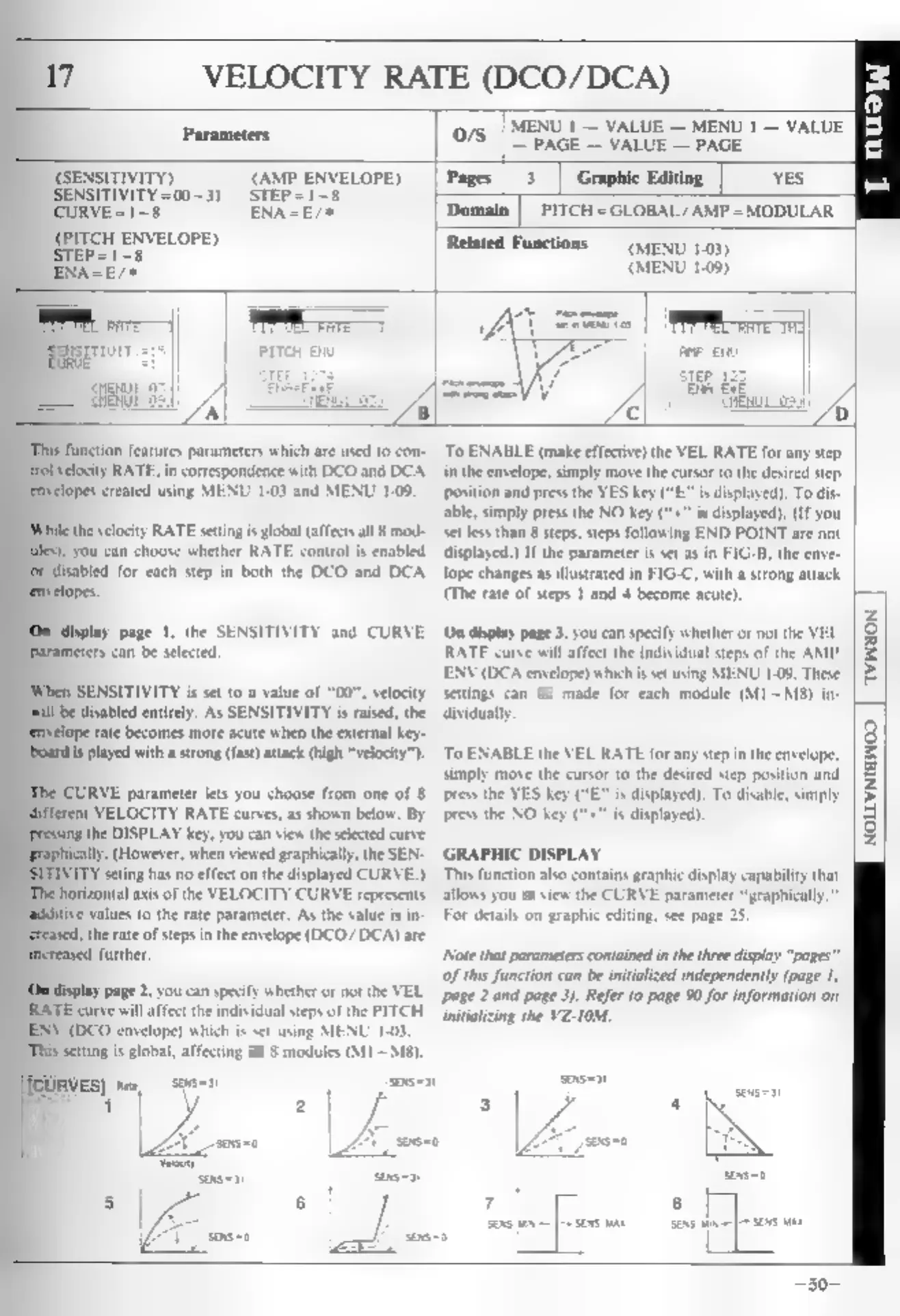
as
in
FIG-B,
the
enve-
isabled
for
each
step
in
both
the
DCO
and
DCA
lope
changes
as
illustrated
in
FIG-C,
with
a
strong
attack
(The
rate
of
steps
1
and
4
become
acute).
x
display
page
1,
the
SENSITIVITY
and
CURVE
On
display
page
3,
you
can
specify
whether
or
not
the
VEL
rameters
can
be
selected.
RATE
curve
will
affect
the
individual
steps
of
the
AMP
ENV
(DCA
envelope)
which
is
set
using
MENU
1.09.
These
SENSITIVITY
is
set
to
a
value
of
"00",
velocity
settings
can
be
made
for
each
module
(M1
~M8)
in-
be
disabled
entirely.
As
SENSITIVITY
is
raised,
the
dividually
ope
rate
becomes
more
acute
when
the
external
key-
{is
played
with
a
strong
(fast)
attack
(high
“velocity").
To
ENABLE
the
VEL
RATE
for
any
step
in
the
envelope,
simply
move
the
cursor
to
the
desired
step
position
and
CURVE
parameter
lets
you
choose
from
one
of
8
press
the
YES
key
(“E”
is
displayed),
To
disable,
gent
VELOCITY
RATE
curves,
as
shown
below.
By
press
the
NO
key
(“+"
is
displayed).
the
DISPLAY
key,
you
can
view
the
selected
curve
(However,
when
viewed
graphically,
the
SEN-
GRAPHIC
DISPLAY
ATY
seting
has
no
effect
on
the
displayed
CURVE.)
This
function
also
contains
graphic
display
capability
th
horizontal
axis
of
the
VELOCITY
CURVE
represents
allows
you
to
view
the
CURVE
parameter
“graphically.”
values
to
the
rate
parameter.
As
the
value
is
in-
For
details
on
graphic
editing,
see
page
25.
d,
the
rte
of
steps
in
the
envelope
(DCO/DCA)
are
further.
[Note
that
parameters
contained
in
the
three
display
“pages”
Of
this
function
can
be
initialized
independently
(page
1,
display
page
2,
you
can
specify
whether
or
not
the
VEL
page
2
and
page
3).
Refer
to
page
90
for
information
on
“RATE
curve
will
affect
the
individual
steps
of
the
PITCH
—jnitializing
the
VZ-I0M.
ENV
(DCO
envelope)
which
is
set
using
MENU
1-03.
“This
setting
is
global,
affecting
all
§
modules
(M11
~
Ms).
ae
a
[
nus
AVINION
—30-
NOLLVNIGWOD.