EasyManua.ls Logo

Casio VZ-10M - Page 52

Casio VZ-10M
113 pages
Print Icon
To Next Page IconTo Next Page
To Previous Page IconTo Previous Page
Loading...
00
OPERATION
NAME
MENU
2
—
VALUE
—
IENU
2
—
MODULE
Parameters
OS.
|
(ON/OFF
or
SELECT)
—
CURSOR
|
Pages
|
1
|
Graphic
Editing
NO
Alphabet
=
A~Z
|
|
Domain
|
OPERATION
MEMORY
Numeral
=0—9
Marks=".",
Related
Functions
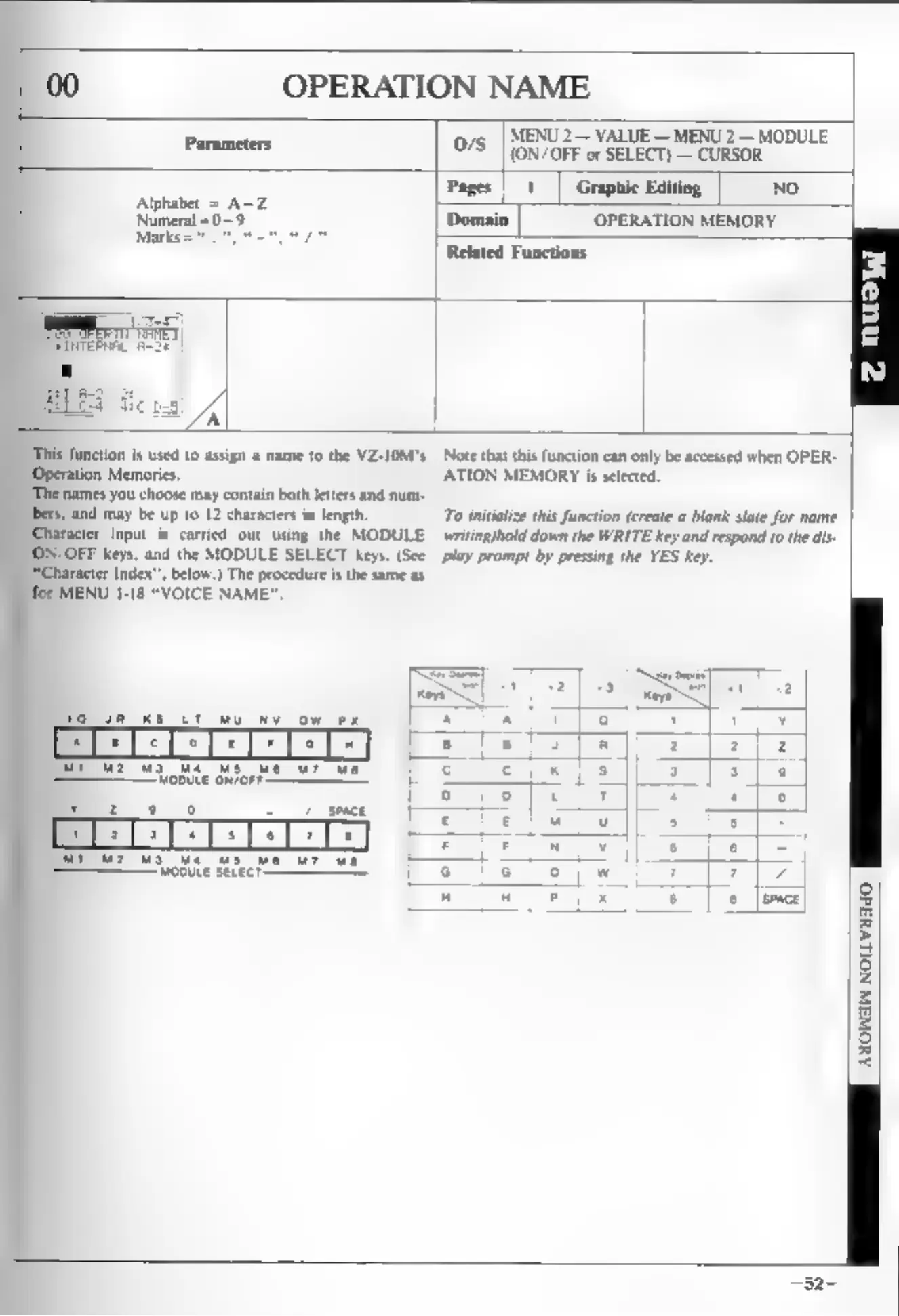
This
function
is
used
to
assign
a
name
to
the
VZ-10M’s
Note
that
this
function
can
only
be
accessed
when
OPER-
‘Operation
Memories,
ATION
MEMORY
is
selected.
‘The
names
you
choose
may
contain
both
letters
and
num-
Bers,
and
may
be
up
to
12
characters
in
length.
To
initialize
this
function
(create
a
blank
slate
for
name
Character
input
is
carried
out
using
the
MODULE
writingyhold
down
the
WRITE
key
and
respond
to
the
dis:
ON/OFF
keys,
and
the
MODULE
SELECT
keys.
(See
play
prompt
by
pressing
the
YES
key.
“Character
Index",
below.)
The
procedure
is
the
same
as
for
MENU
1-18
“VOICE
NAME".
fo sn
ks
ur
wy ow
wi?
wa
we
ws we wT
we
MoBute
duvorr"
smace
CCERCEWCT)
ue
tute
Steet
ARONA
NOLLV¥IdO
—32-