EasyManua.ls Logo

Casio VZ-10M - Page 53

Casio VZ-10M
113 pages
Print Icon
To Next Page IconTo Next Page
To Previous Page IconTo Previous Page
Loading...
01
PORTAMENTO/SOLO
1
(CONSTANT
RATE)
SOLO=
Parameters
[vs
|
menu
2
—
VALUE
—
MENU
2
—
VALUE
Pages
|
1
|
Graphic
Editing
|
NO
oars
iME~0-9
zn
PORTM
MODE
=0
(CONSTANT
TIME)/
[Domain
GLOBAL
Related
Functions
|,
The
parameters
in
this
function
are
used
to
establish
and
control
built-in
portamento
and
“solo”
effects.
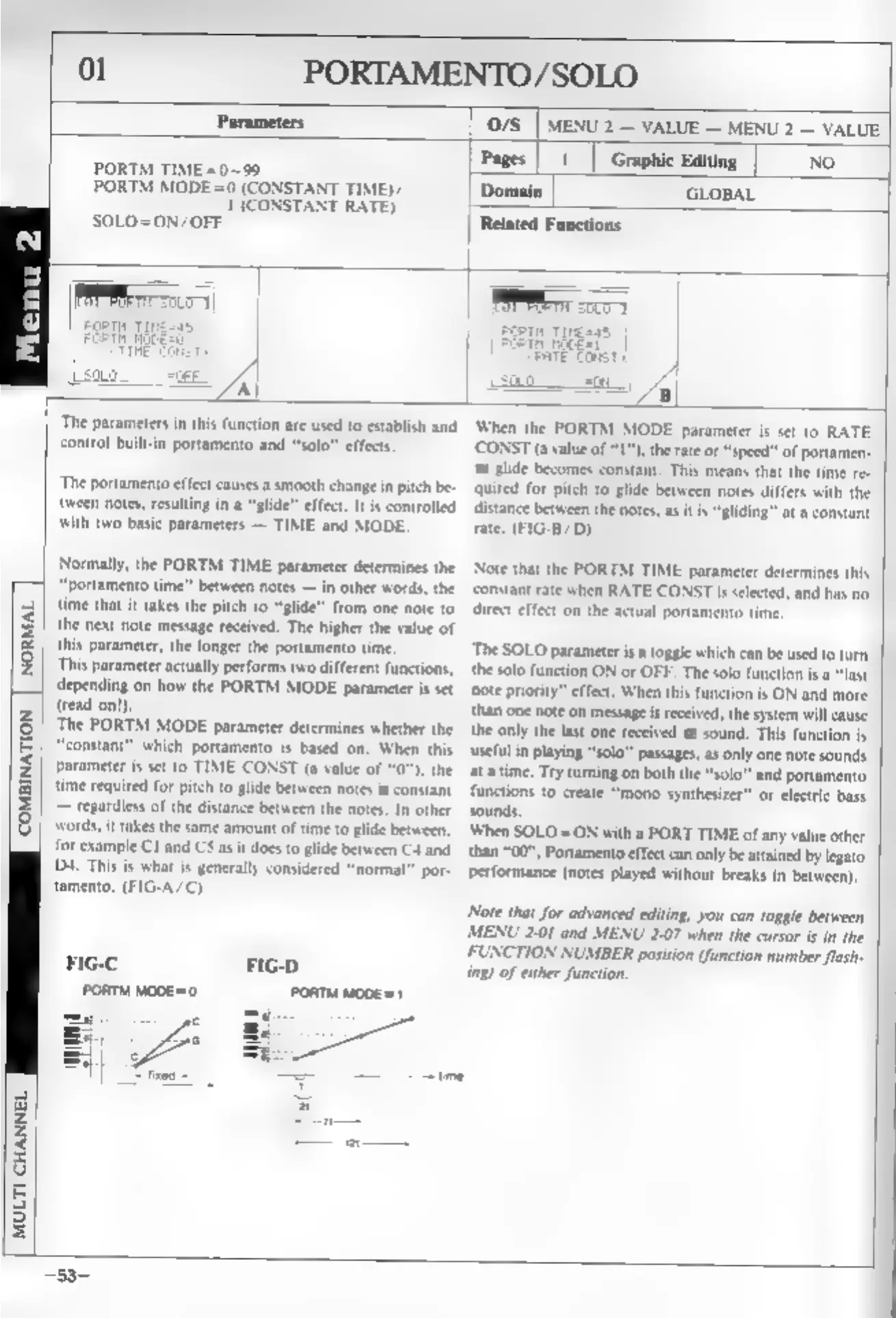
The
portamento
effect
causes
a
smooth
change
in
pitch
be-
{tween
notes,
resulting
in
a
“glide”
effect.
It
is
controlled
with
two
basic
parameters
—
TIME
and
MODE.
Normally,
the
PORTM
TIME
parameter
determines
the
NORMAL
“portamento
time”
between
notes
—
in
other
words,
the
time
that
it
takes
the
pitch
to
“glide”
from
one
note
to
the
next
note
message
received.
The
higher
the
value
of
this
parameter,
the
longer
the
portamento
time
This
parameter
actually
performs
two
different
functions,
depending
on
how
the
PORTM
MODE
parameter
is
set
‘COMBINATION
‘MULTI
CHANNEL
(read
on!
‘The
PORTM
MODE
parameter
determines
whether
the
|
“constant”
which
portamento
is
based
on.
When
this
parameter
is
set
to
TIME
CONST
(a
value
of
the
time
required
for
pitch
to
glide
between
notes
is
constant
—
regardless
of
the
distance
between
the
notes.
In
other
words,
it
takes
the
same
amount
of
time
to
glide
between,
for
example
Cl
and
CS
as
it
does
to
glide
between
C4
and
D4.
This
is
what
is
generally
considered
“normal”
por-
tamento.
(FIG-A/C)
When
the
PORTM
MODE
parameter
is
set
to
RATE
‘CONST
(a
value
of
1”),
the
rate
or
“speed”
of
portamen-
to
glide
becomes
constant.
This
means
that
the
time
re-
Quited
for
pitch
to
glide
between
notes
differs
with
the
distance
between
the
notes,
as
itis
“gliding”
at
a
constant
rate.
(FIG-B/D)
Note
that
the
PORTM
TIME
parameter
determines
this
‘constant
rate
when
RATE
CONST
is
selected,
and
has
no
rect
effect
on
the
actual
portamento
time,
The
SOLO
parameter
isa
toggle
which
can
be
used
to
turn
the
solo
function
ON
or
OFF.
The
solo
function
is
a
“last
‘note
priority”
effect.
When
this
function
is
ON
and
more
than
one
note
on
message
is
received,
the
system
will
cause
the
only
the
last
one
received
to
sound,
This
function
is
‘useful
in
playing
“solo”
passages,
as
only
one
note
sounds
at
a
time.
Try
turning
on
both
the
“'solo"
and
portamento
functions
to
create
“mono
synthesizer"
or
electric
bass
sounds,
When
SOLO
=ON
with
a
PORT
TIME
of
any
value
other
than
“00”,
Portamento
effect
can
only
be
attained
by
legato
performance
(notes
played
without
breaks
in
between).
Note
that
for
advanced
editing,
you
can
toggle
between
MENU
201
and
MENU
2-07
when
the
cursor
is
in
the
FUNCTION
NUMBER
position
(function
number
flash
ing)
of
either
function.