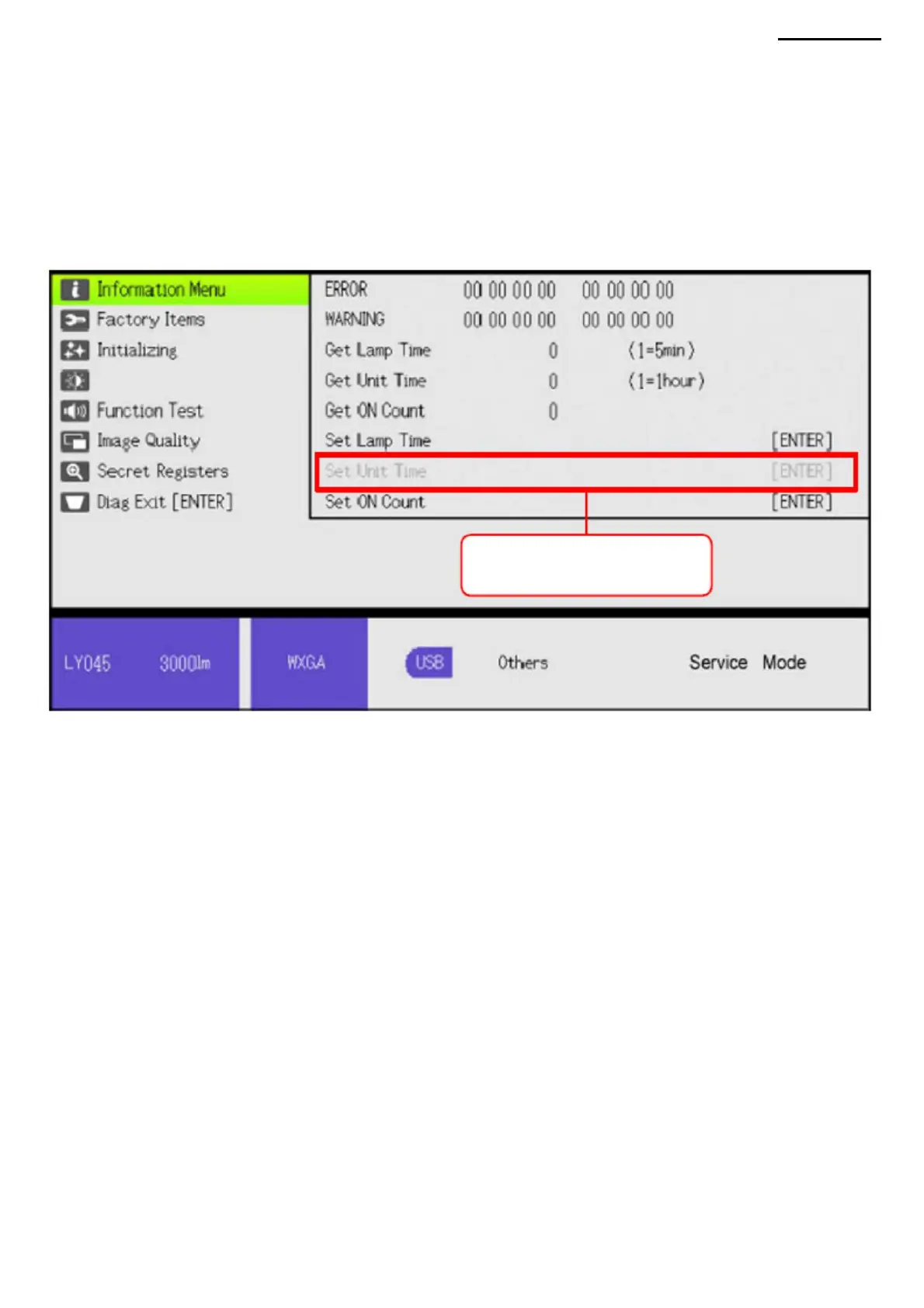
The item highlighted in gray
will become available.
NOTE: after activating the "Set Unit Time" line, it will remain
(1) Move the cursor to "Information Menu" in the main menu and press the [ENTER] button. (2) On the main unit, press the [AUTO],
[INPUT],
[FOCUS] and [MENU] buttons at the same time. (This item cannot be performed using the remote control). (3) The gray text "Set
Unit Time" will change color to black, its use
XJ-A240/A245
(4) Move the cursor to "Set Unit Time" and press the [ENTER] button to change the unit time.
active until exiting the diagnostic program.
will become possible.
8-5. Setting device time
-47-
Machine Translated by Google



 To Next Page