Step 3 Release all buttons except the [INPUT] button.
ERROR
8-4-1. Entering the diagnostic program
(1) Connect the power cable to the projector and wait for the [POWER] LED to turn yellow. (2) Press the [ (POWER] button on
the
remote control or on the projector to turn on
Get Lamp Time
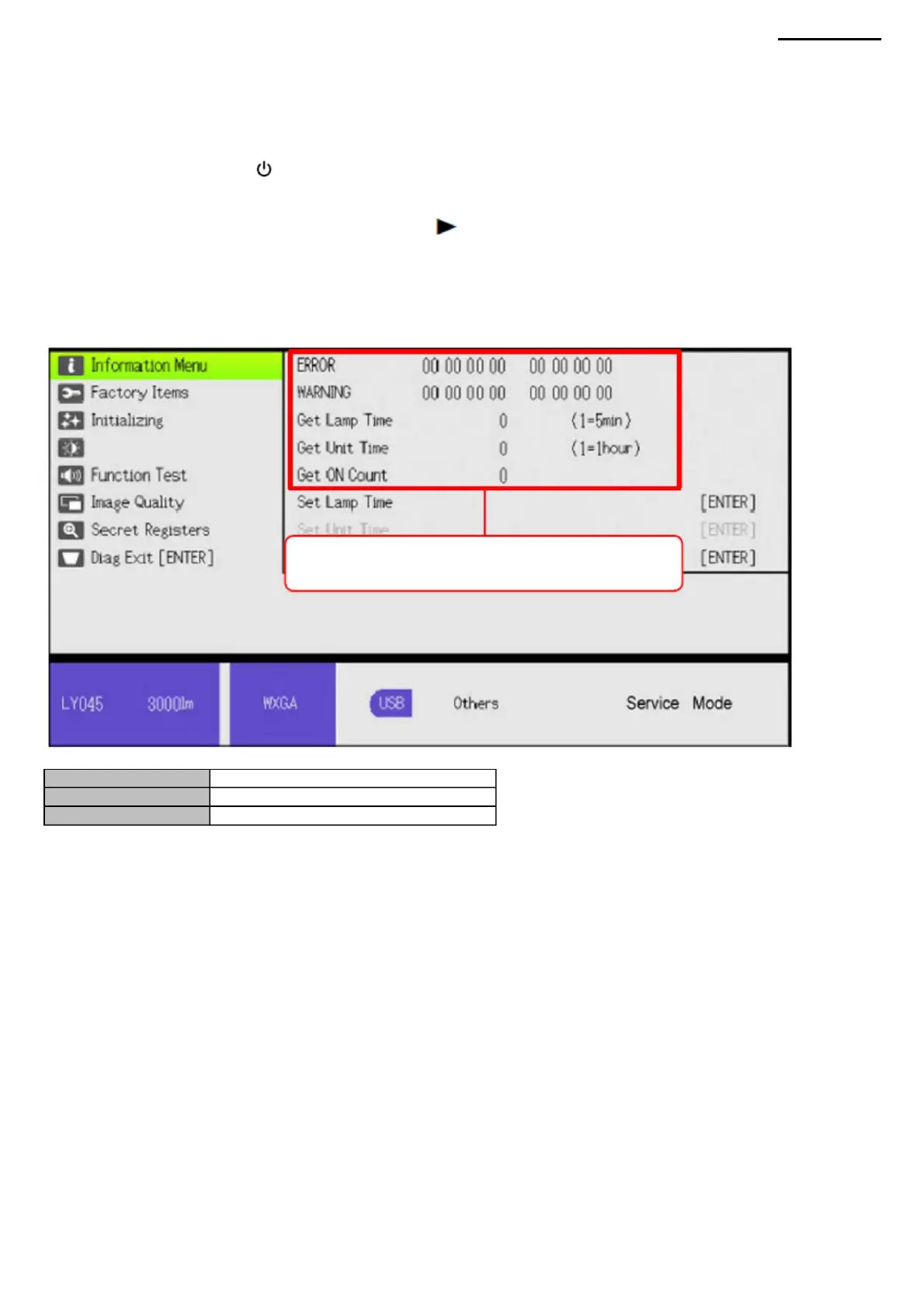
(4) The diagnostic program menu will appear.
his.
Get Unit Time
8-4-2. Viewing Lamp/Device Hours and Error Codes
(3) Follow the steps below to run the diagnostic program.
Error code number.
Lamp duration. The duration of
the device.
XJ-A240/A245
Always save this data. (WARNING
and Get ON data not included)
Step 1. Press the [ENTER] and [ ] buttons simultaneously.
Step 2 After pressing the buttons as described in step 1, press and hold the [INPUT] button for 2 seconds. (a total of 3
buttons must be held down).
8-4. Lamp/Device Hours and Error Codes (Information Menu)
-46-
Machine Translated by Google



 To Next Page