menu.
8-3-3. HDMI Check
The HDMI function is not checked or confirmed by the diagnostic program. Connect HDMI compatible equipment to the
projector and check if the image is projected.
8-3-2. ROM Check (1)
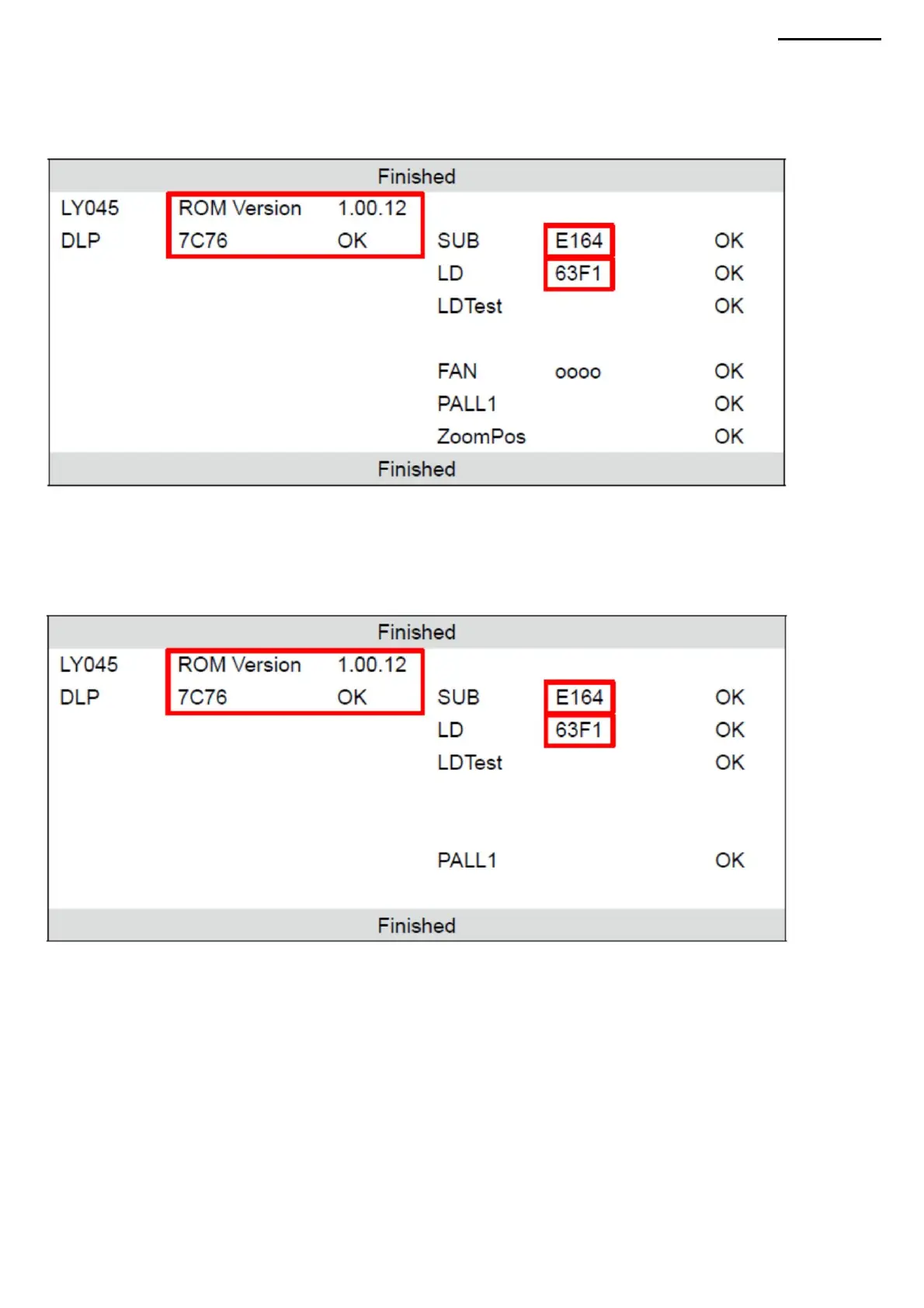
From the main menu, select "Function Test" ÿ "ROM CHECK". The memory test is performed automatically, then the
results
of the test are displayed. Check ROM control values (DLP, SUB, LD). After confirming the value, press the [ESC] button
to return to the screen
XJ-A240/A245
HDMI-enabled equipment: High-Definition
Multimedia Interface (HDMI) playback equipment or PC using a DVI-HDMI conversion cable.
(4) Memory test and result display The memory test
is performed automatically. When the memory test is completed, the results of the test are displayed. Check diagnostic
results and control values of ROM (DLP, SUB, LD). NOTE: If the zoom test was omitted, the result
of the zoom position test (ZoomPos) will be "NG (fail)". After confirming the value, press the [ESC] button to return to the
menu screen.
-45-
Machine Translated by Google



 To Next Page