8-3. About Diagnostics
Diagnostics is performed for the following functions. It is forbidden to perform other types of diagnostics, this
may lead to a change in the settings.
Zoom Position
• Auto-SALL2 (button test, zoom test, memory test) • ROM test • HDMI test
Check Zoom Position 2
[ZoomUp]/[ZoomDown]
[Zoom Up] / [Zoom Down]
8-3-1. Auto-SALL2
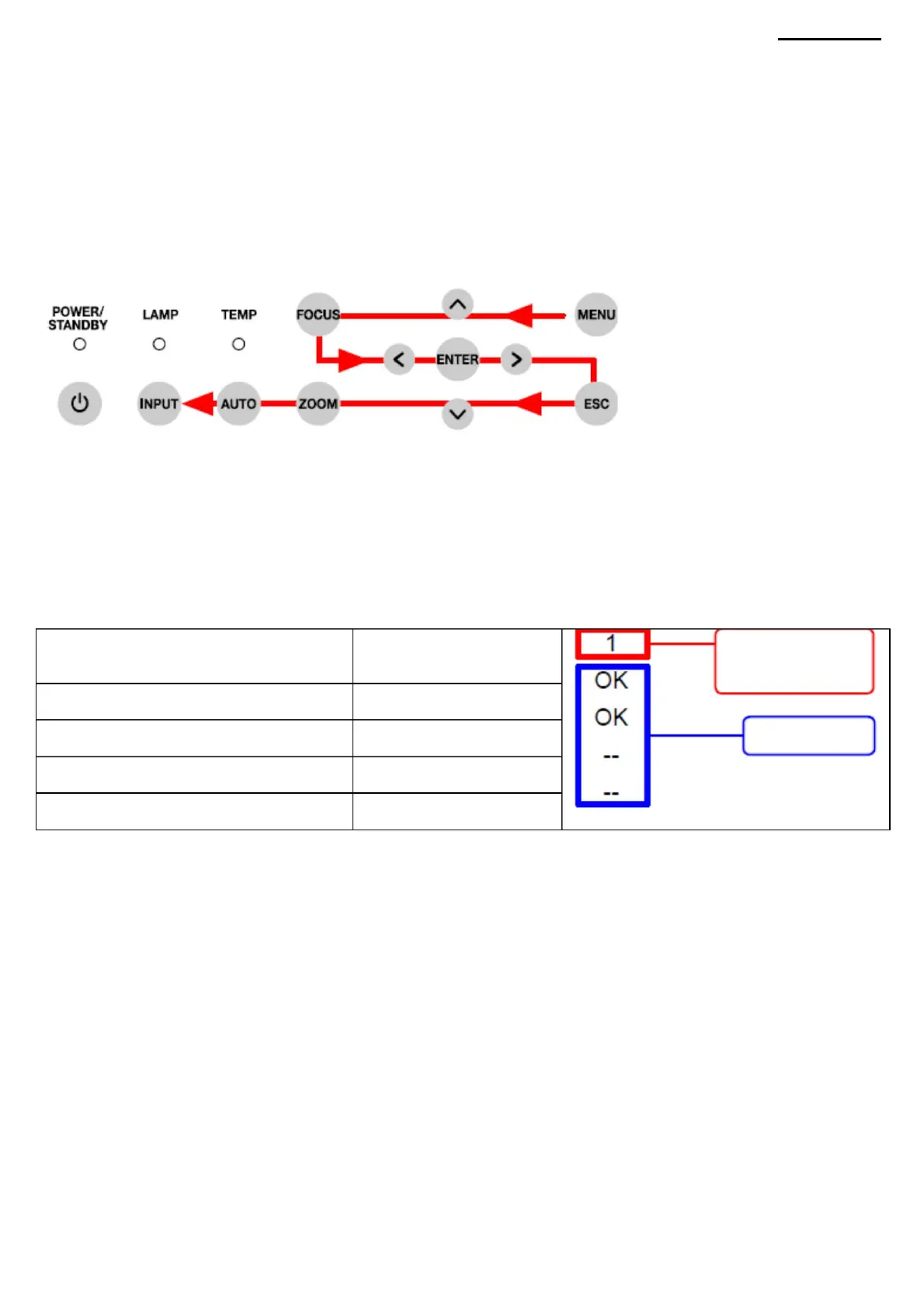
NOTE: To abort the diagnostic process, press the [ESC] key. (1) From the main
menu, select "Factory Items" ÿ "Auto-SALL2". (2) Test buttons
Press the buttons in the order shown in the following figure.
Check Zoom Position 3
XJ-A240/A245
Check Zoom Position 0
If the buttons are pressed in the wrong order, or if a button fails, an audible signal will sound. After pressing the [INPUT]
button, a double beep will sound at the end and zoom diagnostics will begin. (3) Zoom Diagnosis When the window below
appears, press
the [ZOOM] button on the remote
control. NOTE: If the remote control is not available, press the [INPUT] button. The diagnostic will skip the zoom
test and move on to the next step. (In this case, the result of the zoom test will be “NG (fail)”) Check all zoom positions
(0-3) and check the diagnostic results. When you change the screen size, the zoom position number also changes, then
the diagnostic results are displayed.
After checking the results and pressing the [INPUT] button, the memory test will start and the test results will be displayed.
Check Zoom Position 1
results
No. position
the zoom
-44-
Machine Translated by Google



 To Next Page