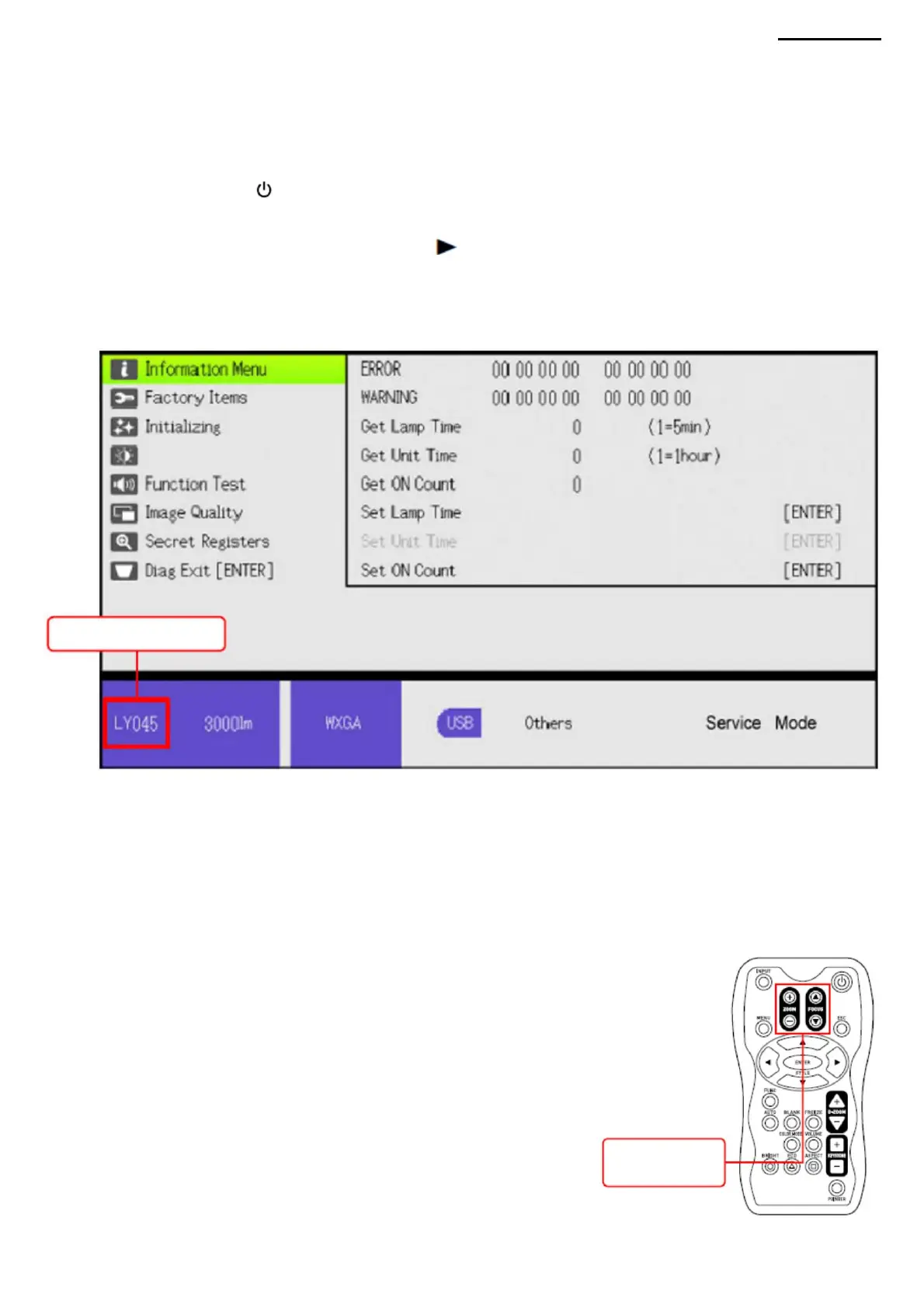
LY042: XJ-A240
LY043: XJ-A245
Development code
XJ-A240/A245
The model is specified with the development code.
his.
to confirm the selection, and run diagnostics. • To return
to the previous menu level, press the [ESC] button. • To exit the diagnostic
program, move the cursor to "Diag Exit [ENTER]" and press the button
8-1. Starting procedure (1)
Connect the power cable to the projector and wait for the [POWER] LED to turn yellow. (2) Press the [ (POWER] button on
the
remote control or on the projector to turn on
8-2. Procedure •
Use the cursor buttons to select the item to be diagnosed, then press the [ENTER] button.
NOTE: While the diagnostic program is running, the [ZOOM] and [FOCUS]
buttons on the main unit are inactive. To change the image size or focus, use
the [ZOOM] and [FOCUS] buttons on the remote control, which remain
Step 1. Press the [ENTER] and [ ] buttons simultaneously.
Step 2 After pressing the buttons as described in step 1, press and hold the [INPUT] button for 2 seconds. (a total of 3
buttons must be held down).
(3) Follow the steps below to run the diagnostic program.
[ENTER].
(4) The diagnostic program menu will appear.
Step 3 Release all buttons except the [INPUT] button.
active.
8. DIAGNOSTICS PROGRAM
[ZOOM] button/
[FOCUS] button
-43-
Machine Translated by Google



 To Next Page