-17-
KEQS08
Technical Manual
The gate is in closed position
set the control board in Semiautomatic mode
(DIP 1A OFF - DIP 2A ON - DIP 7B OFF)
1 Put in ON the DIP 10A Gate is closed
2 * Push the button TEMPI The motor OPENS
3
Push the button TEMPI (or START)
... If the slowing down is activated...
trimmer V RALL
The motor opens slowly
4
Push the TEMPI button (or START)
(if the opening limit switches is not
available).
Motor stops, starts the pause time
5
... If the limit switch is available
wait until the motor stops
motor stops, the counting
of the pause time starts
Let the pause time run…
7 Push the TEMPI button (or START) The motor CLOSES
8
Push the TEMPI button (or START)
if the slowing down is activated
(trimmer see V.RALL)
The motor closes slowly
9
Push the button TIMES (or START)
... if the closing limit switches no.1 is not
available...
Motor stops. Advanced learning
time completed
10
... if the limit switches is available wait
motor stops
Motor stops. Advanced learning
time completed
The control unit detect the accessories under test and the opening manoeuvre can be delayed for a while
Connect the devices under Test according to the operating guide
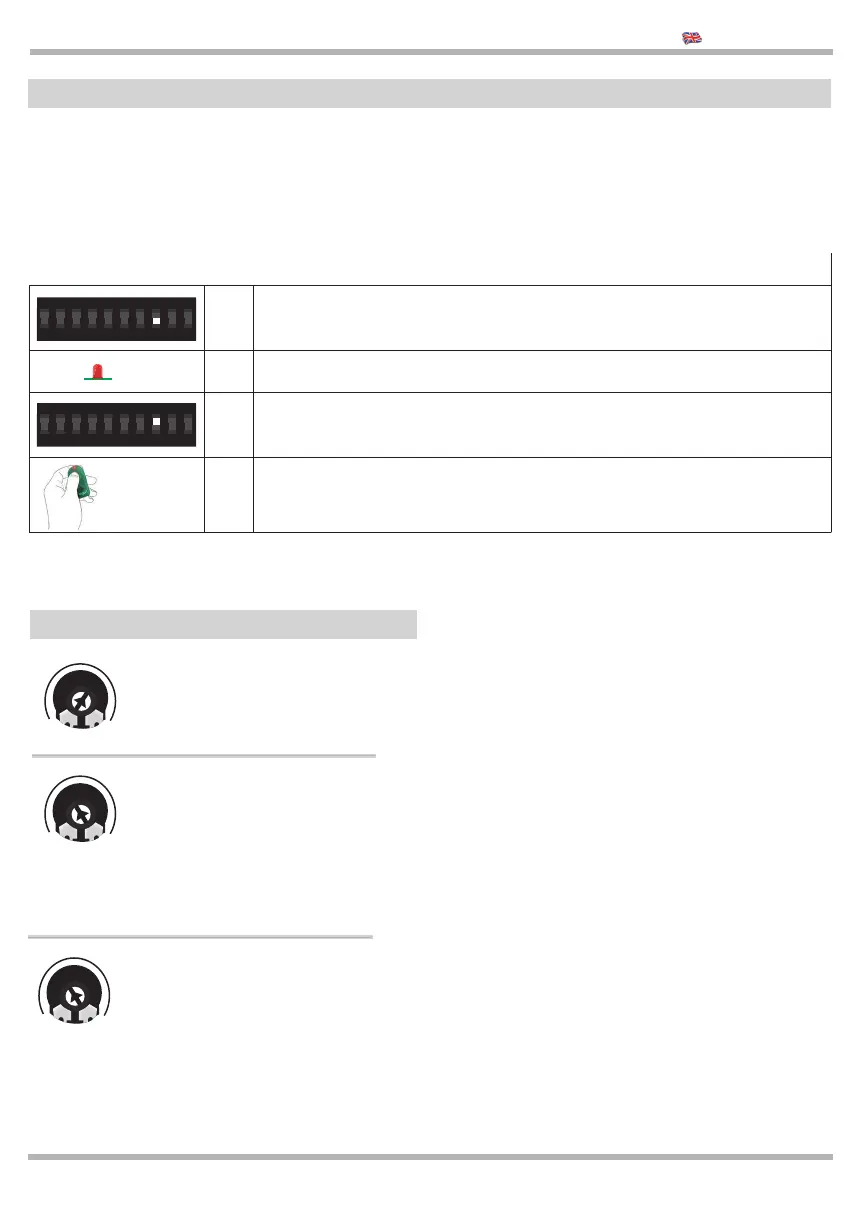
1 When the control is switched OFF, put in OFF dip 8 of DIP A
2 Power the control unit and wait the LED is fl ashing
3 Put in ON DIP 8 of DIP A
4
Open the gate with a START command
or with the Working time learning see par. 6.1
The TEST function is compatible with slow response devices (for example TRANSCEIVER) so when those devices
are available the response time can be slower. You can test the devices in the STOP input.
Follow this procedure to know if some devices connected ot the inputs FOTO and STOP are under TEST.
ON
2
1
43 6
5
87 10
9
ON
2
1
43 6
5
87 10
9
LED
START
FORZA
20
40
60
80
100
Adjust of the force
of the motor from
20% up to 100%
V.RALL
MIN
2
4
6
8
10
OFF
Speed of slowing down (MINI-
MUM OFF) deactivation of the
slowing down. For the majority of
the motors the best value is from
MIN to 4. You need to adjust a
speed of 1/3 of the motor speed.
To deactivate the slowing down, turn the trimmer
in OFF
MIN
2
4
6
8
10
OFF
OBSTACLE DETECTION: If you
turn to MIN it needs only a lit-
tle bit of force to stop the motor,
the more you turn the trimmer
the more you need force. If you
turn to OFF the function is deac-
tivated.
BLOCK
V.RALL
FORZA
7 OPERATING GUIDE FOR TEST
8 Adjustment of the Trimmers
.................................................
.................................................
.................................................
.................................................
.................................................
.................................................
.................................................
.................................................
.................................................
.................................................
.................................................
.................................................
.................................................
.................................................
.................................................
.................................................


 To Next Page
 Loading...