-10-
3 Functions and adjustments of DIP SWITCHES
KEQS08
Technical Manual
3.1 Use of the DIP B
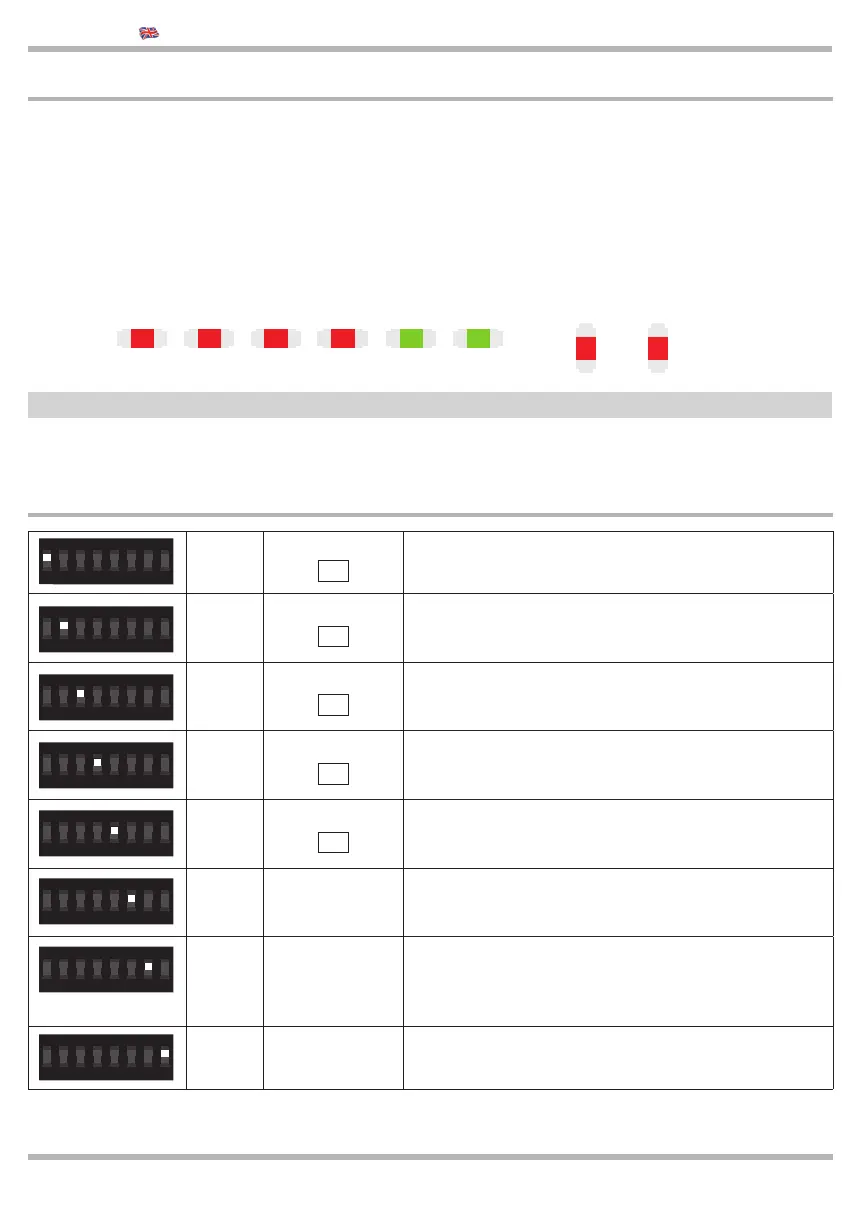
The control board has several micro-switches to activate a lot of functions in order to fi nd suitable solutions for the
user and to make the installation more safe.
1-ON
STOP
12
Exclude the input STOP
2-ON
PHOTO
13
Exclude the input PHOTO 1
3-ON
LSO
14
Exclude the input LSO
4-ON
LSC
15
Exclude the input LSC
5-ON
Safety edge 8K2
21
Exclude the input PHOTO 2
6-ON Soft-Start The gate is opening with a gradual speed
7-ON Industrial use
The Partial Opening became a CLOSE COMMAND while
the START command is OPEN COMMAND.
DIP1A OFF and DIP2A ON -> it doesn’t close automatically
DIP1A ON and DIP2A ON -> it close automatically
8-ON - Not used
ON
2
1
43 6
5
87
ON
2
1
43 6
5
87
ON
2
1
43 6
5
87
ON
2
1
43 6
5
87
ON
2
1
43 6
5
87
ON
2
1
43 6
5
87
ON
2
1
43 6
5
87
ON
2
1
43 6
5
87
LED L1 indicates the correct working of the control unit. It fl ashes each second to indicate the micro-processor is
activated and waiting for commands. If it fl ashes softly it means that the input SAFETY EDGE is not in the standard
mode.
When the control unit is powered, the warning lights, set on the inputs, are ON when the contacts on the inputs are
closed toward the common:
Normally the red lights on inputs STOP - PHOTO - LSO - LSC are ON
Normally the green lights on the control inputs START - PEDESTRIAN are OFF
STOP PHOTO LSO LSC START PED
L1
2.15 Checking connections
L2: not used



 To Next Page