-12-
KEQS08
Technical Manual
4 Using the remote controls
This receiver can manage standard codes from 12 till 64 bit and rolling codes HCS©. The fi rst learned transmitter
establish the code’s type that the receiver has to manage, it means that the transmitter has to have the same code’s
type. Concerning the rolling codes it is possible to activate or disactivate the key’scontrol and the rolling counter.
With this function you can choose the security level of the receiver.
This operation cancels all codes in the memory. You cannot cancel of a single remote control code. It is necessary
to reset the memory before learning new remote controls. The cancellation of the memory (all codes) is possible
only when the gate is closed.
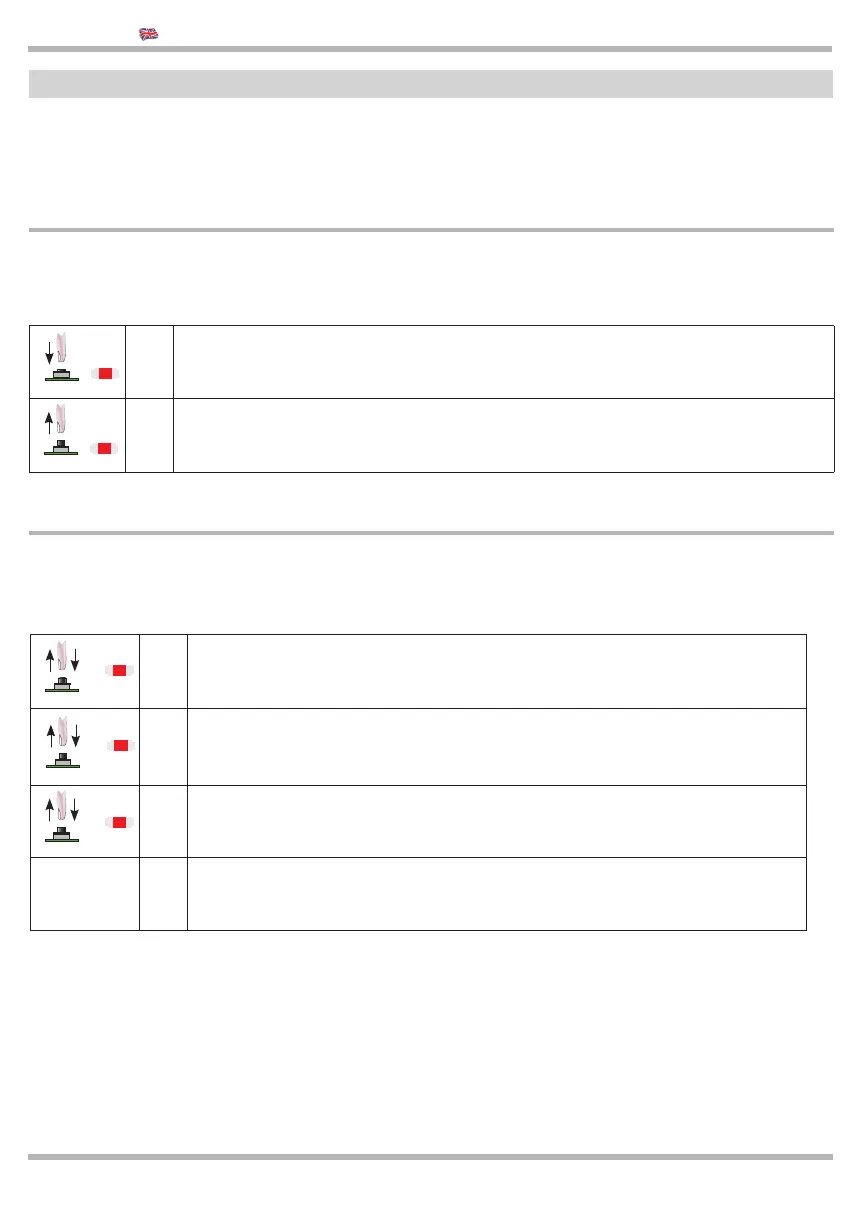
> 1
Make sure that the gate is CLOSED
Press and keep pressed the CODICI BUTTON
> 2
Wait until LED L1 start fl ashing, then release it.
Wait the reset of the memory.
4.1 FULL CANCELLATION of the memory
CODICI
CODICI
4.2 ROLLING CODE ACTIVATION OR DEACTIVATION
Fixed code MODE (L1 - one fl ash)
The receiver manages standard codes from 12 to 64 bit and HCS© rolling code (only the fi xed part)
Rolling code MODE (L1 - fl ashes twice):
You can control the rolling code counter and the remote cannot be duplicated
>
1
Press and release the button CODICI, LED L1 will lit on.
Wait until the memory has been cancelled.
>
2 Press and release the button CODICI again, LED L1 fl ashes and lit on
>
3
Press the button CODICI again, LED L1 fl ashes twice,
it activate the rolling code counter.
4
To return to the fi xed code mode,
repeat the operation from point no.1 in this way LED L1 will fl ash only once.
CODICI
CODICI
CODICI
L1
L1
L1
L1
L1



 To Next Page
 Loading...