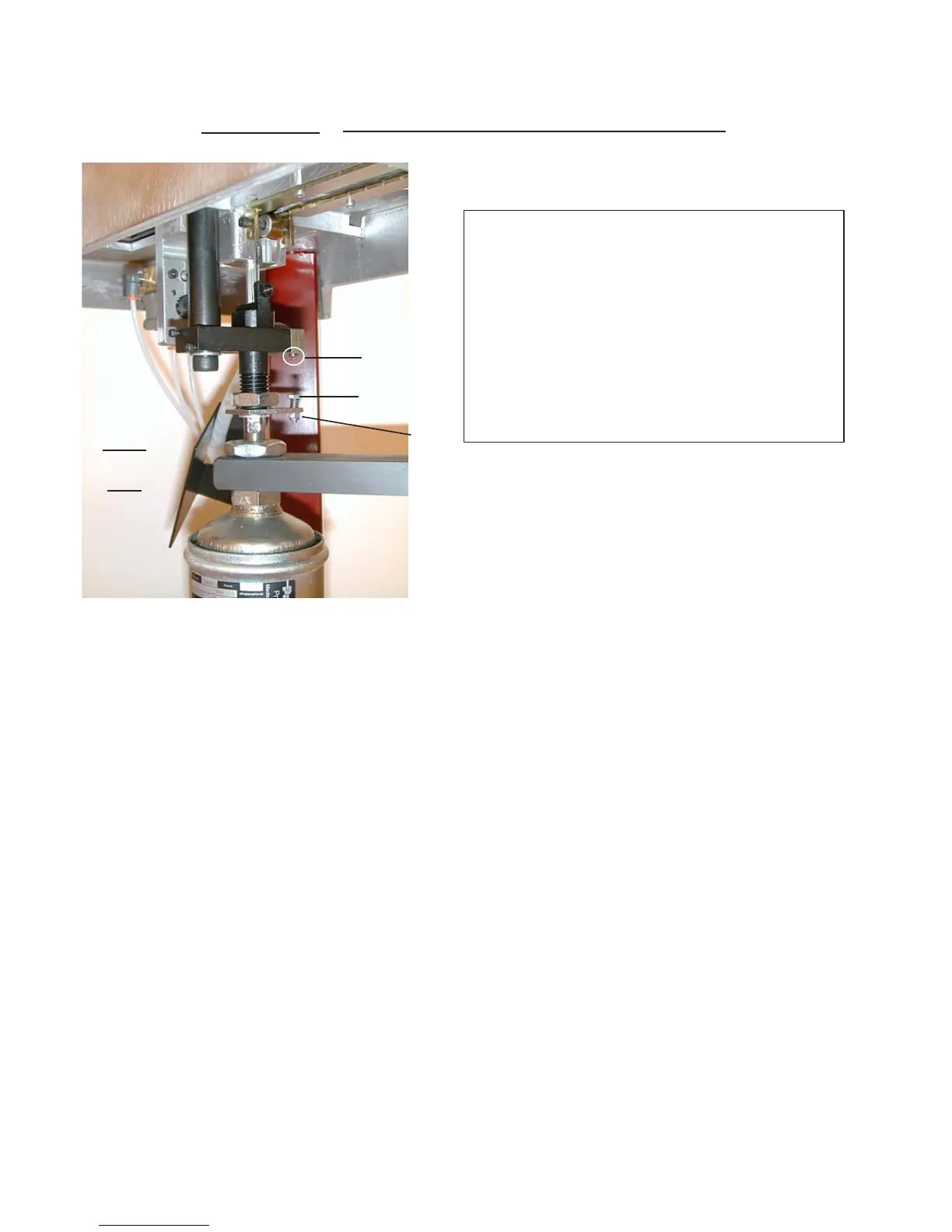
CS 89 SETTING THE LIMIT SCREW
LIMIT
SCREW
LIMIT
DETECTOR
CS
89
WARNING!
ONLY CARRY OUT THIS
OPERATION IF IT IS
RECOMMENDED IN THE
TROUBLESHOOTING
REMEDIES AT THE END
OF THE MANUAL.
1) Take out the wedge cartridge.
2) Reduce the air pressure to 3 bars.
3) Set the plunger at less than 50 mm (2’’) from the table.
4) Holding nut E, turn the limit screw through 2 to 3 turns.
5) Press the pedal as if to start up stapling; as the limit detector is not actuated, the plunger re-
mains in low position.
6) Unscrew the limit screw until the plunger moves upwards.
7) Once the plunger has lifted, unscrew the limit screw by an additional quarter turn.
E
11



 To Next Page