Castles Technology Co., Ltd. Confidential • All Right Reserved. Pg. 8
3. Basic Operation
3.1. Program Manager
The UPT1000F is the terminal without keypad. There are two ways to input/control
the terminal. One is to connect a USB keyboard to the port of USB2 with USB
adapter. Another one is connecting to PC with console, please follow the steps
below to connect PC and UPT1000F for controlling.
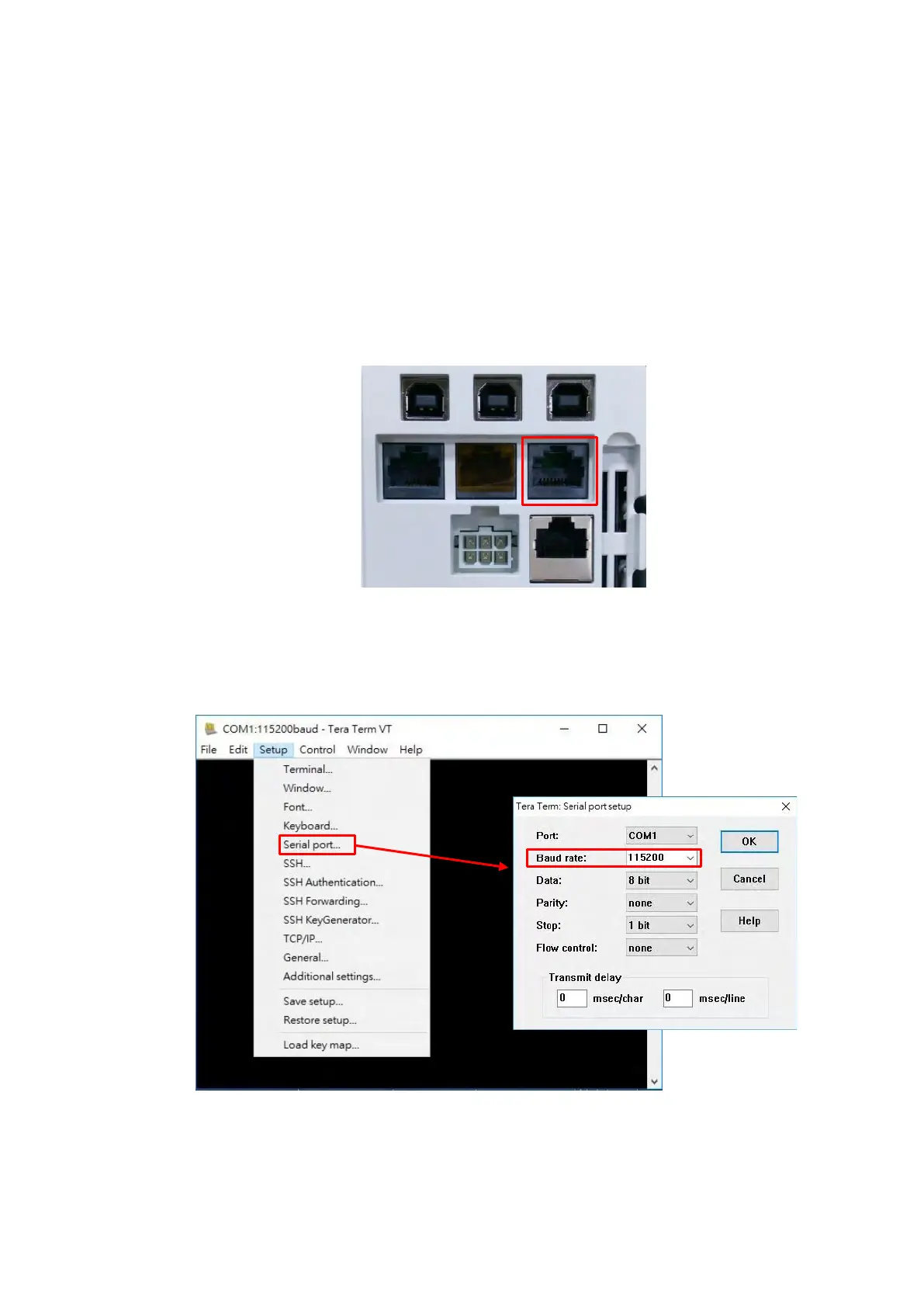
▪ Power on UPT1000F and connect COM Port 1 to PC.
▪ Run the application program such as “TeraTerm” or “PuTTY” on PC.
▪ Select “Serial port” to set the com port. The baud rate should be set to
“115200”.



 To Next Page