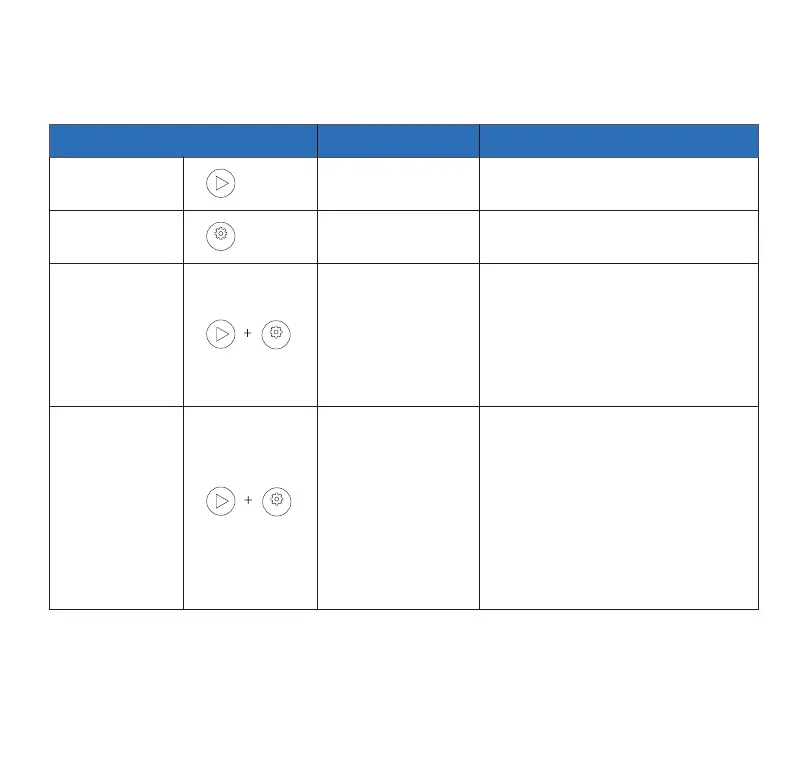
2.Button Functions
Clean/ Pause
One Click
Sta Clean/ Pause
One Click
Switch Cleaning Mode
Timer mode only works after WIFI is
successfully connected
When the Panel Lock indicator light is
on, it means the panel is locked
successfully. If you want to unlock,
repeat the above operations.
[Note] This function can also be turned
on or o on CATLINK APP.
When the WIFI indicator is always on, it
means that the WIFI pairing has been
completed.
Press and hold the
Mode Switch and the
Clean/Pause button
for 3 seconds, release
the buttons when you
hear a beep.
Press and hold the
Mode Switch and
Clean/Pause buttons,
release them after
hearing 2 beeps,
enter the WIFI pairing
mode, and complete
the pairing with the
CATLINK APP
Mode Switch
Panel Lock
WIFI Connection
Button Operation Explanation
09
Toll free: +1 833 440 2772 Email: suppo@catlink.cn



 To Next Page