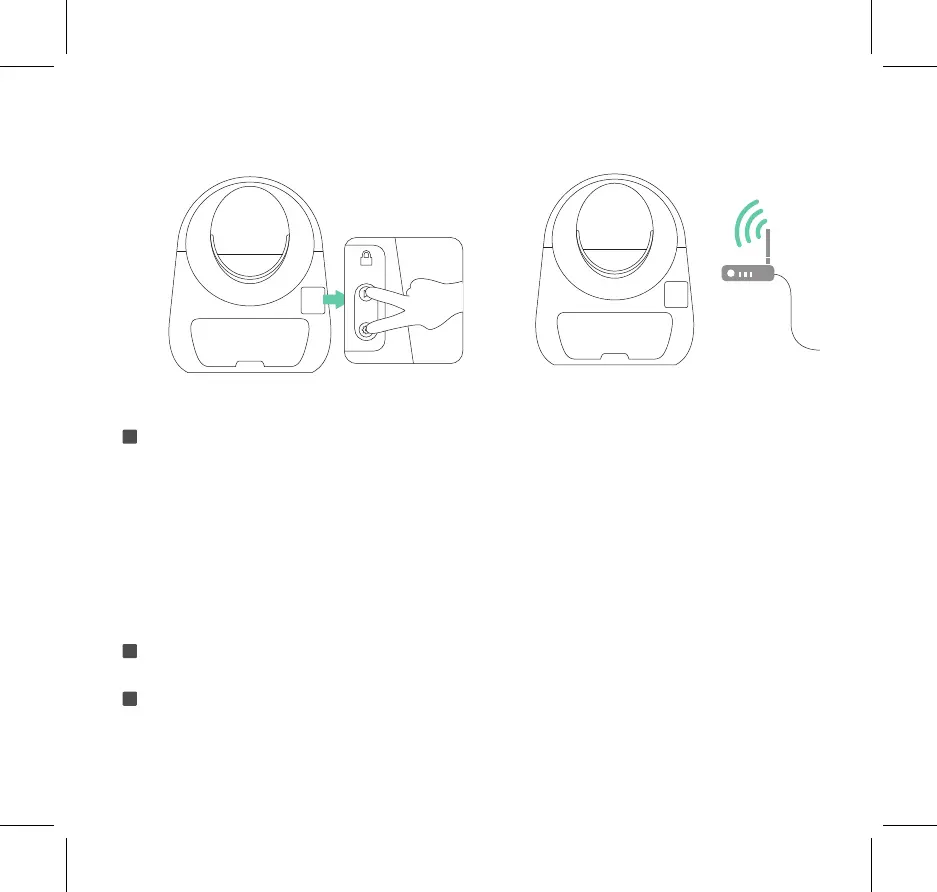
Operate according to the instructions on the CATLINK------------------------------------please refer to picture 6.1
"If the Wi-Fi connection indicator is constantly on, the device already has Wi-Fi connection and can be
controlled from the APP."
*If there is a network connection failure, please patiently re-operate it again, and pay attention to check
whether the WiFi password is correct. There may be a problem of poor network connection for some
Android users. If possible, please use other phones for network connection. After the network is successful-
ly connection, log in to the CATLINK on your original phone and you can use it normally."
"In the case of multiple confirmations that your operation is correct, but the network connection still fails,
please contact after-sales assistance in time."
After the connection is successful, the WiFi indicator of the device keeps constantly on.
-----------------------------------------------------------------------------------------------------------please refer to picture 7.1
After completing the above steps, the functions of CATLINK can be used normally.
p13
6
7
8



 To Next Page