EasyManua.ls Logo

CatLink Scooper Standard Pro - Control Panel and Button Operations; Mode Button Operation; Clean;Pause Button Operation

CatLink Scooper Standard Pro
32 pages
Print Icon
To Next Page IconTo Next Page
To Previous Page IconTo Previous Page
Loading...
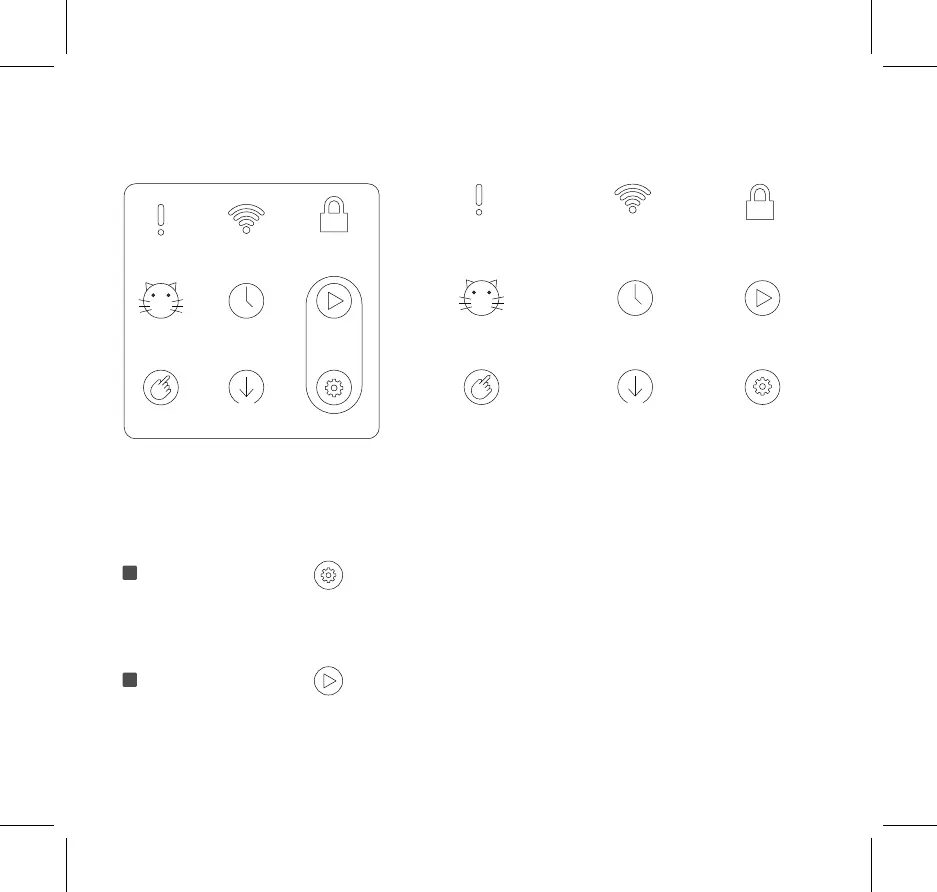
Mode button
The mode will be switched in order from Auto, Manual, Timer, Empty in a cyclic manner each time you
press the button.
Note: The timer mode only works with Wi-Fi connection.
Clean/Pause button
Press the button to start or stop the operation.
Note: This button only works in the manual mode and the empty mode.
Control Panel】
Button Operation
Error
indicator
Wi-Fi
indicator
Panel lock
indicator
Auto mode
indicator
Timer Mode
indicator
Clean/Pause
button
Manual Mode
indicator
Empty Mode
indicator
Mode
button
p8
1
2

Related product manuals