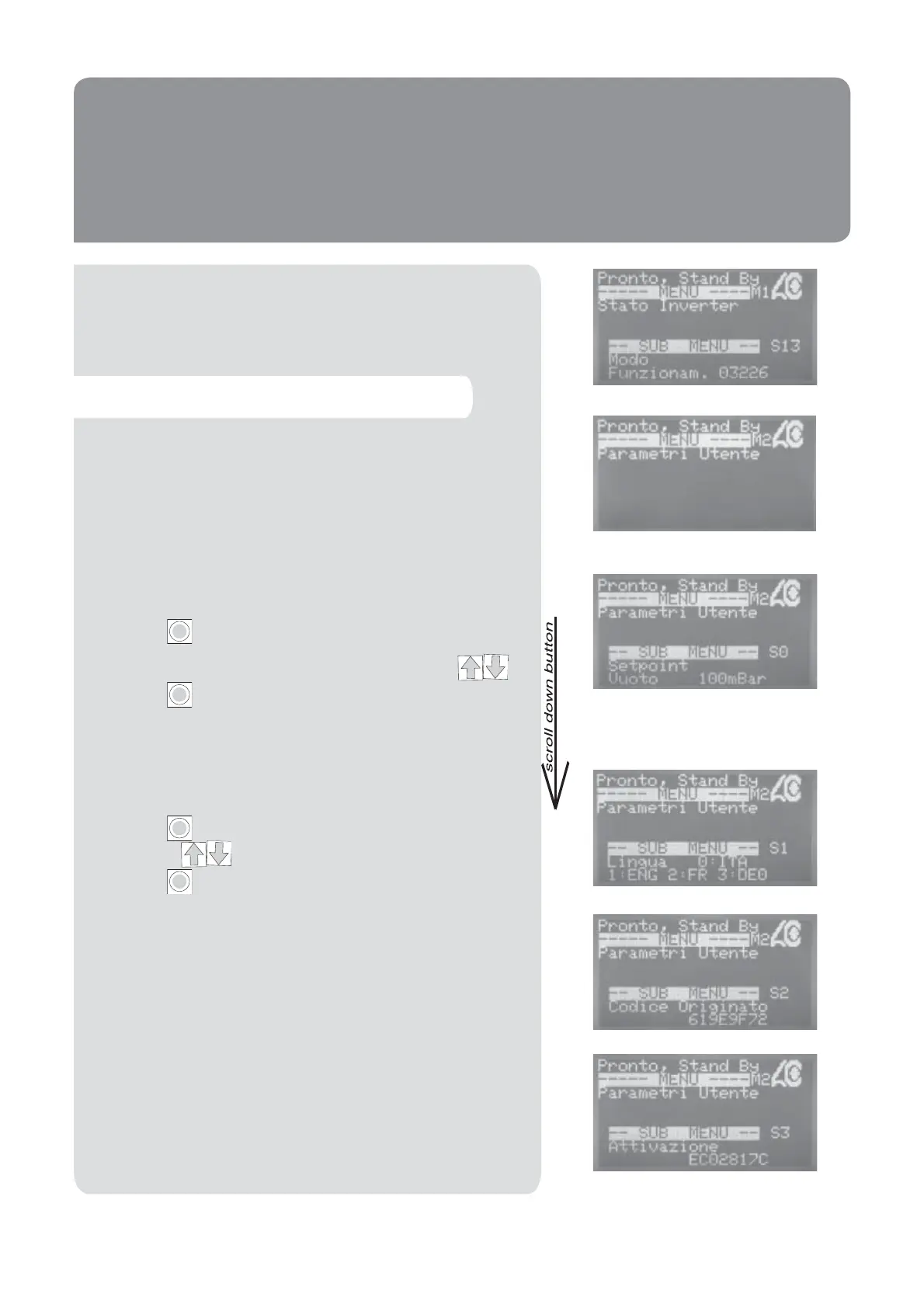
To access this menu you are required to enter the access
password 0000123000 (see instructions on page 35).
User Parameters menu
Vacuum Set Point
This is the gure to which the unit will limit the vacuum.
Press the Enter Key to make the cursor appear.
The gure can be changed using the arrow keys .
Press the Enter Key again to con rm.
Language
It is possible to choose either English (1) or Italian (0),
French (2), German (3) for the displayed language.
Press the Enter Key to enable the cursor and use the
arrow keys to select 0 or 1 or 2 or 3.
Press the Enter Key again to con rm the change.
Generated Code
This code is generated by Cattani S.p.A. Each unit is allo-
cated a unique code. At present this code is not used.
Activation Code
At present this code is not used.
I
I
I
I
Run mode (it describes the machine’s running mode)
38


 To Next Page