ENGLISH
43
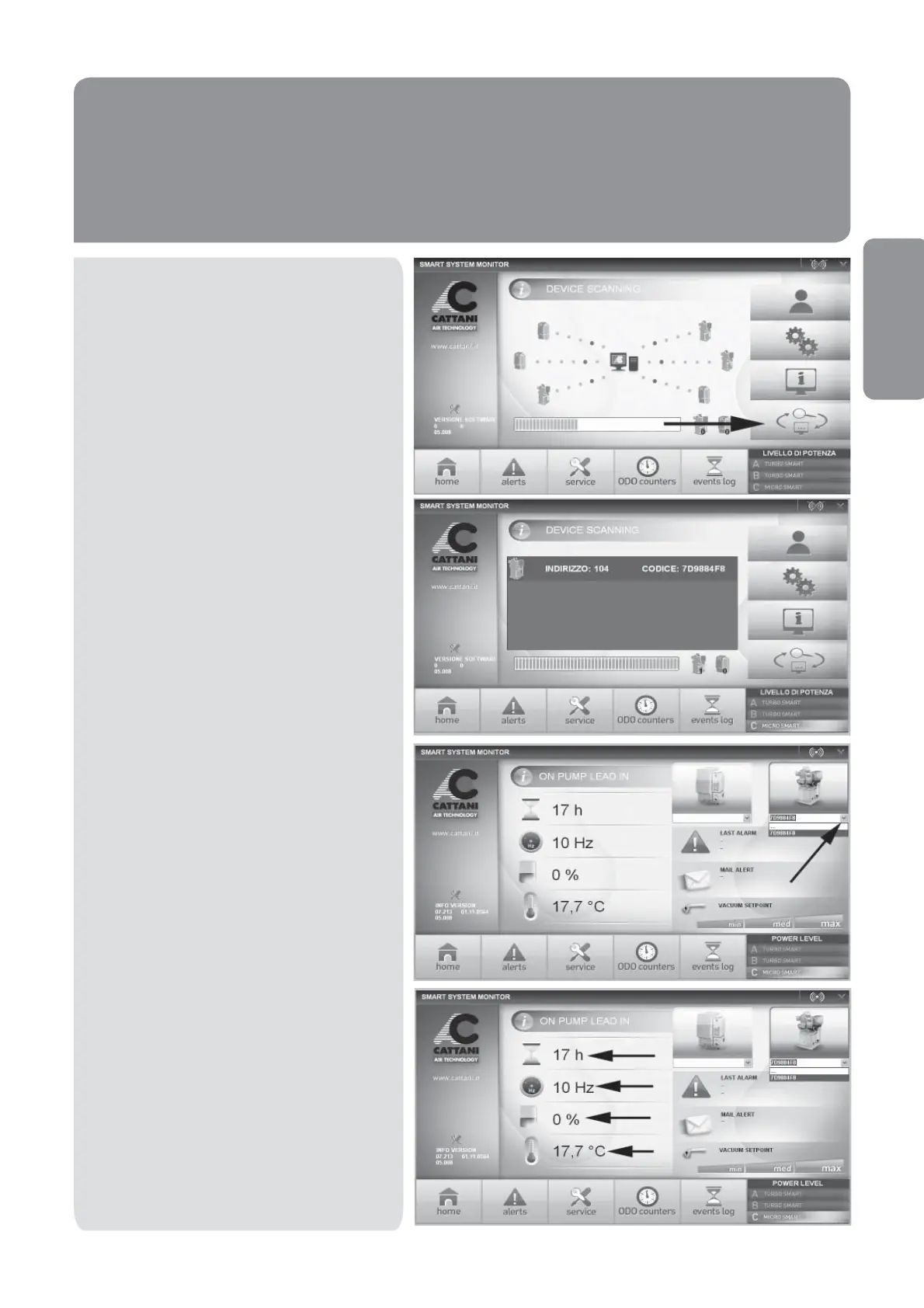
Click on the ‘search available devices’ tab.
The program will initiate a search, which can
take several seconds. Once the search is
completed, the program will display the va-
rious available units and their corresponding
generated code. NB: It may be necessary
to repeat this process several times.
After having found the available devices,
return to the home page to view parameters.
Select which Micro SMART you wish to view,
by selecting it through the drop-down menu.
It is now possible to view the operating
parameters.



 To Next Page