44
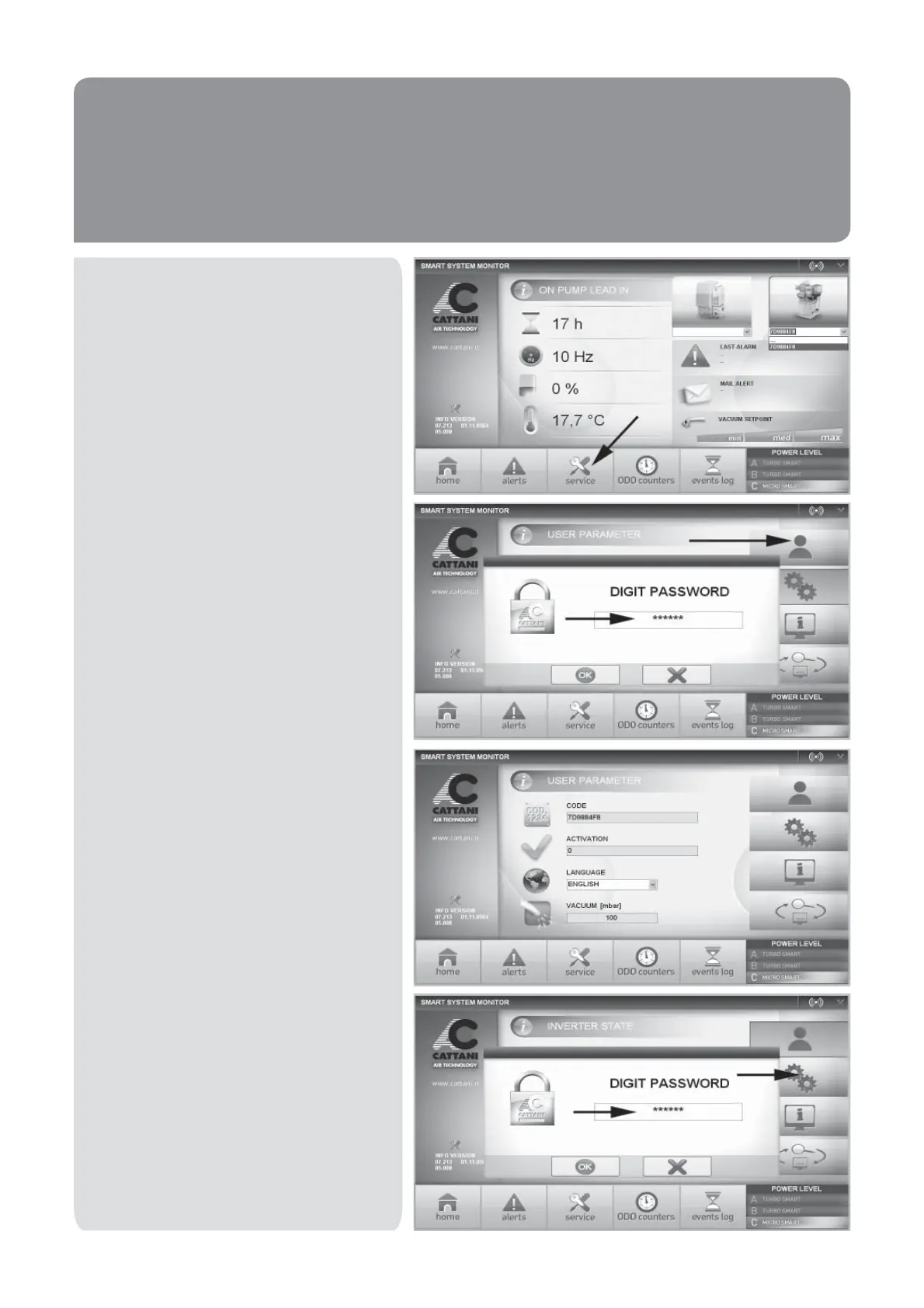
By clicking on the ‘SERVICE’ tab you can
access three different menus, one of which
is open, and the other two restricted by a
passwords.
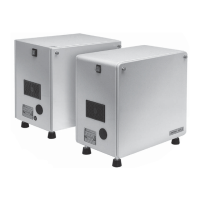
To enter the ‘USER PARAMETERS’ menu
enter the password 123000 and press ‘OK’.
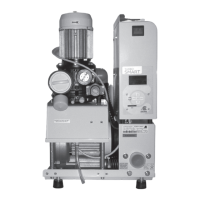
Through this menu you can select a different
language and set the desired vacuum level.
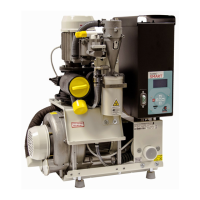
To enter the ‘SYSTEM PARAMETERS
SETUP’ menu enter the password 456000
and press ‘OK’.


 To Next Page