5.2.1 Registration
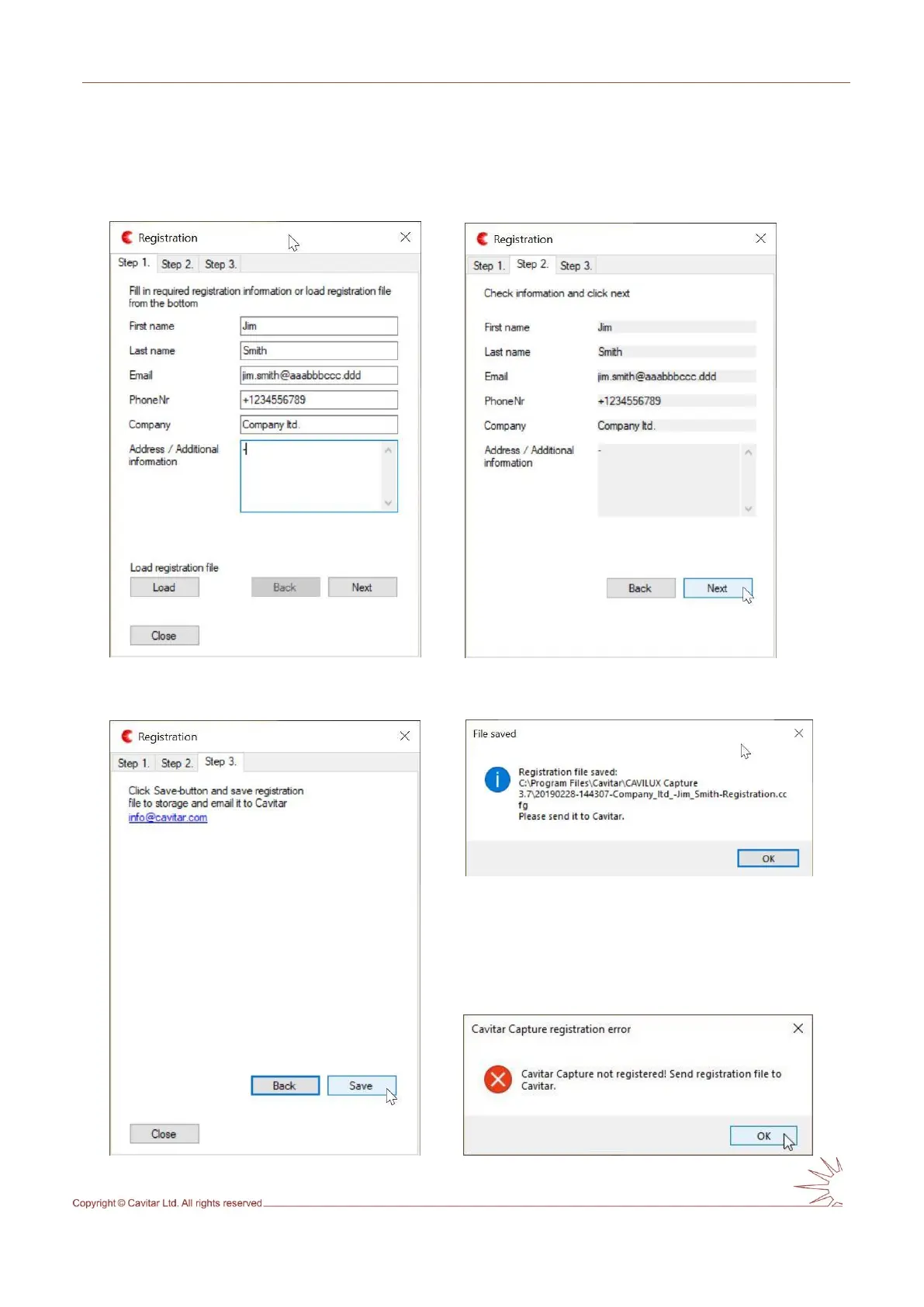
When starting CAVITAR Capture for the first time, registration procedure will start (see Figs.
5.1 – 5.5). Proceed by following the instructions and email the registration file to Cavitar.
Fig. 5.1. Registration: step 1. Fig. 5.2. Registration: step 2.
Fig. 5.4. Registration: file saved notification.
Fig. 5.3. Registration: step 3. Fig. 5.5. Registration: final notification.



 To Next Page