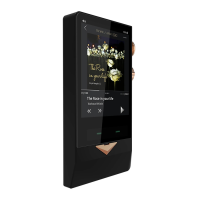
connection request from the designated Bluetooth device. When connected, the N8
screen will display a big Bluetooth logo, and the Bluetooth connection icon will display at
the top status bar.
Note: please turn off Wi-Fi and Bluetooth if you are not using these wireless features
because they will consume the battery and reduce the duration of playback.
Firmware Upgrade
Cayin will release new firmware as needed to improve and optimize the function of N8.
Please follow the instructions of the firmware released by http://en.cayin.cn/ to complete
the firmware upgrade procedure.
Safety Information
1. Do not use the device in extreme environments such as overheating, supercool, dusty or
smoky, or highly moisture.
2. Do not place the device near anything can disperse strong magnetic field
3. Do not use the device at thunderstorm.
4. Beware of falling or squeezing or colliding with other hard objects.
5. Do not use chemical solvents or detergents to clean the device.
6. It is normal that the device heats up during charging or playback.
7. Please control the volume! Please confirm that the volume value is in the proper position
before inserting the headphones.
8. Please do not use the player during charging
9. If you do not use this device for a long time, you need to periodically charge this device to
maintain its battery performance.
10. Please do not attempt to disassemble the device, this may cause damage and void the
warranty. Please contact your local dealer when you need warranty and/or repair
service.
11. Do not place the unit in a fire or attempt to heat up the player, this may cause the battery
to explode. If you notice the battery of the device displace high temperature, please
turn off the player and unplug the charging cable, headphones, and whatever connected
external devices.
13


 To Next Page