34
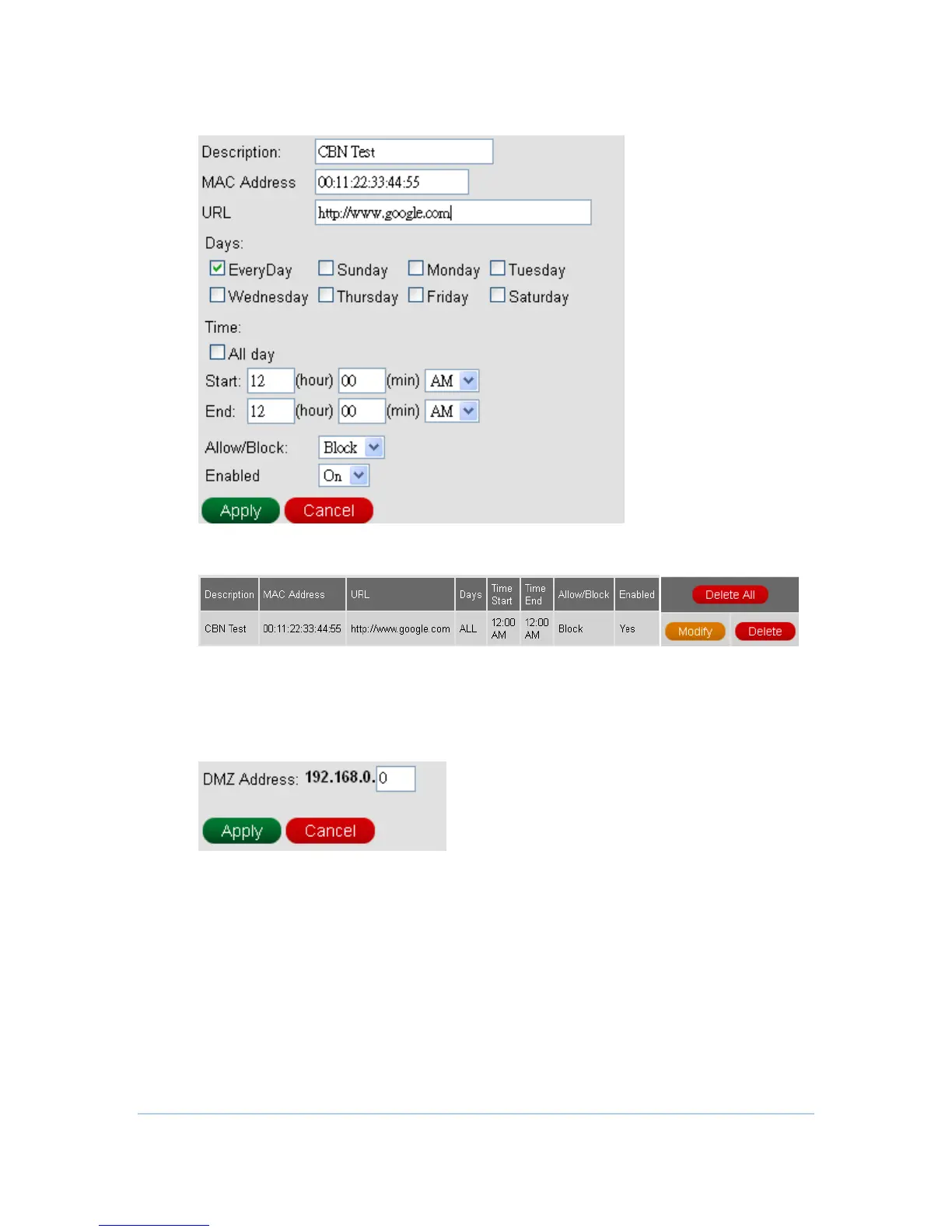
2. Configure outbound information and then press Apply button.
3. One rule is created. And also, you can Modify or Delete the existed rules.
DMZ
This page is for DMZ (Demilitarized Zone) configuration. You can fill in the exposed
host and press Apply button.
DDNS
This page is for DDNS (Dynamic DNS) configuration. You can fill in the registered
DDNS information here, and then press Apply button to enable your DDNS
function.



 To Next Page